NetCol5000-A 42 kW Air Cooled In-row Precision Air
Conditioner
User Manual
Huawei Proprietary and Confidential
Copyright © Huawei Technologies Co., Ltd.
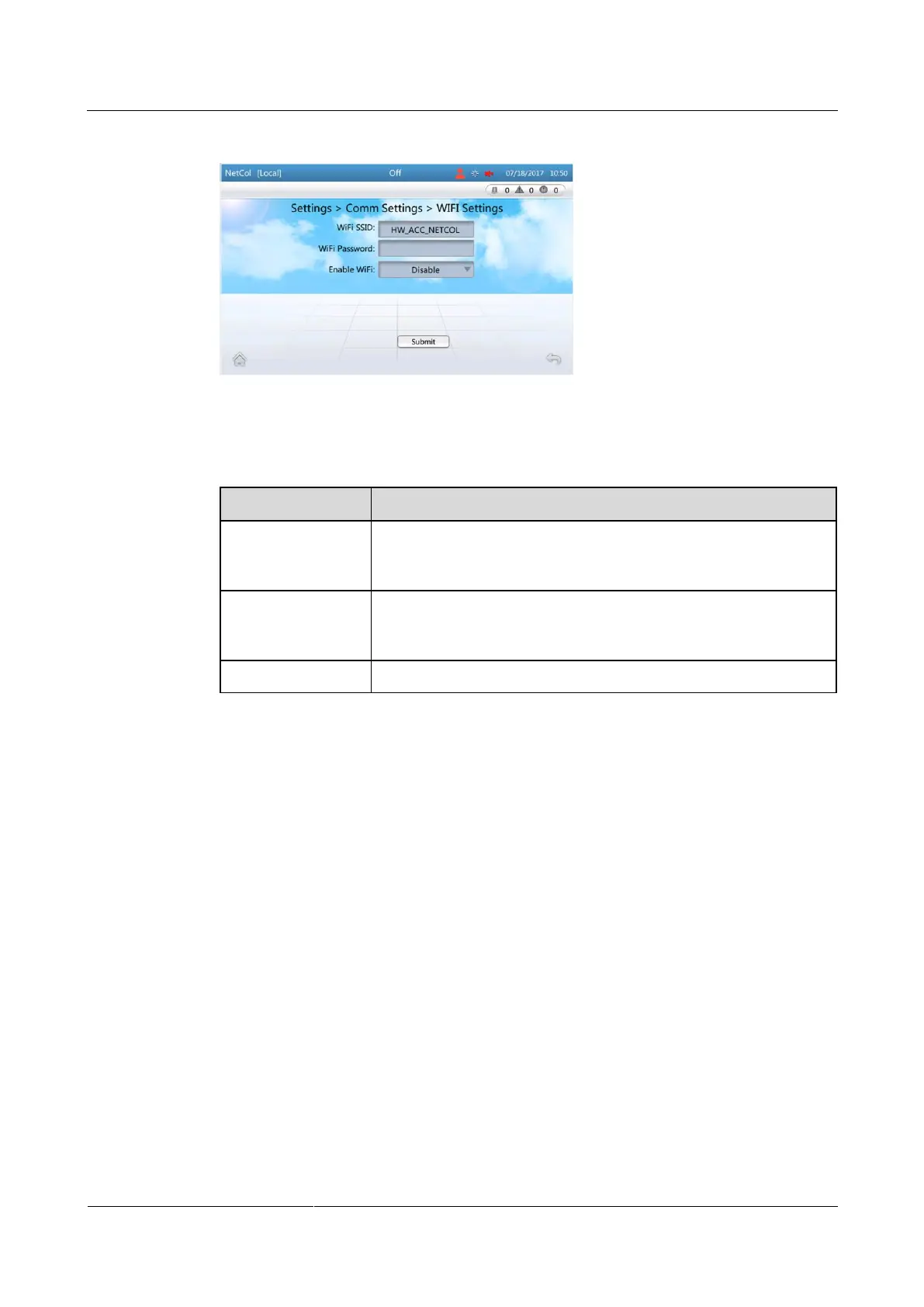
Figure 4-13 Setting WiFi parameters
Step 2 Set the parameters by referring to Table 4-7.
Table 4-7 WiFi settings
Set WiFi SSID based on the actual configuration; WiFi SSID is the
name used for the WiFi hotspot over which a mobile phone can
connect to the air conditioner.
Enter the WiFi password when you use a mobile phone to connect
to the WiFi. When you enable the WiFi function for the first time,
you need to set a password (the WiFi has no default password).
Enable the WiFi function. The default status is Disable.
Step 3 Tap Submit.
----End
4.5.6 Setting Communications Parameters (Modbus Settings)
Context
To set communications parameters, log in as the admin user.
If Link mode is Server, a precision air conditioner can be accessed by a maximum of
two element management system (EMS) clients at the same time. If Link mode is Client,
a precision air conditioner can be connected only to the EMS with the corresponding IP
address. If Link mode is Server and client, a precision air conditioner can be accessed
by a maximum of two EMS clients and connect to the EMS with the corresponding IP
address at the same time.
Figure 4-14 shows the screen for setting the Modbus communications parameters.







 To Next Page