NetCol5000-A 42 kW Air Cooled In-row Precision Air
Conditioner
User Manual
Huawei Proprietary and Confidential
Copyright © Huawei Technologies Co., Ltd.
Procedure
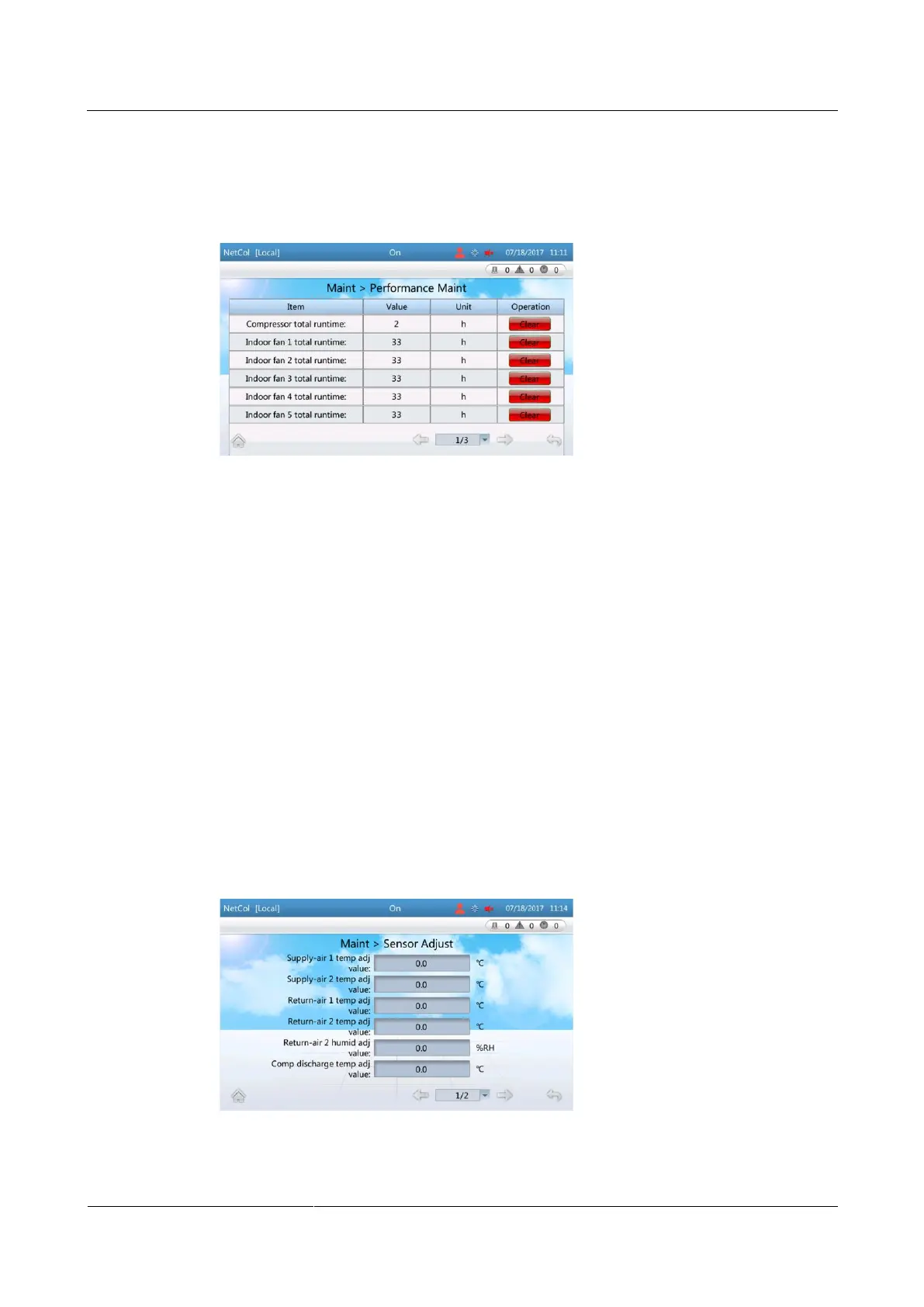
Step 1 On the home screen, choose Maint > Performance Maint. Figure 6-16 is displayed.
Figure 6-16 Performance Maint screen
Step 2 Tap Clear of a specific performance parameter to clear its runtime.
----End
6.12 Calibrating a Sensor
Context
Calibrate a sensor if the displayed temperature or humidity on the sensor deviates from the
actual value. For example, if the return air temperature measured by other temperature
detection devices at the return air detection point is 20°C while the value measured by the
sensor is 22°C, the sensor has an error of 2°C, and the calibration value should be set to –2°C.
Procedure
Step 1 On the home screen, choose Maint > Sensor Adjust. Figure 6-17 is displayed.
Figure 6-17 Sensor adjust screen
Step 2 Fill the calibration value based on the measured error.







 To Next Page