NetCol5000-A 42 kW Air Cooled In-row Precision Air
Conditioner
User Manual
Huawei Proprietary and Confidential
Copyright © Huawei Technologies Co., Ltd.
4.5.2 Temperature and Humidity Values
Procedure
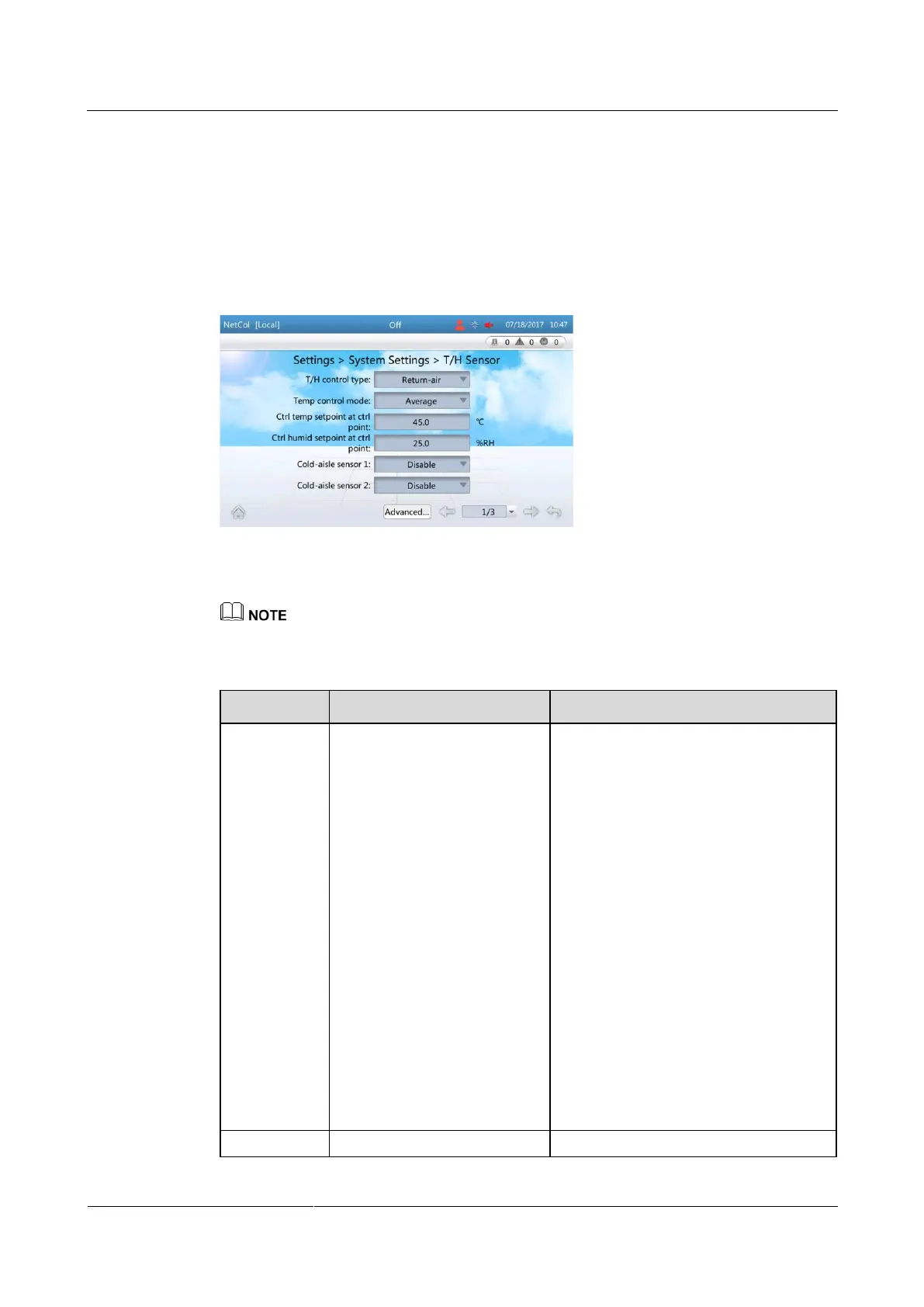
Step 1 On the home screen, choose Settings > System Settings > T/H Sensor. Figure 4-11 is
displayed.
Figure 4-11 Setting temperature and humidity values
Step 2 Set the parameters by referring to Table 4-4.
You are not recommended to modify the parameters not listed in Table 4-4.
Table 4-4 Parameter description
Cold-aisle, Hot-aisle,
Return-air, or Supply-air can
be set as required. The
temperature and humidity set
points correspond to the
selected control type can be
set.
Return-air: Select Return-air to
control the temperature and humidity
around the air return vent of the
precision air conditioner.
Supply-air: Select Supply-air to
control the temperature and humidity
around the air supply vent of the
precision air conditioner.
Cold-aisle: For a cold aisle, select
Cold-aisle to control the temperature
and humidity of the aisle. The
temperature and humidity values
come from the humidity and
temperature sensor in the aisle.
Hot-aisle: For a hot aisle, choose
Hot-aisle to control the temperature
and humidity of the aisle. The
temperature and humidity values
come from the humidity and
temperature sensor in the aisle.
This parameter controls the
Average: Select Average if the







 To Next Page