NetCol5000-A 42 kW Air Cooled In-row Precision Air
Conditioner
User Manual
Huawei Proprietary and Confidential
Copyright © Huawei Technologies Co., Ltd.
6.23 How to Import a Certificate and a Key
Prerequisites
You have obtained CA certificate file, local certificate file, and key file into a USB disk that
is connected to the USB controller port shown in Figure 2-6 and has been recognized.
You are advised to use the FAT32 USB flash drive with a capacity no greater than 64 GB.
Ensure that the key file has been encrypted using AES128.
Before using a USB flash drive, ensure that its data has been scanned by antivirus software
and is secure.
Procedure
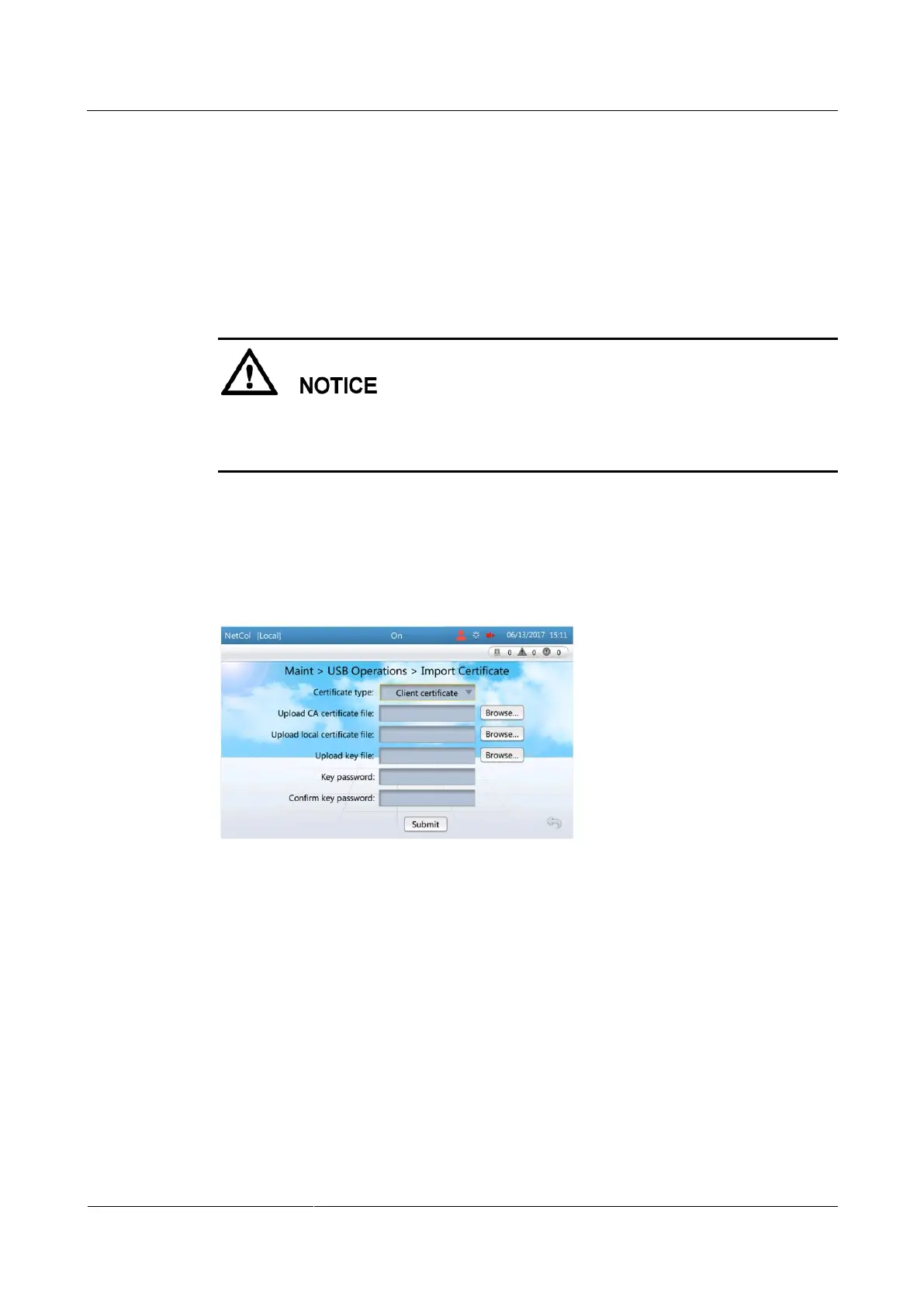
Step 1 On the home page, choose Maint > USB Operations > Import Certificate, as shown in
Figure 6-30.
Figure 6-30 Importing a certificate
Step 2 Select Client certificate or Server certificate based on the type of the certificate in use.
Step 3 Tap Browse... next to Upload CA certificate file.
Step 4 Select the CA certificate file to be imported.
Step 5 Upload the local certificate file and the key file in turn in the same way.
Step 6 Enter Key password and Confirm key password.
Step 7 Tap Submit.
If files are imported successfully, a success message will be displayed.
If files fail to be imported, the message indicating the cause for failure will be displayed.
Rectify the fault according to the message and import files again.
----End







 To Next Page