NetCol5000-A 42 kW Air Cooled In-row Precision Air
Conditioner
User Manual
Huawei Proprietary and Confidential
Copyright © Huawei Technologies Co., Ltd.
----End
6.20 How to View Teamwork Control Information
Procedure
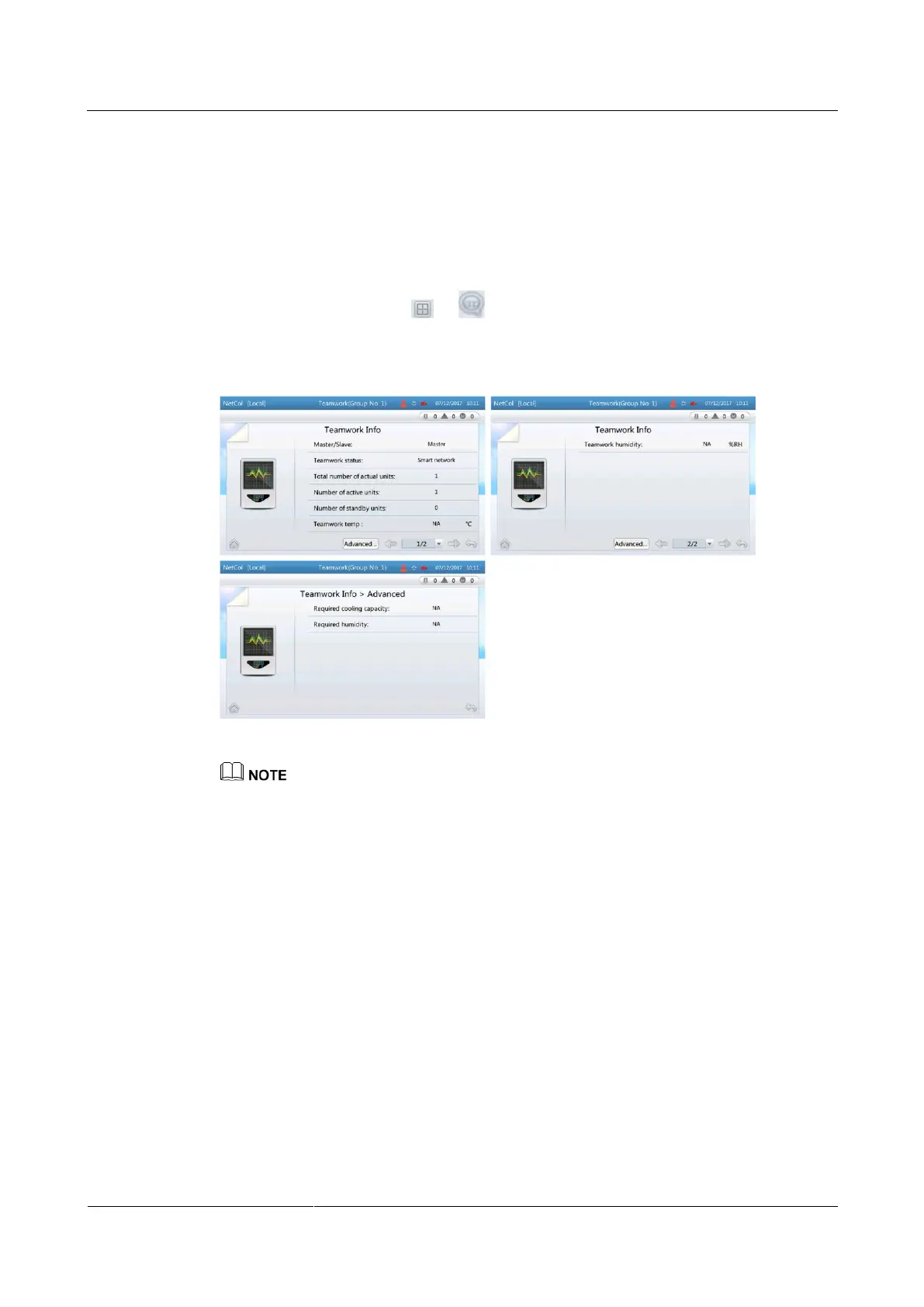
Step 1 On the home screen, choose > . The teamwork control information is displayed, as
shown in Figure 6-26.
Figure 6-26 Teamwork control information screen
Master/Slave and Active/Standby indicate the information of this single unit. Other information is
about the teamwork control information of the group.
Required cooling capacity: indicates the total cooling/heating requirements of the group and is used
as a reference for enabling the cooling/heating mode by the master device. If the cascade function is
enabled, the capacity is used as a reference for determining whether to start a standby unit.
Required humidity: indicates the total dehumidification and humidification requirements of the
group and is used as a reference for enabling the dehumidification and humidification mode by the
master device.
----End
6.21 Which Parameters Are Restored to Default Values
After Default Settings Are Operated
After choosing Settings > Restore Defaults > Yes, the following parameters are displayed:
All parameters displayed on Settings > System Settings.
All parameters displayed on Settings > Alarm Settings.







 To Next Page