NetCol5000-A 42 kW Air Cooled In-row Precision Air
Conditioner
User Manual
Huawei Proprietary and Confidential
Copyright © Huawei Technologies Co., Ltd.
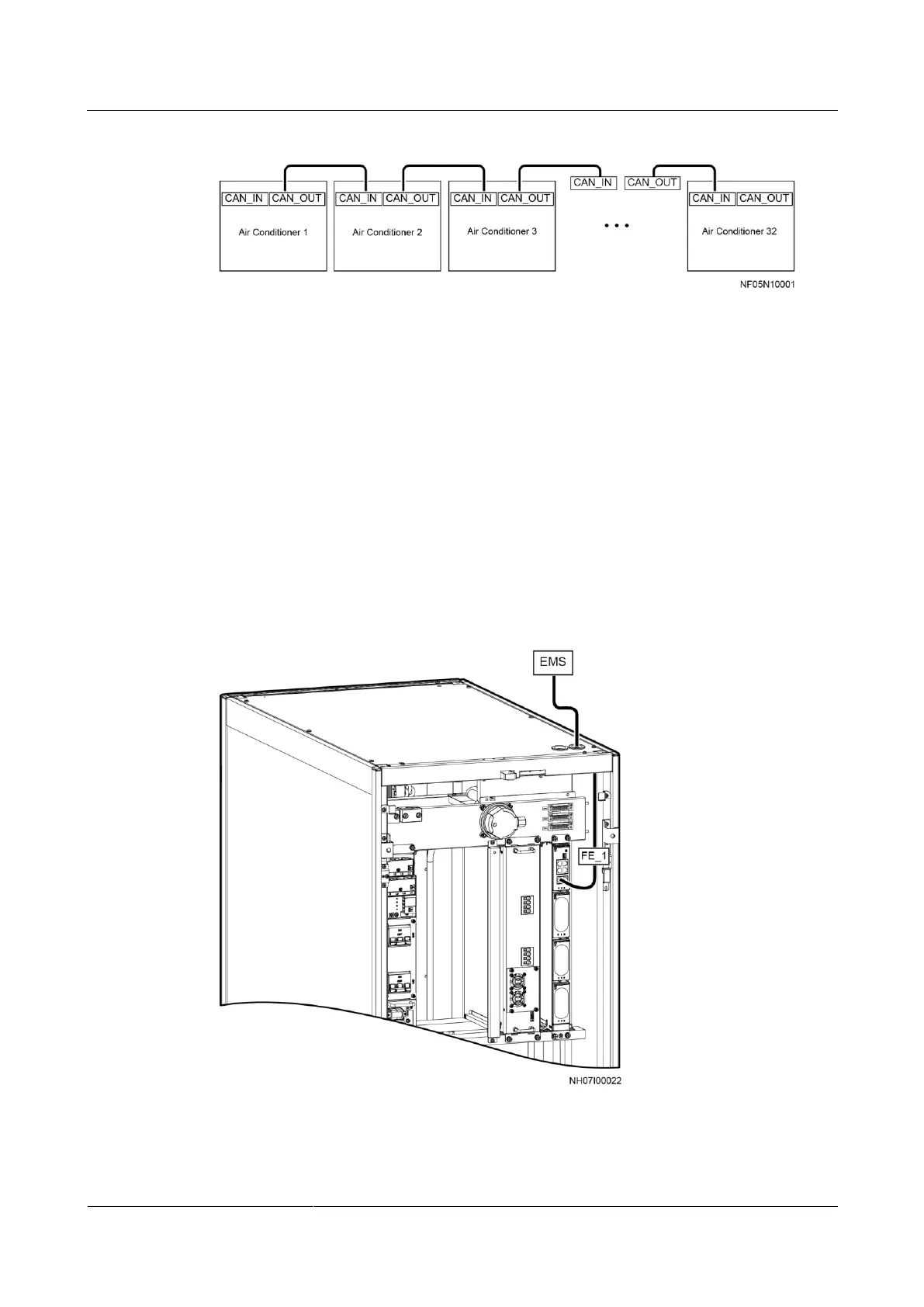
Figure 3-49 Connecting the CAN teamwork cable
----End
3.11.3.3 Connecting the Monitoring Network Cable
Connecting the FE Monitoring Network Cable (SNMP/Modbus-TCP)
When the FE teamwork networking is used inside the air conditioners, connect the external
monitoring network cable to the FE port on the air conditioner. To use the FE monitoring, the
communications protocol should be SNMP or Modbus-TCP.
Step 1 Connect one end of the monitoring network cable (standard network cable; prepared by the
customer onsite) to the FE_1 port on the main control module, and connect the other end to
the monitoring device, as shown in Figure 3-50.
Figure 3-50 Connecting the FE monitoring network cable
----End







 To Next Page