NetCol5000-A 42 kW Air Cooled In-row Precision Air
Conditioner
User Manual
Huawei Proprietary and Confidential
Copyright © Huawei Technologies Co., Ltd.
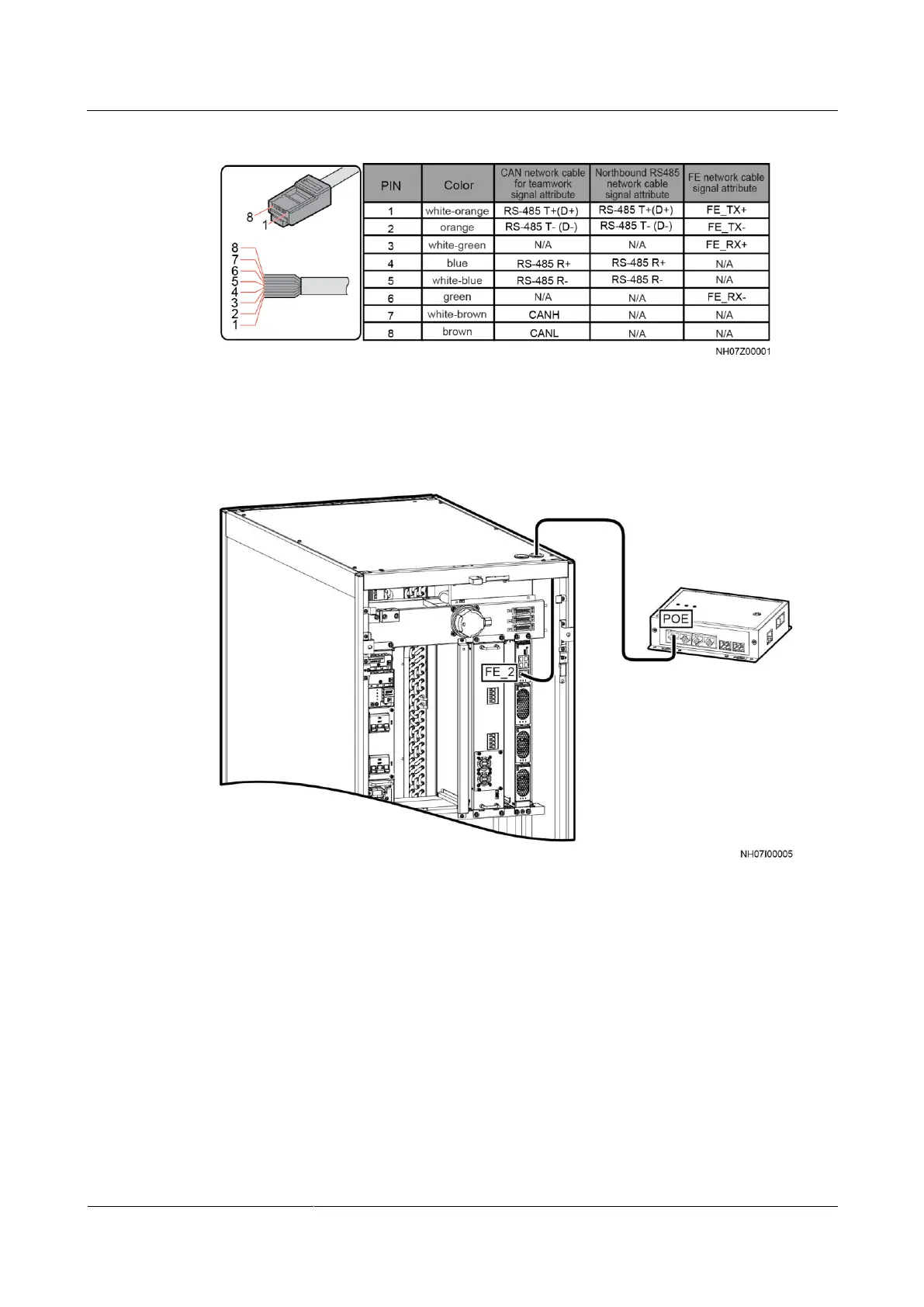
Figure 3-47 Pin sequence of network cable
Step 2 Connect one end of the FE network cable to an FE_2 port in Figure 3-46, and connect the
other end to the POE port on the smart ETH gate, as shown in Figure 3-48.
Figure 3-48 Connecting the FE teamwork network cable
----End
Connecting the CAN teamwork network cable
In CAN networking, a maximum of 32 air conditioners can be teamworked. If CAN
networking is required onsite, set Teamwork CAN resistor enable on Teamwork Settings
of the first and last air conditioners to Yes.
Step 1 Connect the CAN_OUT port of each air conditioner to the CAN_IN port of the following air
conditioner using a CAN network cable, as shown in Figure 3-49.







 To Next Page