NetCol5000-A 42 kW Air Cooled In-row Precision Air
Conditioner
User Manual
Huawei Proprietary and Confidential
Copyright © Huawei Technologies Co., Ltd.
6.14 How to Perform Quick Settings
Context
On the quick settings screen, you can set the language, time, date, and system.
Procedure
Step 1 Choose Settings > Quick Settings on the home screen. The quick settings screen is displayed,
as shown by (1), (2) in Figure 4-6.
----End
6.15 How to Set the Language, Date, or Time
Context
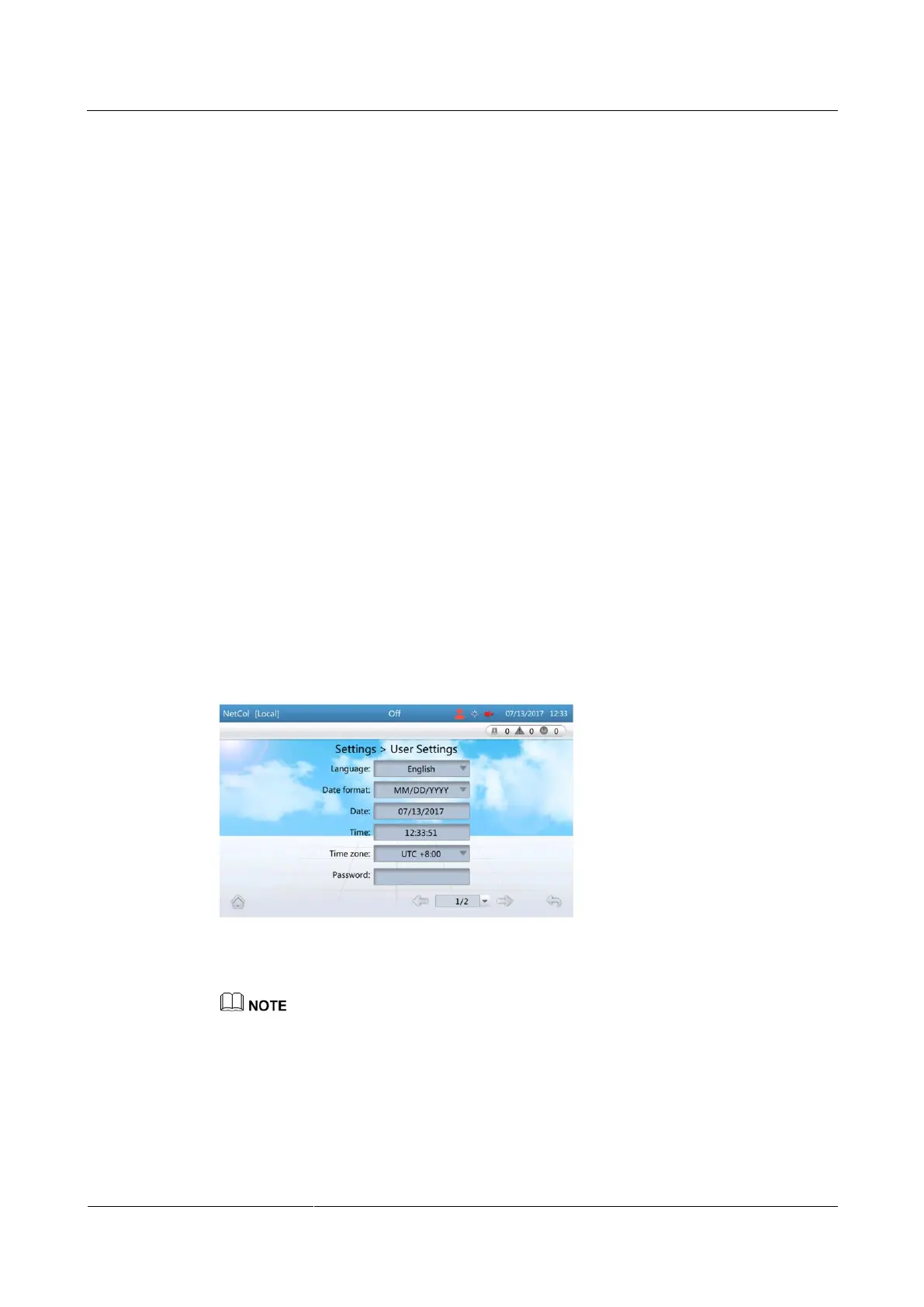
Enter the User Settings screen to set Language, Date, Time or Time zone. You can also set
Password, LCD contrast, LCD saturation, LCD brightness, and LCD backlight off delay
on the screen.
Procedure
Step 1 On the home screen, choose Settings > User Settings. Figure 6-21 is displayed.
Figure 6-21 User Settings screen
Step 2 Tap the parameter to be set.
LCD backlight off delay is 3 min by default. If no operation is performed within 3 min, the backlight
will be off. This value can be modified based on actual conditions.
----End







 To Next Page