NetCol5000-A 42 kW Air Cooled In-row Precision Air
Conditioner
User Manual
Huawei Proprietary and Confidential
Copyright © Huawei Technologies Co., Ltd.
After the system is restored to factory settings, the user password is also reset to the preset password,
and must be promptly modified to ensure information security and normal system running.
----End
6.18 How to Silence the Buzzer
Context
Silencing the buzzer: After the buzzer is silenced, it does not buzz when a new alarm is
generated.
Procedure
Step 1 Tap the icon in the status bar and tap Off to silence the buzzer. After the buzzer is
silenced, the icon changes to .
----End
6.19 How to Enable a Humidity and Temperature Sensor
Context
A humidity and temperature sensor needs to be enabled after it is installed in an aisle.
If you need to enable a humidity and temperature sensor, log in as the admin user.
This section describes how to enable Cold-aisle sensor 1 and Cold-aisle sensor 2.
Procedure
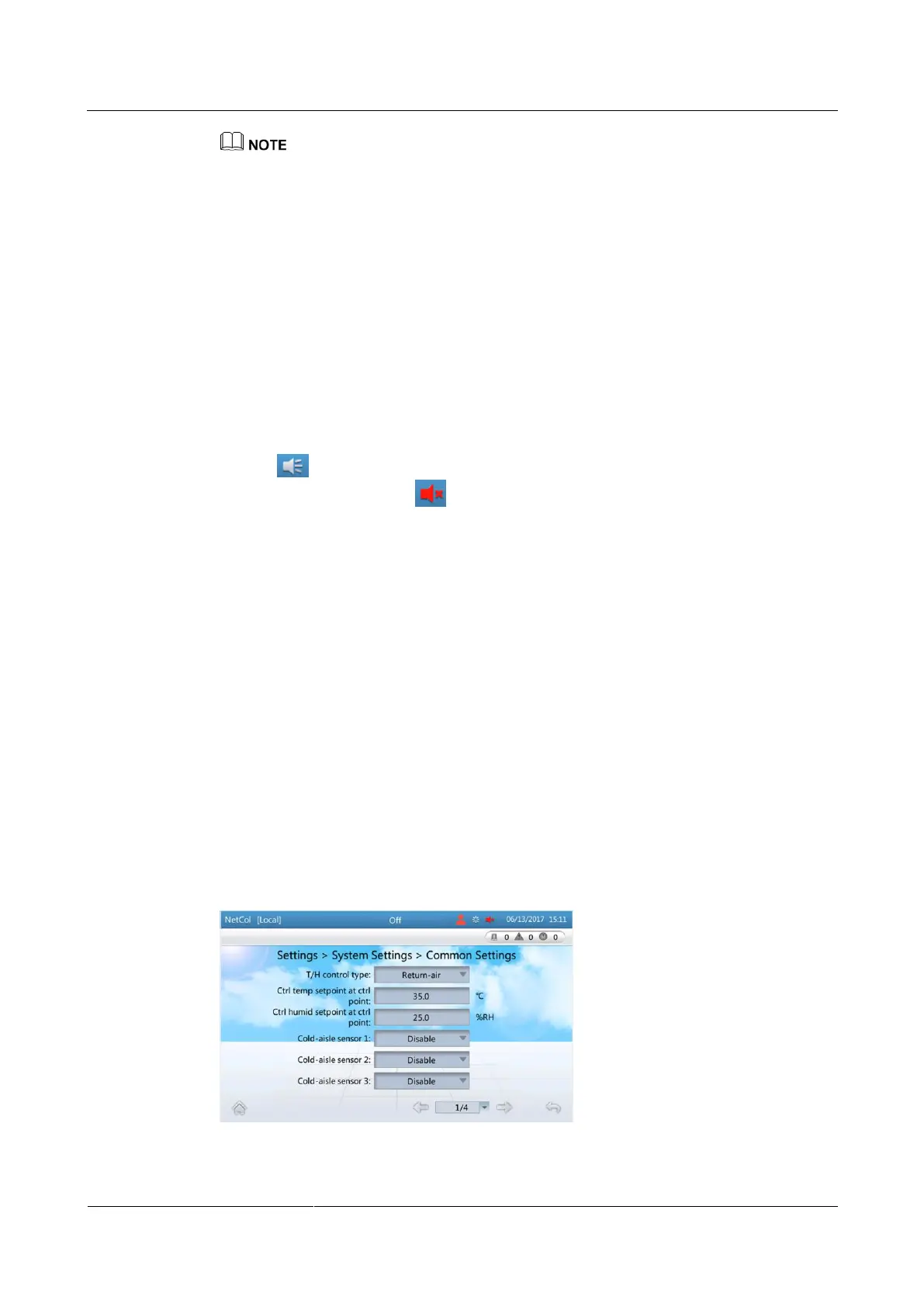
Step 1 On the home screen, choose Settings > System Settings > Common Settings.
Step 2 Set Cold-aisle sensor 1 and Cold-aisle sensor 2 to Enable, as shown in Figure 6-25.
Figure 6-25 Common Settings







 To Next Page