NetCol5000-A 42 kW Air Cooled In-row Precision Air
Conditioner
User Manual
Huawei Proprietary and Confidential
Copyright © Huawei Technologies Co., Ltd.
If you restore factory settings, all system data will be restored to the state before delivery,
including login passwords, operation logs, parameter configurations, alarms, and
performance statistics. Perform this operation with caution as it may affect other users.
To ensure device security, operate the DIP switch after powering off the main power
supply of the device.
To ensure information security and prevent malicious password reset, you must keep the
cabinet keys securely. If any abnormal operation is found, check the information in the
equipment room access control system and monitoring system.
Procedure
Step 1 Tap Shutdown on the screen and wait for the system to shut down.
Step 2 Disconnect the main power supply of the device.
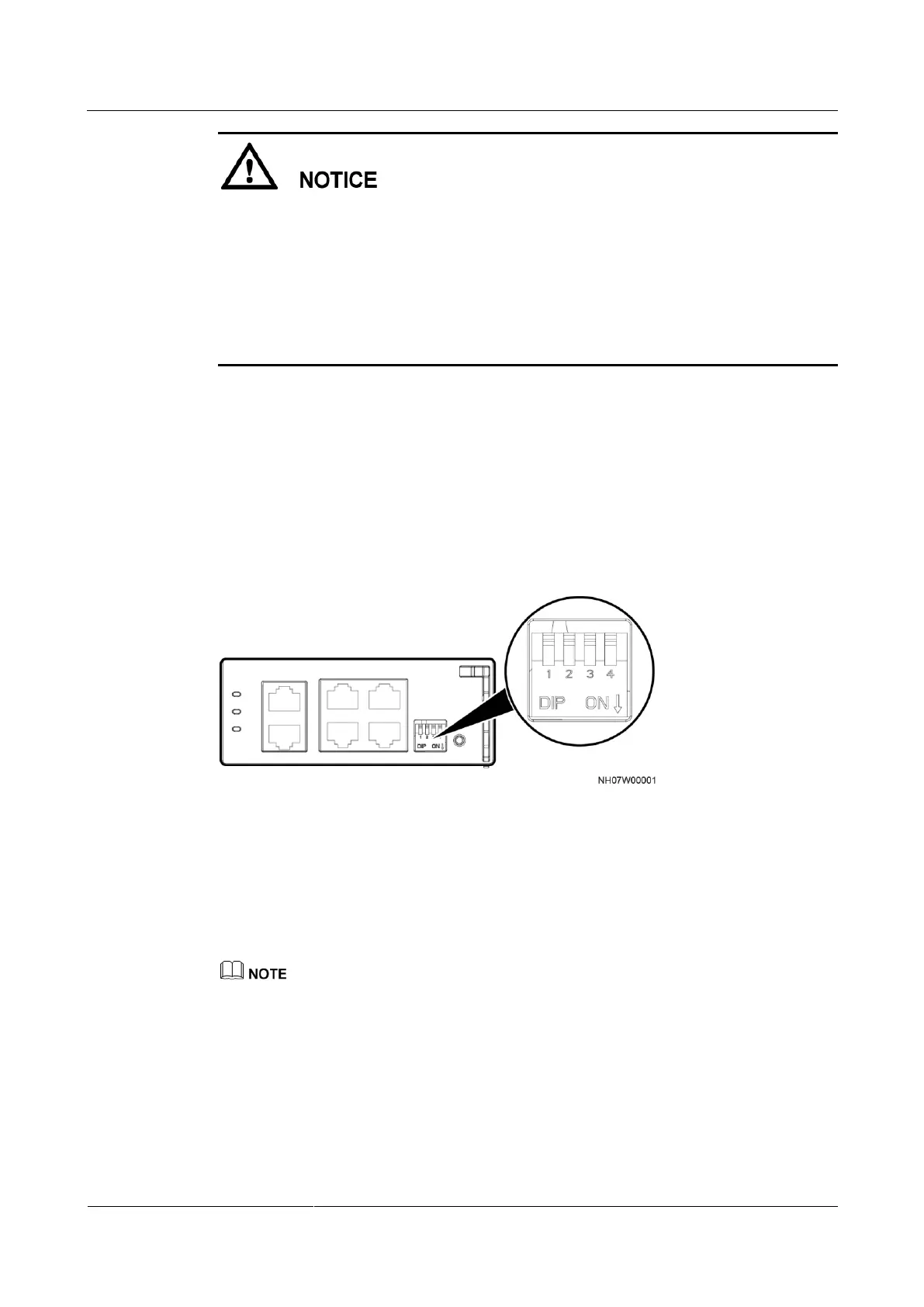
Step 3 Switch the fourth toggle of the DIP switch on the main control module to ON.
Figure 6-24 shows the DIP switches on the main control module.
Figure 6-24 DIP switches on the main control module
Step 4 Connect the main power supply of the device.
Step 5 After the restart completes, the LCD displays a dialog box asking you to confirm the
operation of restoring factory settings.
To continue restoring factory settings, tap Yes, go on the next step.
Otherwise, tap No.
If you do not confirm the operation within 30s, the dialog box disappears, and the process of restoring
factory settings is terminated.
Step 6 Disconnect the main power supply of the device.
Step 7 Switch the fourth toggle of the DIP switch on the main control module to OFF.
Step 8 Connect the main power supply of the device.
Step 9 After the restart completes, the LCD displays the setup wizard screen for setting parameters.







 To Next Page