Carriage Drive Assembly Replacement
1.
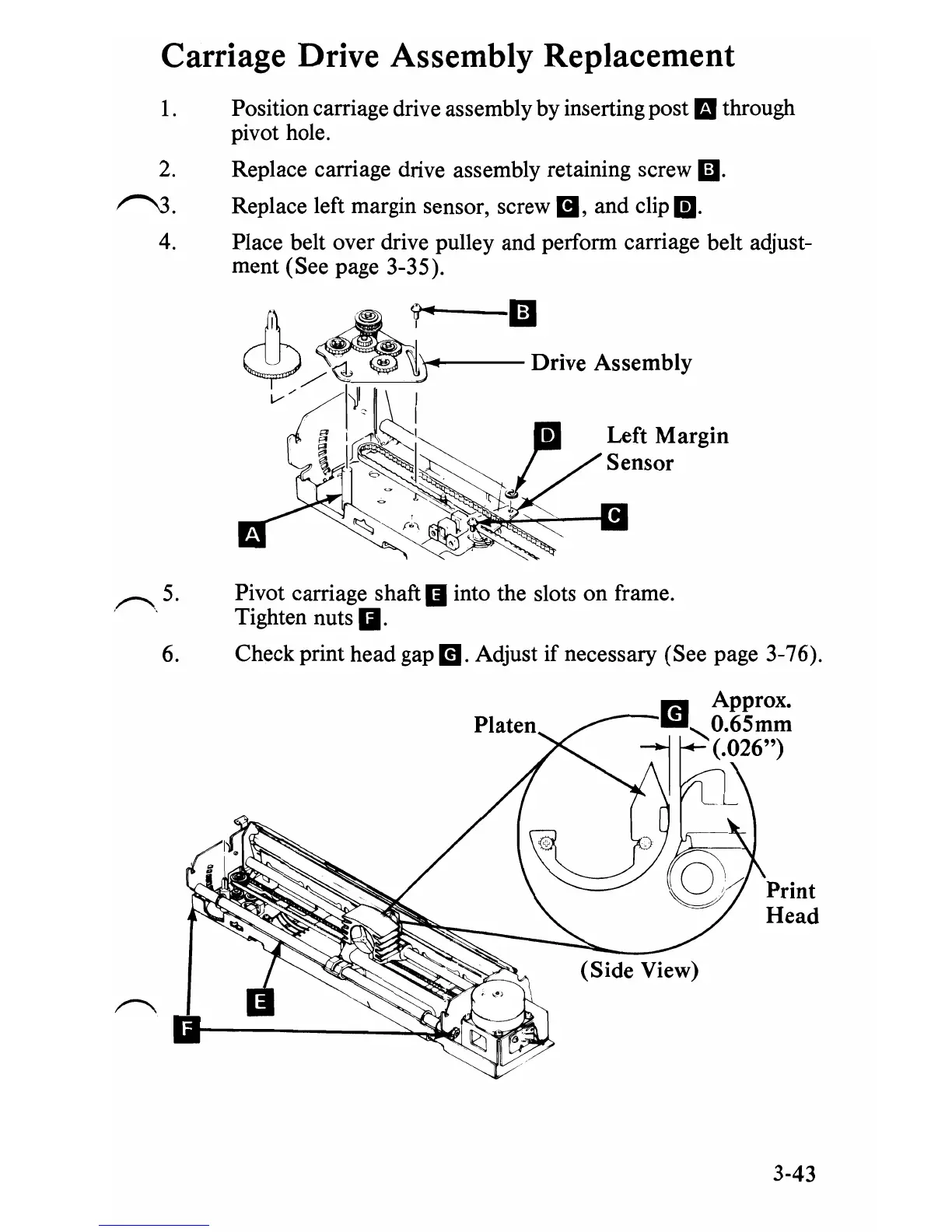
Position carriage drive assembly by inserting post
II
through
pivot hole.
2.
Replace carriage drive assembly retaining screw
Ii).
~.
Replace left margin sensor, screw
II,
and clip
m.
4. Place belt over drive pulley and perform carriage belt adjust-
ment (See page 3-35).
""---1iJ
Left
Margin
Sensor
,~,5.
Pivot carriage shaft
II
into the slots on frame.
Tighten nuts
g.
6.
Check print head gap
m.
Adjust
if
necessary (See page 3-76).
r.I
Approx.
l1li
O.65mm
~
'(.026")
Print
Head
3-43


 To Next Page
 Loading...








