Left Margin Sensor Replacement
1.
2.
3.
r"\
4.
5.
6.
7.
8.
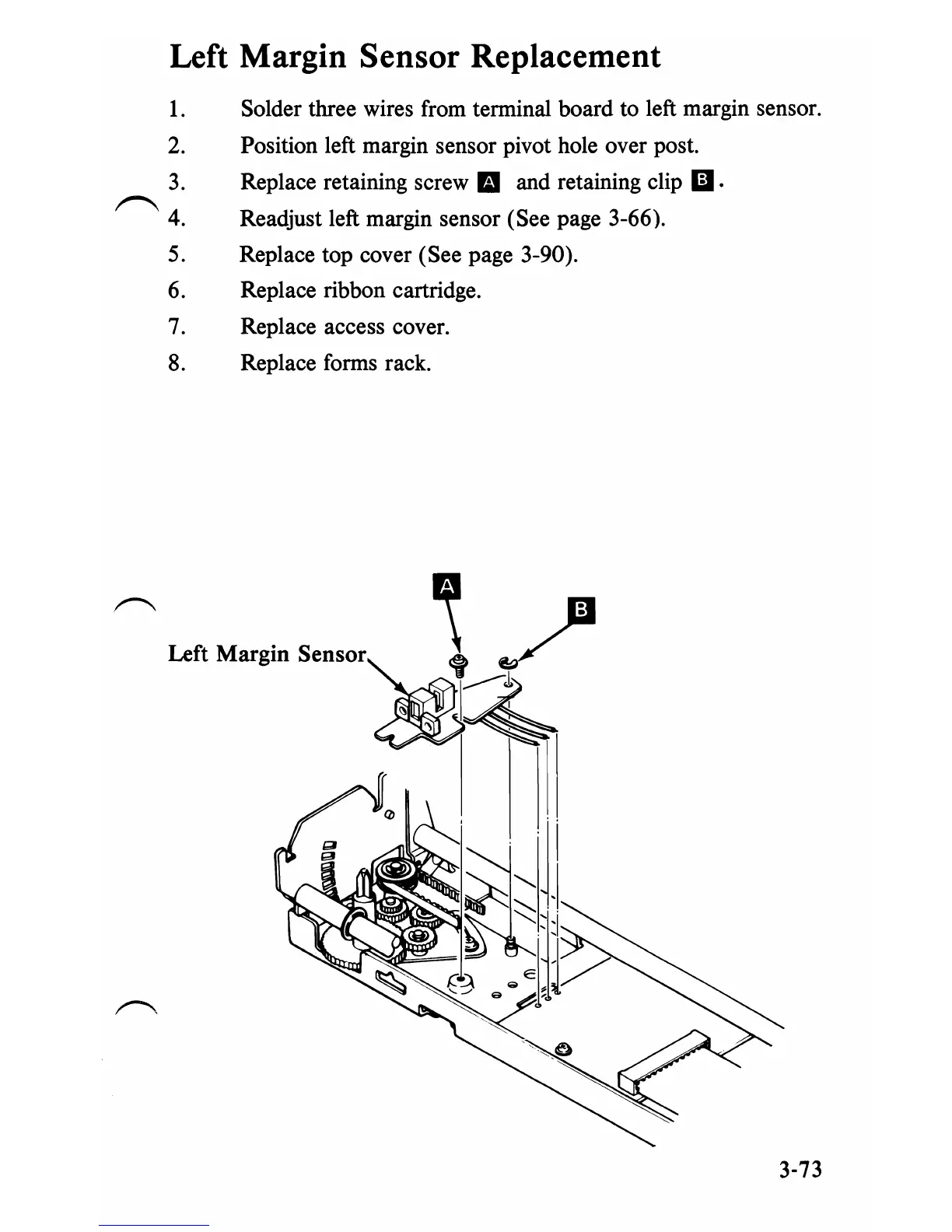
Solder three wires from terminal board to left margin sensor.
Position left margin sensor pivot hole over post.
Replace retaining screw
IE1
and retaining clip
iii·
Readjust left margin sensor (See page 3-66).
Replace top cover (See page 3-90).
Replace ribbon cartridge.
Replace access cover.
Replace forms rack.
3-73


 To Next Page
 Loading...








