Intermediate Gear Removal
1.
Position Printer Power switch to
OFF;
unplug printer power
cord from wall outlet and disconnect Parallel Printer Cable.
2.
Remove forms.
3.
Remove
forms
rack (See page 3-56).
4.
Remove access cover (See page 3-32).
5.
Remove top cover (See page 3-88).
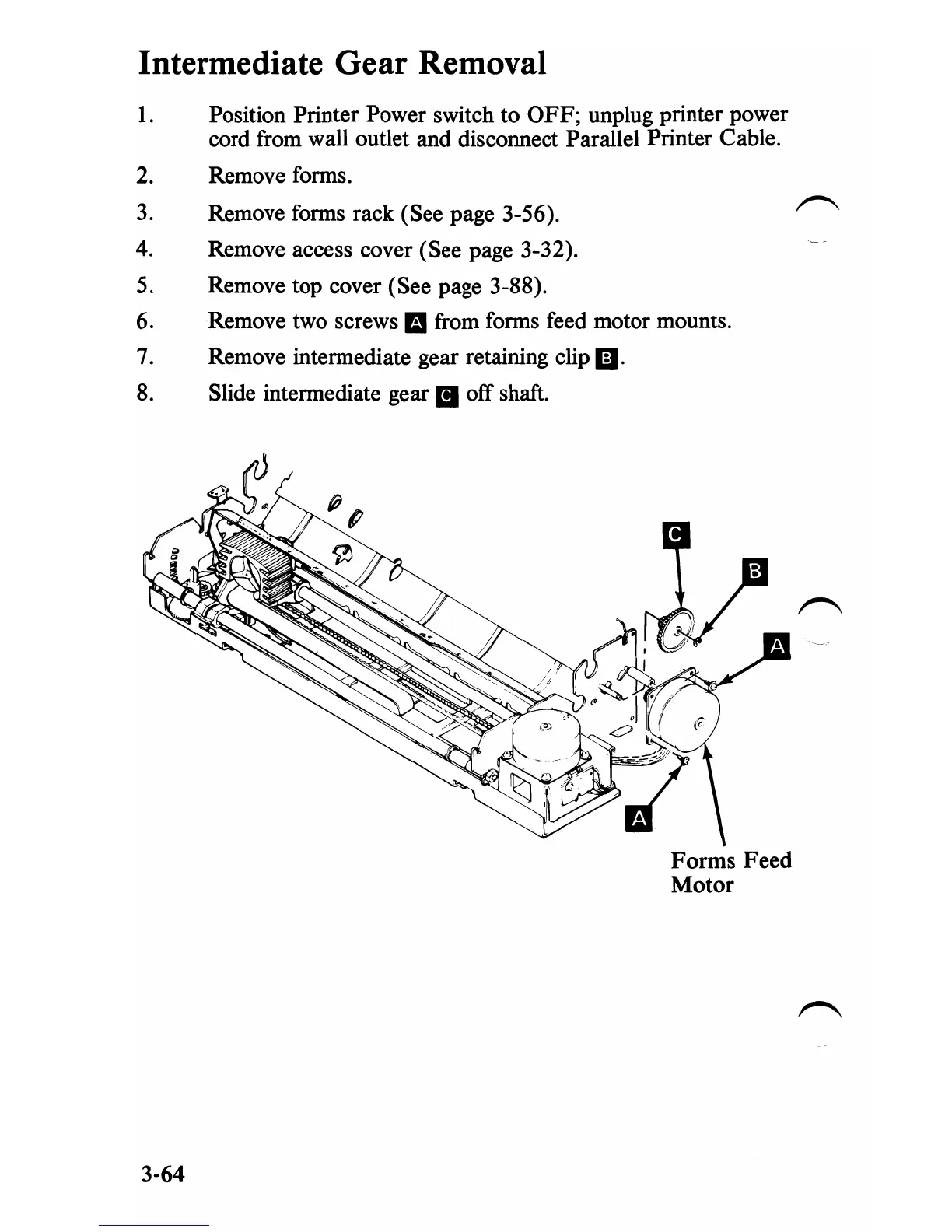
6. Remove two screws mfrom
forms
feed motor mounts.
7.
Remove intermediate gear retaining clip II.
8.
Slide intermediate gear
II
off shaft.
Forms Feed
Motor
3-64


 To Next Page
 Loading...








