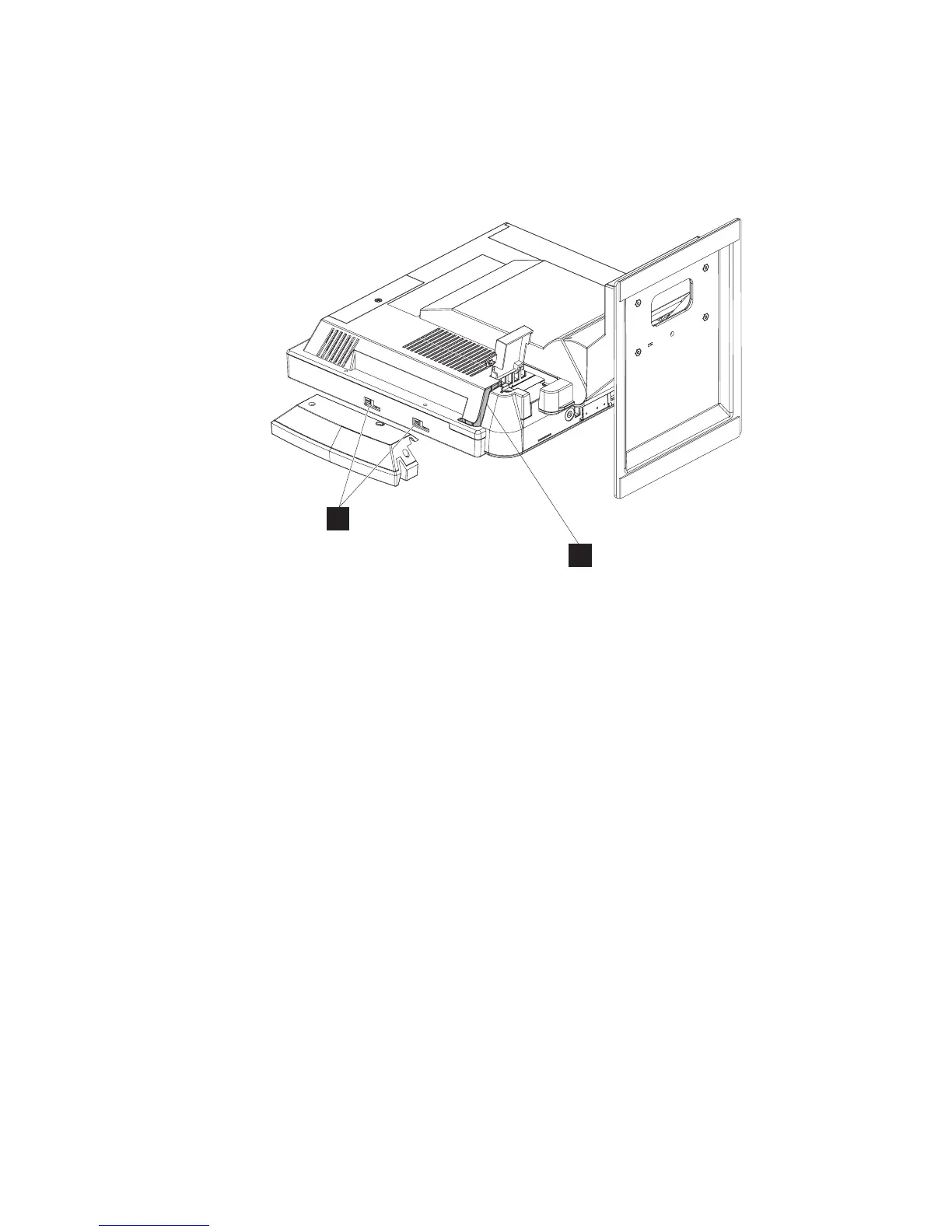
Installing the MSR
Follow these steps to install the MSR:
1. From the rear of the unit, open the MSR/USB cable cover using the
quarter-turn latches.
2. Use a small, flat-blade screw driver to pry and then lift out to remove the MSR
plugs (V in Figure 7).
3. Locate the mounting slots for the MSR on the right side of the unit.
4. Align the MSR such that the MSR hooks are slightly above their matching slots
on the 4838. Slide the MSR downward into position, being careful not to pinch
the MSR cable.
5. Install the screw or thumbscrew to retain the MSR. Use the screw when the
kiosk operates in a public environment so as to increase the security of the unit.
6. Plug the MSR cable to its indicated connector. See Figure 7.
7. Starting from the MSR, press the MSR cable into the U slot (U) in the rear
cover. The excess MSR cable should be placed in the MSR/USB cable cover
area.
8. Close and latch the MSR/USB cable cover.
Installing the flash drive
Follow these instructions to install the flash drive.
U
V
Figure 7. Installing the MSR
Installing the IBM AnyPlace Kiosk
Chapter 2. Installing the IBM AnyPlace Kiosk 15



 To Next Page