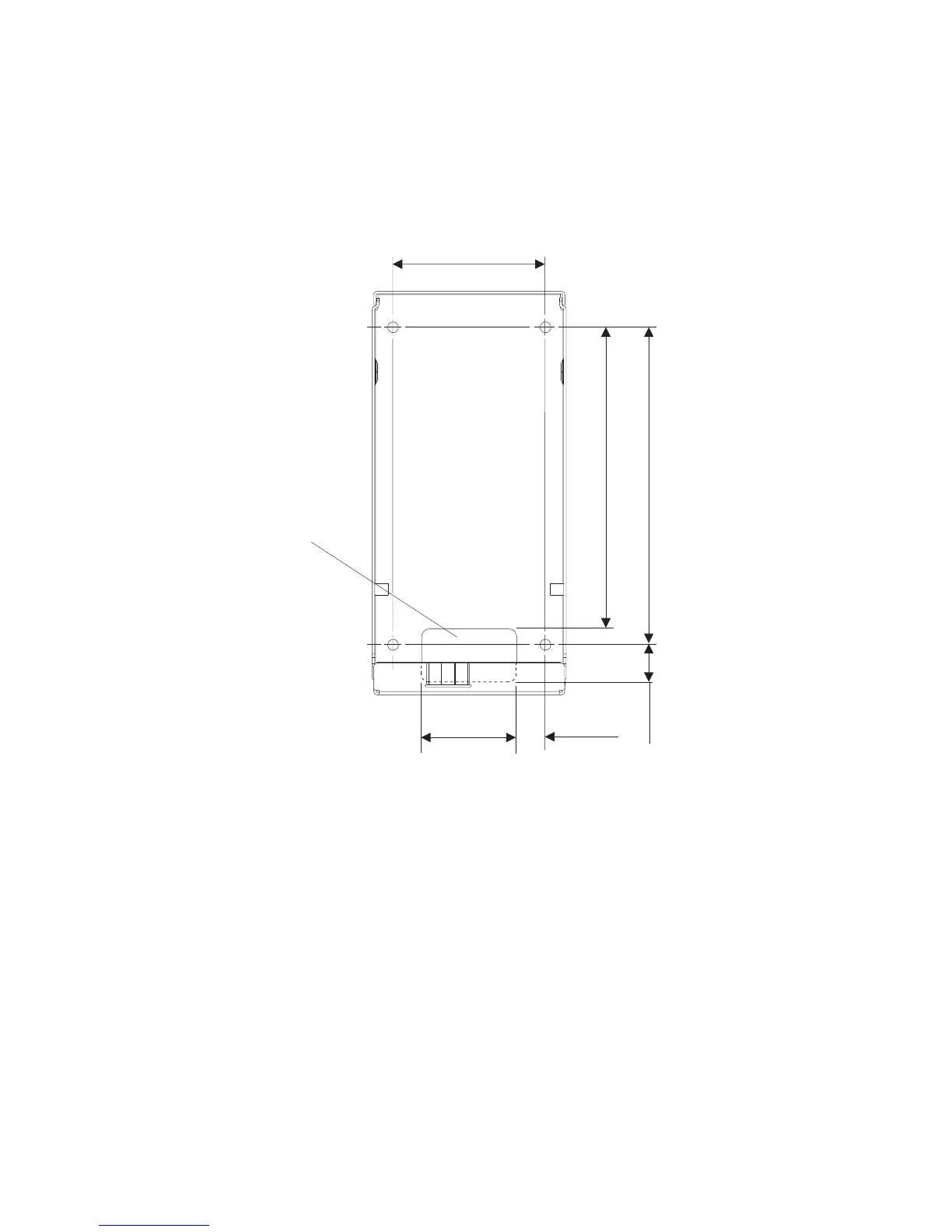
Wall mount plate mounting options
The wall mount plate and wall cutout dimensions are shown in Figure 18. The I/O
and power cables for the unit can be routed either through the wall behind the
unit, or out the bottom of the rear cover.
Note: Wall mount plate is not drawn to scale.
Attaching the wall mount plate
CAUTION:
The wall mount plate must be installed by an insured, qualified, professional
installer who is familiar with building construction methods, building materials,
building codes, electrical codes, fire codes, and local laws governing public
access areas.
It is imperative that you attach the wall mount plate securely and permanently to
the wall. The 4838 weighs up to 9.5 kg (21 lb.), and its weight is centered
approximately 75 mm (3 in.) away from the wall mount plate mounting surface. In
addition to this weight, the wall mount plate must maintain its security and
attachment in the event the unit is knocked, bumped, or otherwise abused. If the
wall mount plate is not securely attached to the wall, the unit might fall and be
damaged, and can cause injury to others.
96 mm
(3.77 in)
186.6 mm
(7.37 in)
200 mm
(7.87 in)
35 mm
(1.37 in)
60 mm
(2.37 in)
18 mm
(0.75 in)
Cable
Exit
Figure 18. Wall mount plate and wall cutout dimensions
Mounting the IBM AnyPlace Kiosk to the wall
Chapter 3. Mounting the IBM AnyPlace Kiosk to the wall 29



 To Next Page