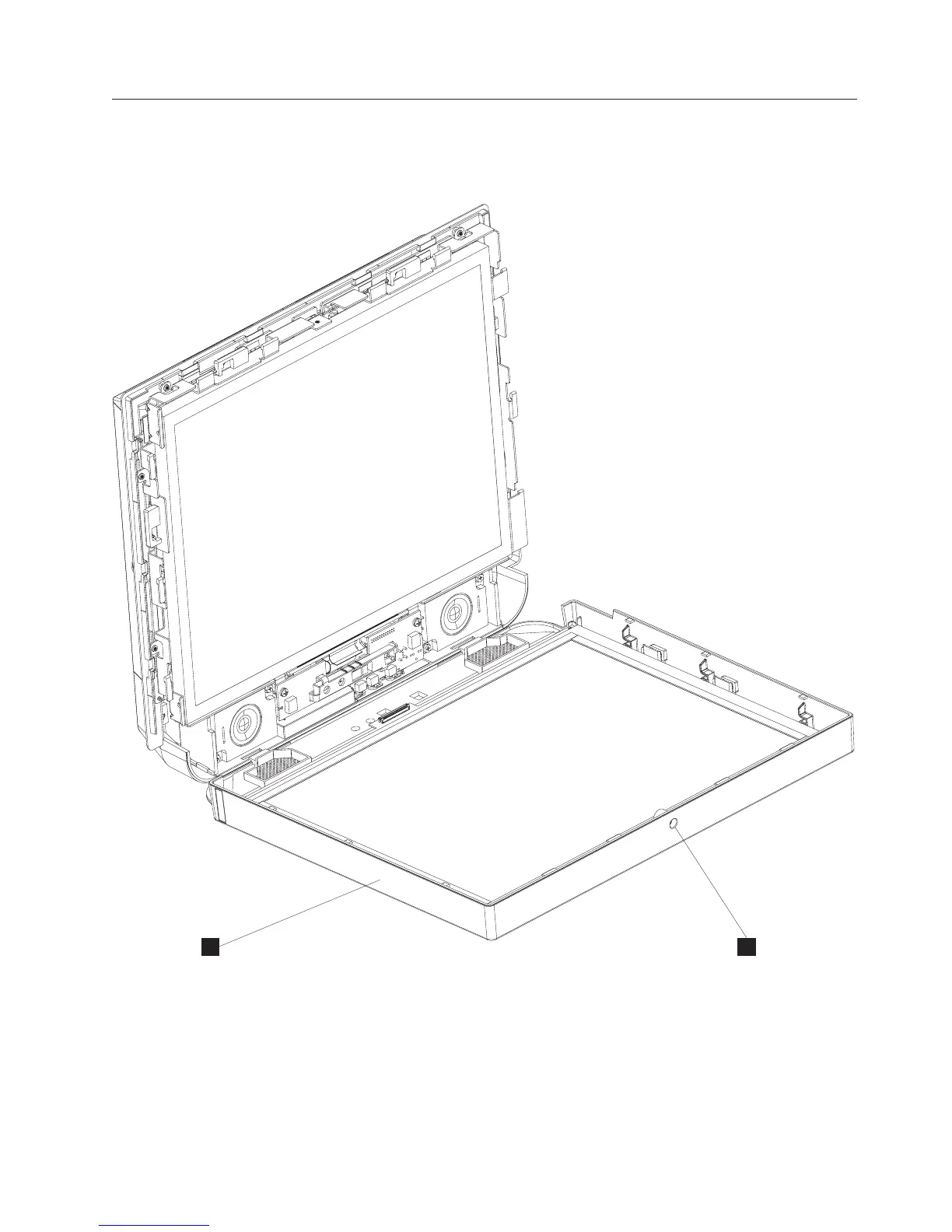
Removing the front cover/touch assembly
The front cover includes the touch assembly (touch card and housing) inside.
Follow these steps to remove the front cover/touch assembly:
1. Switch OFF the power to the IBM AnyPlace Kiosk. Unplug the power cord
from the external power source.
2. If installed, remove the MSR (see “Installing the MSR” on page 15).
3. Open the front cover/touch assembly (T in Figure 34) by loosening the
captured screw (S).
T S
Figure 34. Removing the front cover/touch assembly
Removing and replacing FRUs
Chapter 4. Removing and replacing FRUs 55



 To Next Page