Changing the battery
Attention: Establish personal grounding before touching this unit. See
“Electrostatic discharge” on page 94.
Note: The coin cell system board battery is a Lithium Manganese Dioxide battery.
Follow these steps to change the battery:
1. Switch OFF the power to the IBM AnyPlace Kiosk. Unplug the power cord
from the external power source.
2. Remove the rear cover as described in “Removing the rear cover” on page 39.
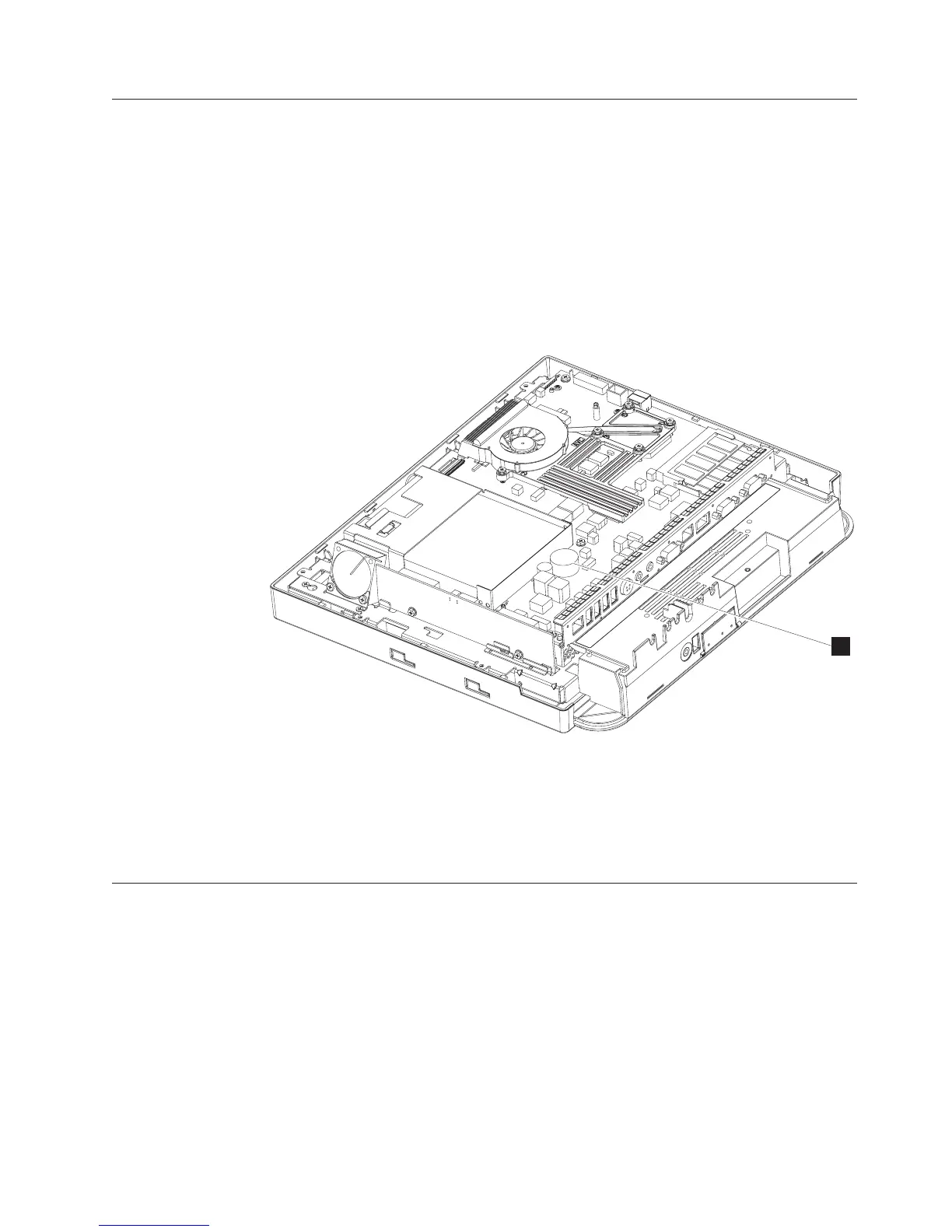
3. Locate the battery on the system board (B in Figure 31).
4. Using your finger, press on one of the tabs holding the coin battery, and the
battery pops out.
5. To replace the battery, align the battery underneath the tabs and press down.
Removing the flash drive
Follow these steps to remove the flash drive:
1. Loosen the captured screw on the side access door and lift to remove.
B
Figure 31. View of battery
Removing and replacing FRUs
Chapter 4. Removing and replacing FRUs 51



 To Next Page