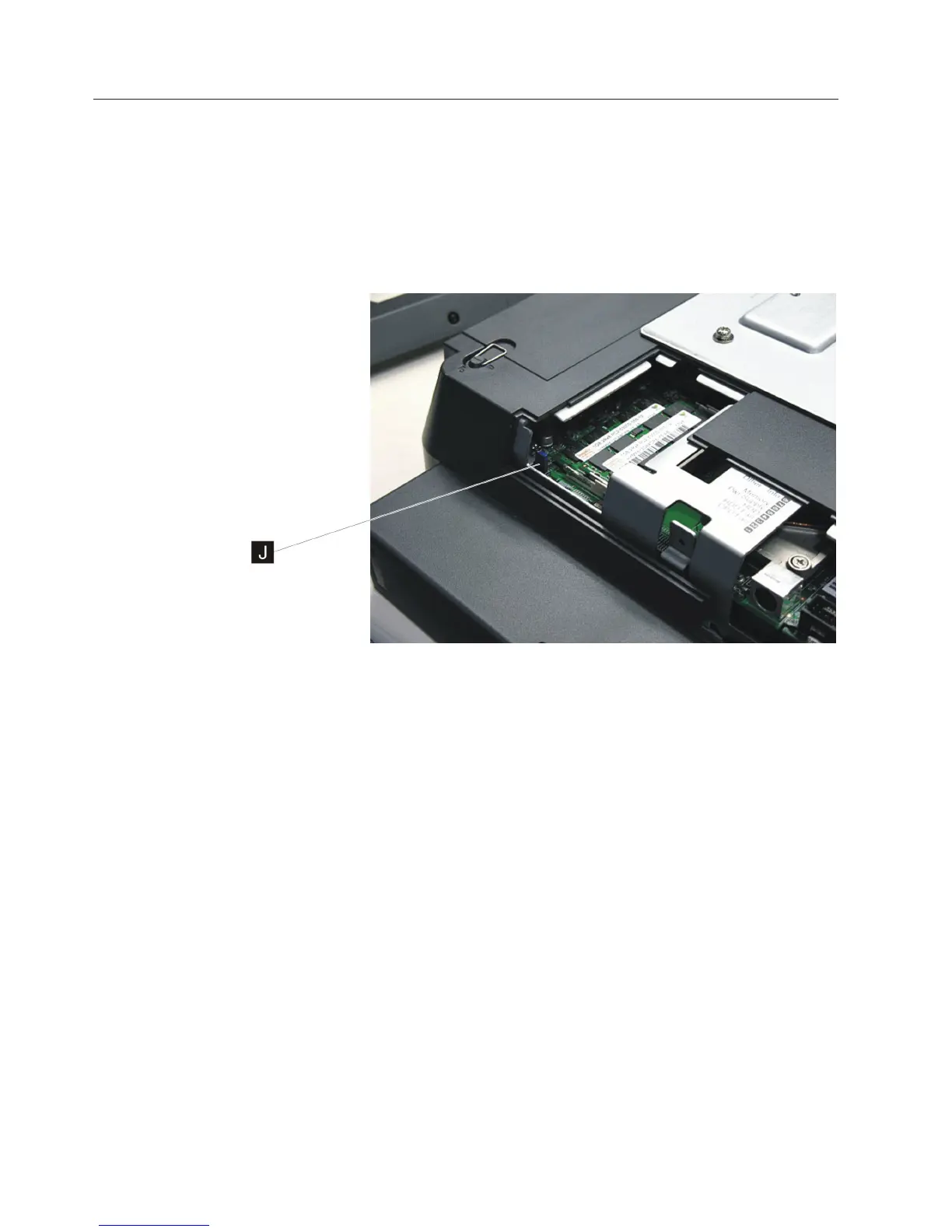
Locating and resetting the CMOS jumper
Follow these steps to locate and reset the CMOS jumper:
1. Switch OFF the power to the IBM AnyPlace Kiosk. Unplug the power cord
from the external power source.
2. Attention: Establish personal grounding before touching this unit. See
“Electrostatic discharge” on page 94.
3. Remove the side access door by loosening the captured screw.
4. Locate the blue CMOS jumper near the memory card. See J in Figure 29.
5. Remove the jumper and place it on the adjacent pins and leave for 10 seconds.
6. Reinstall the jumper to the original position to reset defaults.
7. Install the side door, and tighten the screw.
Note: Do not over tighten the screw.
Figure 29. Location of the CMOS jumper
Removing and replacing FRUs
48
IBM AnyPlace Kiosk 4838



 To Next Page