Removing the memory card
Attention: Establish personal grounding before touching this unit. See
“Electrostatic discharge” on page 94.
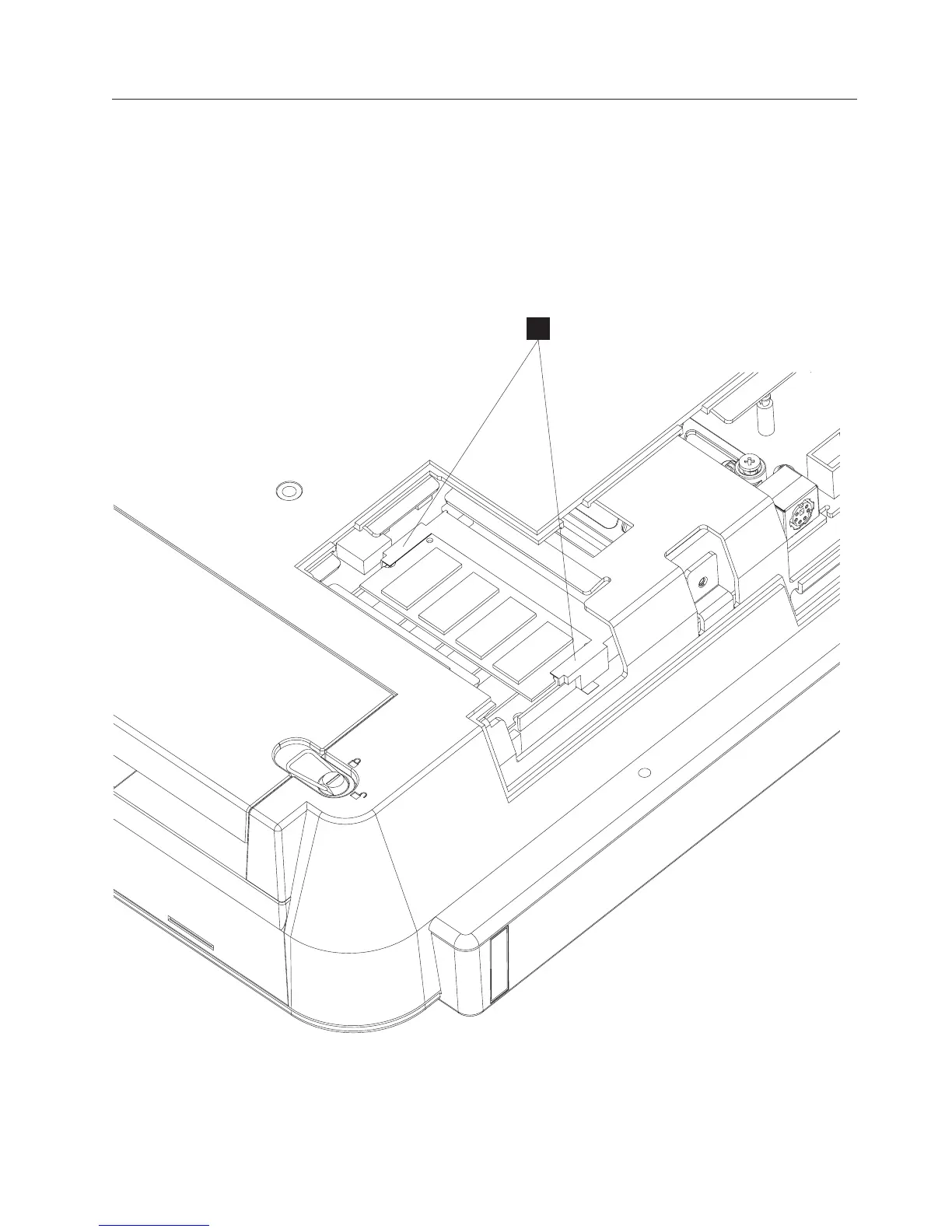
Follow these steps to remove the memory card:
1. Switch OFF the power to the IBM AnyPlace Kiosk. Unplug the power cord
from the external power source.
2. Loosen the captured screw holding the side access door.
3. Gently pull outward on the two side latches holding the memory card (G in
Figure 30). The memory card pops upward so that you can lift the card from
the slot.
G
Figure 30. Removing the memory card
Removing and replacing FRUs
Chapter 4. Removing and replacing FRUs 49



 To Next Page