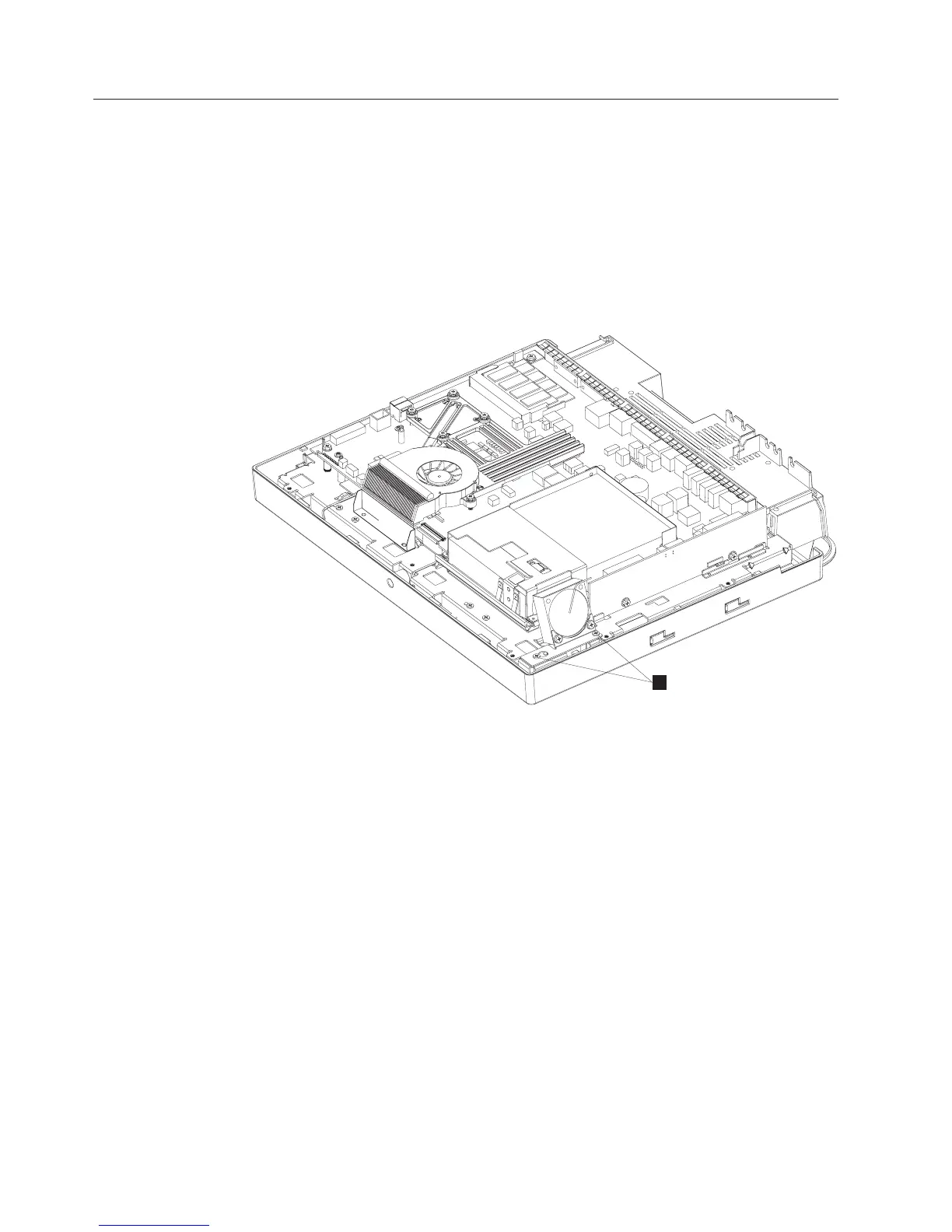
Removing the hard disk drive fan assembly
To remove and replace the HDD fan assembly, follow these steps:
1. Switch OFF the power to the IBM AnyPlace Kiosk. Unplug the power cord
from the external power source.
2. Remove the rear cover as described in “Removing the rear cover” on page 39.
3. Remove the hard disk drive (“Removing the hard disk drive assembly” on
page 41) to access and remove the tape securing the connector wires.
4. Detach the HDD fan connector from the system board and remove the tape
securing the fan cable.
5. Loosen the two fan bracket screws a few turns (B in Figure 23) and pull the
connector wires from beneath the system board.
To replace the fan, reverse these steps.
B
Figure 23. Removing the HDD fan assembly
Removing and replacing FRUs
42
IBM AnyPlace Kiosk 4838



 To Next Page