Removing the cable covers
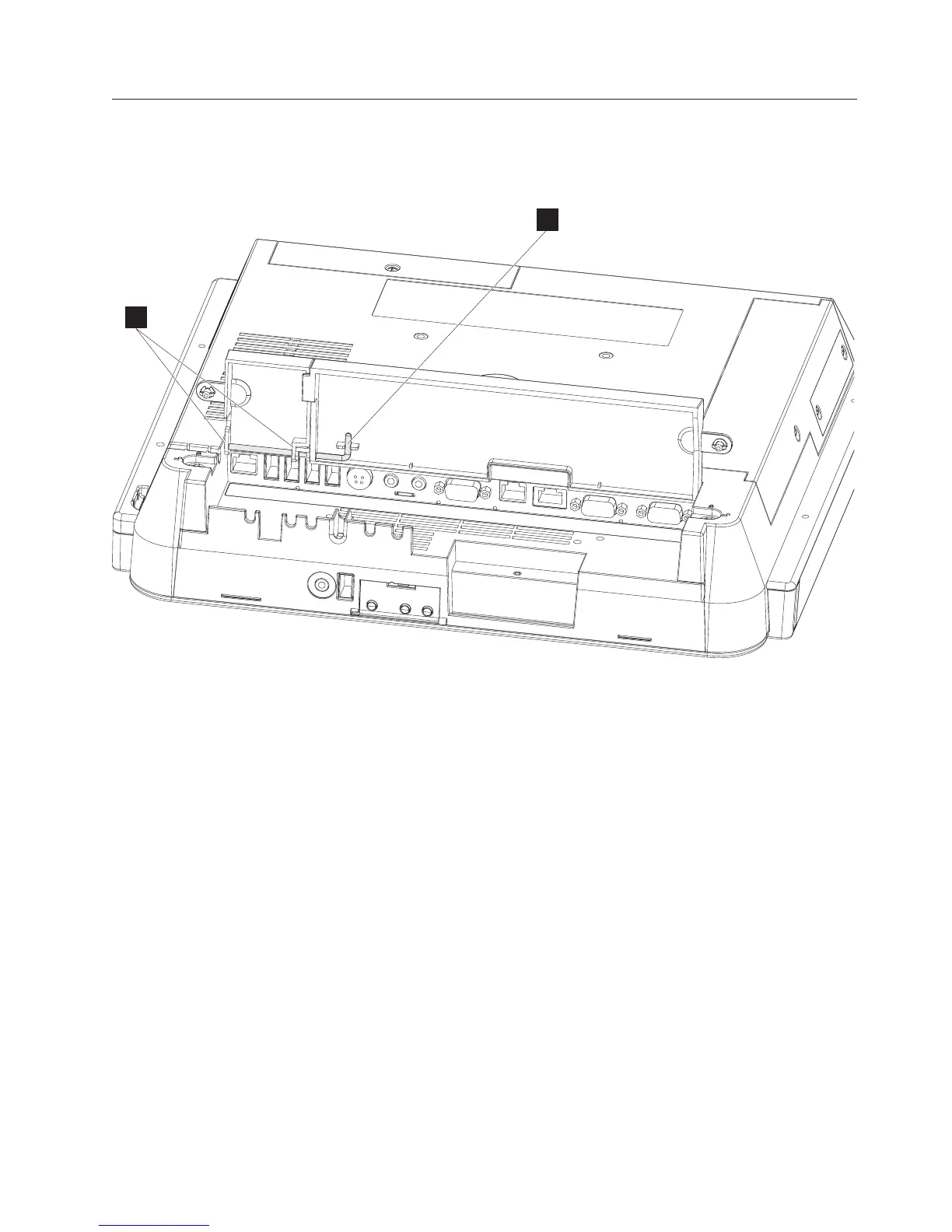
Follow these steps to remove and replace the cable covers:
1. Open the covers as described in “Opening the cable covers” on page 12.
2. Remove the hinge pin (A in Figure 28) that holds both the MSR/USB cover
and the main cable cover by rotating it downward, then sliding it to the right.
3. To replace, place the main cable cover post into the slot on the right side.
4. Hold both the MSR/USB cover and the main cable cover together while
inserting the hinge pin into the holes (B) of both pieces.
5. Rotate and press upward to secure the hinge pin into the slot.
B
A
Figure 28. Removing the hinge pin
Removing and replacing FRUs
Chapter 4. Removing and replacing FRUs 47



 To Next Page