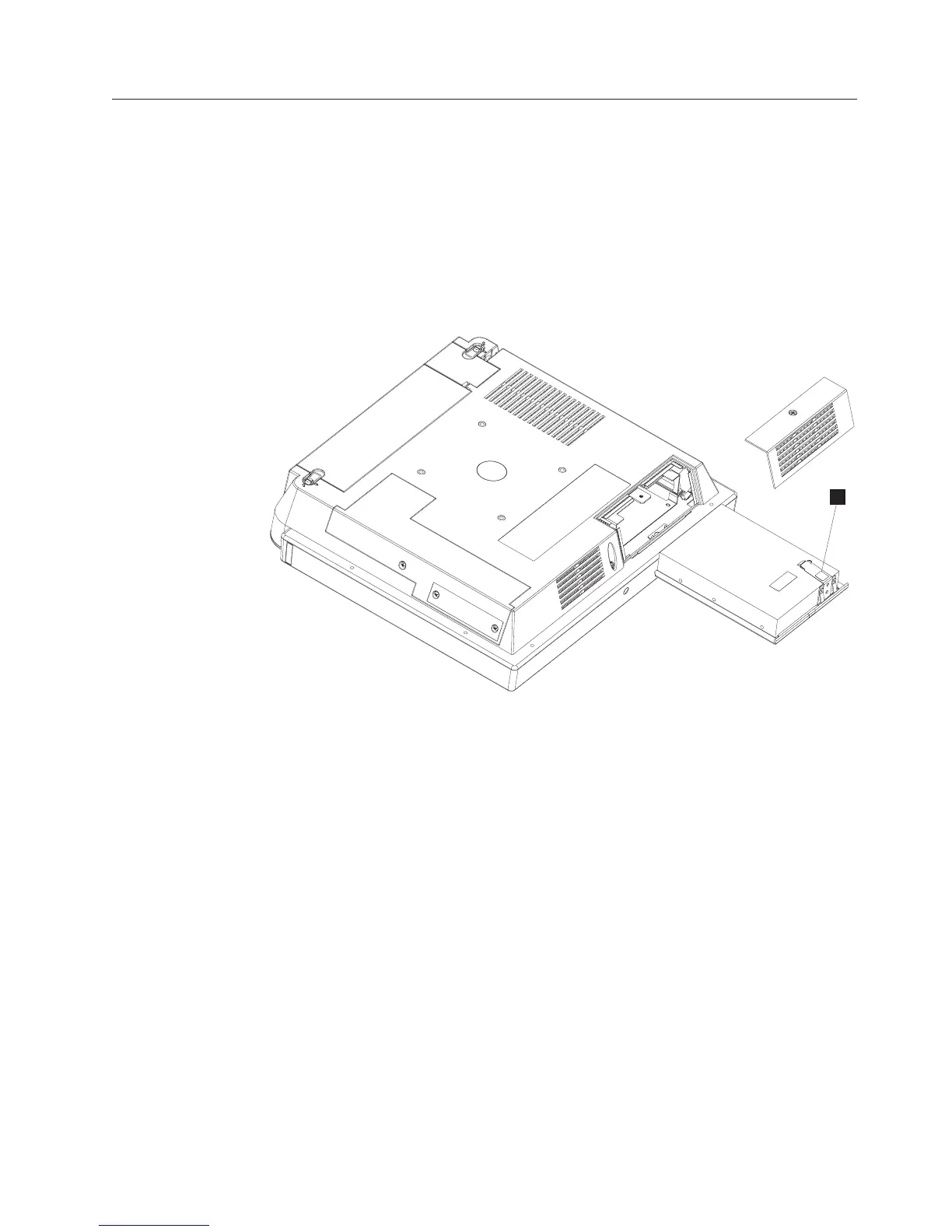
Removing the hard disk drive assembly
Attention: Establish personal grounding before touching this unit. See
“Electrostatic discharge” on page 94.
Follow these steps to remove the hard disk drive assembly:
1. Switch off the power to the IBM AnyPlace Kiosk. Unplug the power cord from
the external power source.
2. Remove the hard drive door by loosening the captured screw (see Figure 12 on
page 20).
3. Remove the hard disk drive assembly by pressing the drive bracket (D in
Figure 22) downward on the latch in the area marked in blue while pulling the
bracket outward.
Note: The HDD assembly might include a circuitry card.
4. To replace, locate the right and left side rails with the correct side of the rails
upward.
5. Insert the hard disk drive assembly until it is latched into place.
6. Replace the hard drive door and tighten the captured screw.
Note: Do not overtighten the screw.
D
Figure 22. Removing the hard drive
Removing and replacing FRUs
Chapter 4. Removing and replacing FRUs 41



 To Next Page