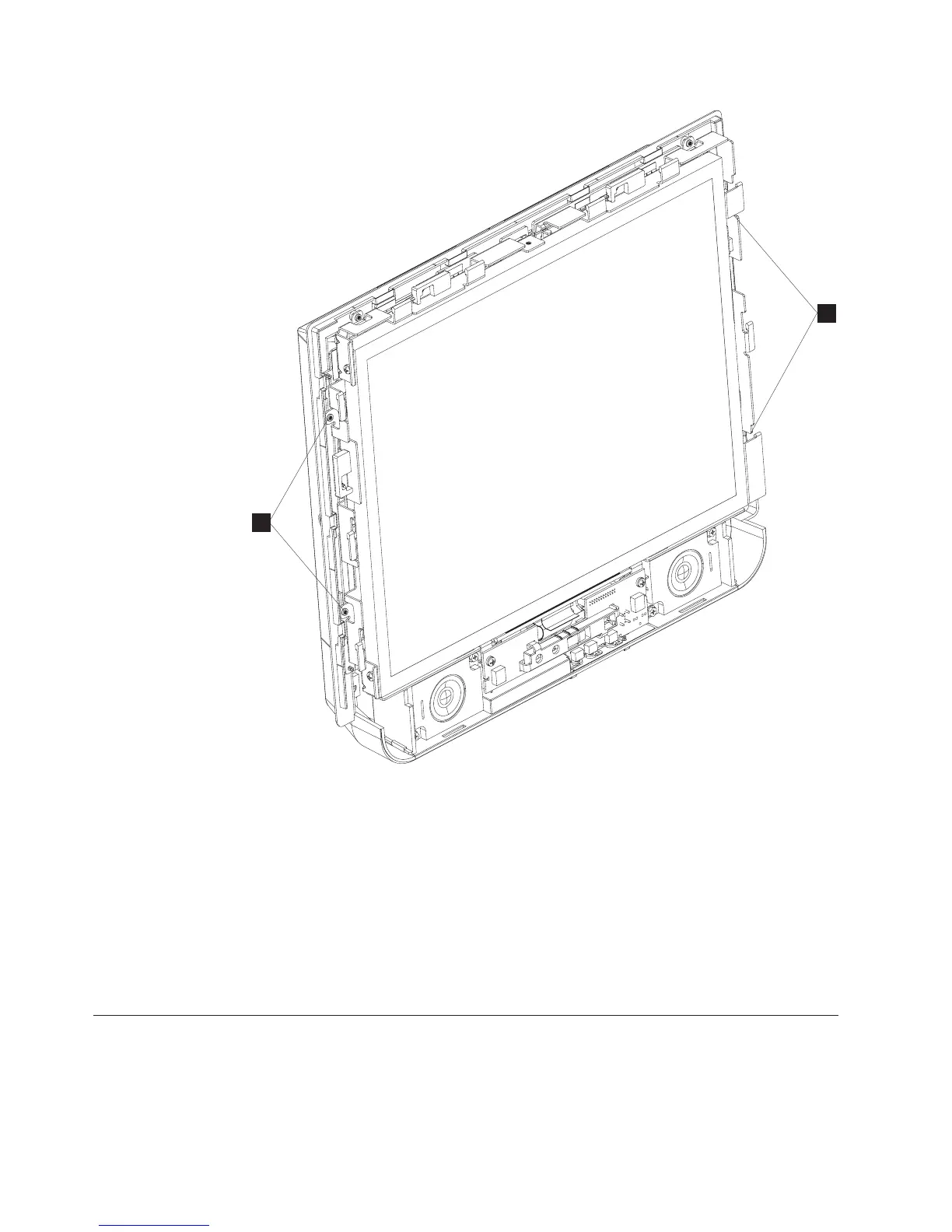
3. Remove the four non-captured screws (S in Figure 38) that hold the LCD to
the LCD shield.
4. Disconnect the EDID card cable that is located on the right side of the LCD.
5. Gently lift up the LCD and slide to left to expose backlight cables. Rest LCD on
left side of the LCD shield, and remove backlight cables (two or four) from the
backlight inverter card.
6. Gently lift up LCD to expose the LVDS cable underneath and disconnect it
from the LCD. Remove the LCD from the LCD shield.
7. To replace the LCD, reverse this procedure.
Removing the tabletop mount cover sets
To remove the cover set for the tabletop mount, follow these steps:
S
S
Figure 38. Removing the LCD
Removing and replacing FRUs
60
IBM AnyPlace Kiosk 4838



 To Next Page