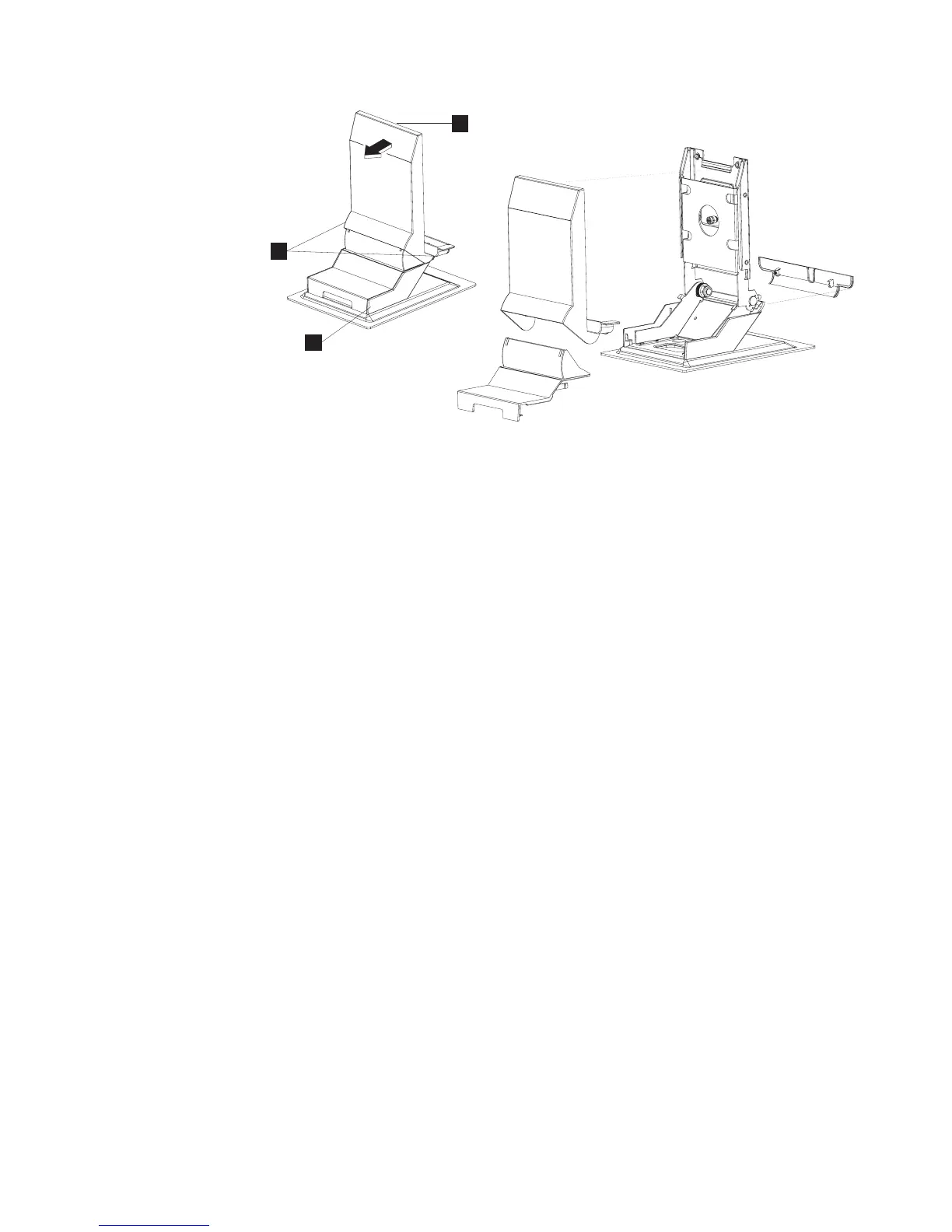
1. Tilt the upper portion of the mount so that it is 90 degrees (perpendicular) to
the base of the mount.
2. Remove the upper cover (A) by pulling on the two finger grips on the bottom
at the far left and right sides (B in Figure 39) in the direction shown.
3. Gently flex the hinge cover to un-snap it from the mount.
4. Remove the base cover (C) by pulling the cover in the direction shown.
5. To remove the plastic base housing, unfasten the four screws.
A
A
A
B
C
Figure 39. Removing the stand cover set
Removing and replacing FRUs
Chapter 4. Removing and replacing FRUs 61



 To Next Page