5. Replace the rear cover.
Removing the processor
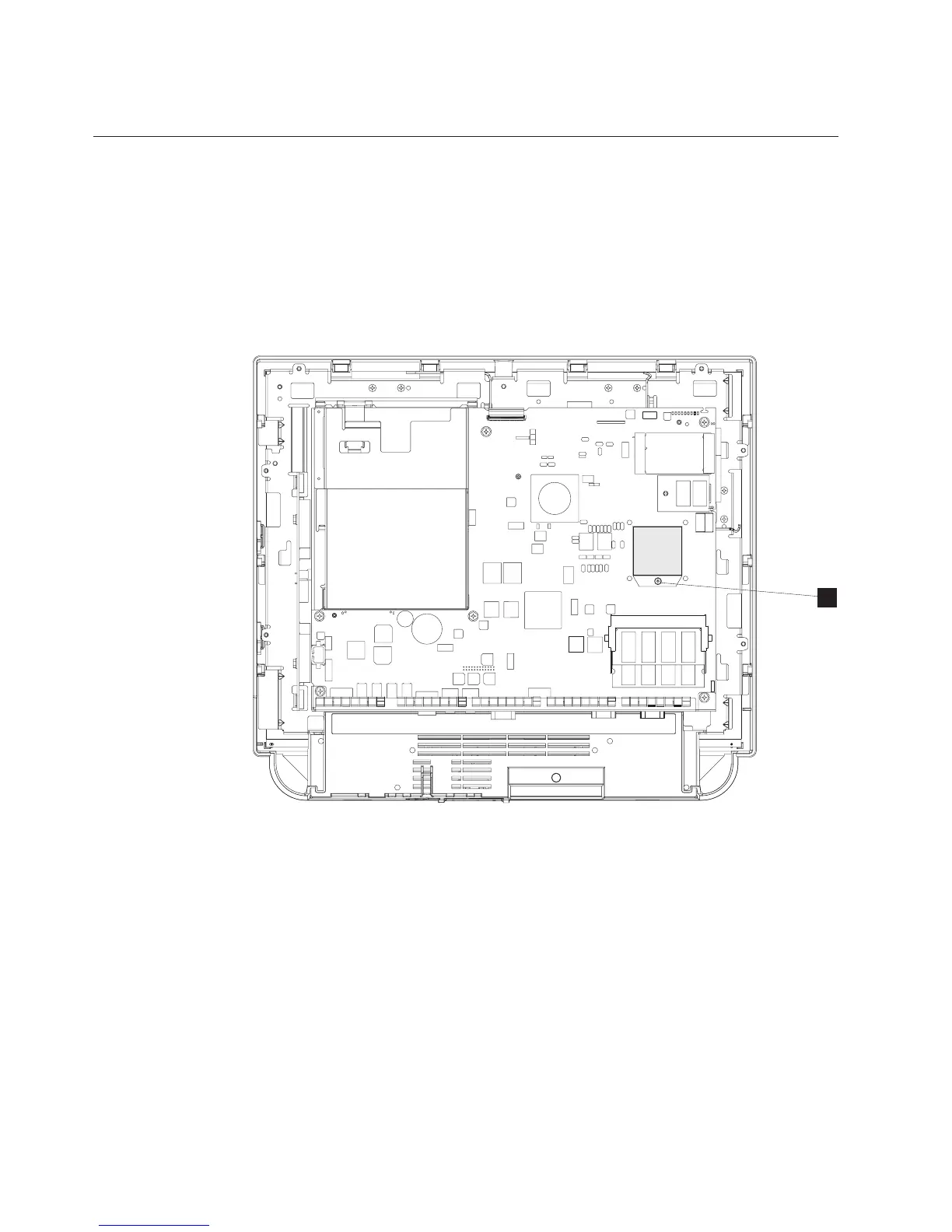
Note: Locate the processor after you remove the CPU fan sink assembly.
To remove the processor, follow these steps:
1. Switch OFF the power to the IBM AnyPlace Kiosk. Unplug the power cord
from the external power source.
2. Follow the instructions described in “Removing the CPU fan sink assembly” on
page 43.
3. Using a small flat-blade screwdriver, turn the screw (Hin Figure 25) that holds
the processor 180° (one-half turn) to release it.
Note: The lock and unlock symbols on either side of the screw assist you with
the direction of the turn.
4. Lift out the processor, carefully keeping your fingers on each side of the
module.
5. To replace, reverse this procedure.
H
Figure 25. Removing the processor
Removing and replacing FRUs
44
IBM AnyPlace Kiosk 4838



 To Next Page