2. Loosen the captured screw holding the side access door (refer to Figure 8 on
page 16).
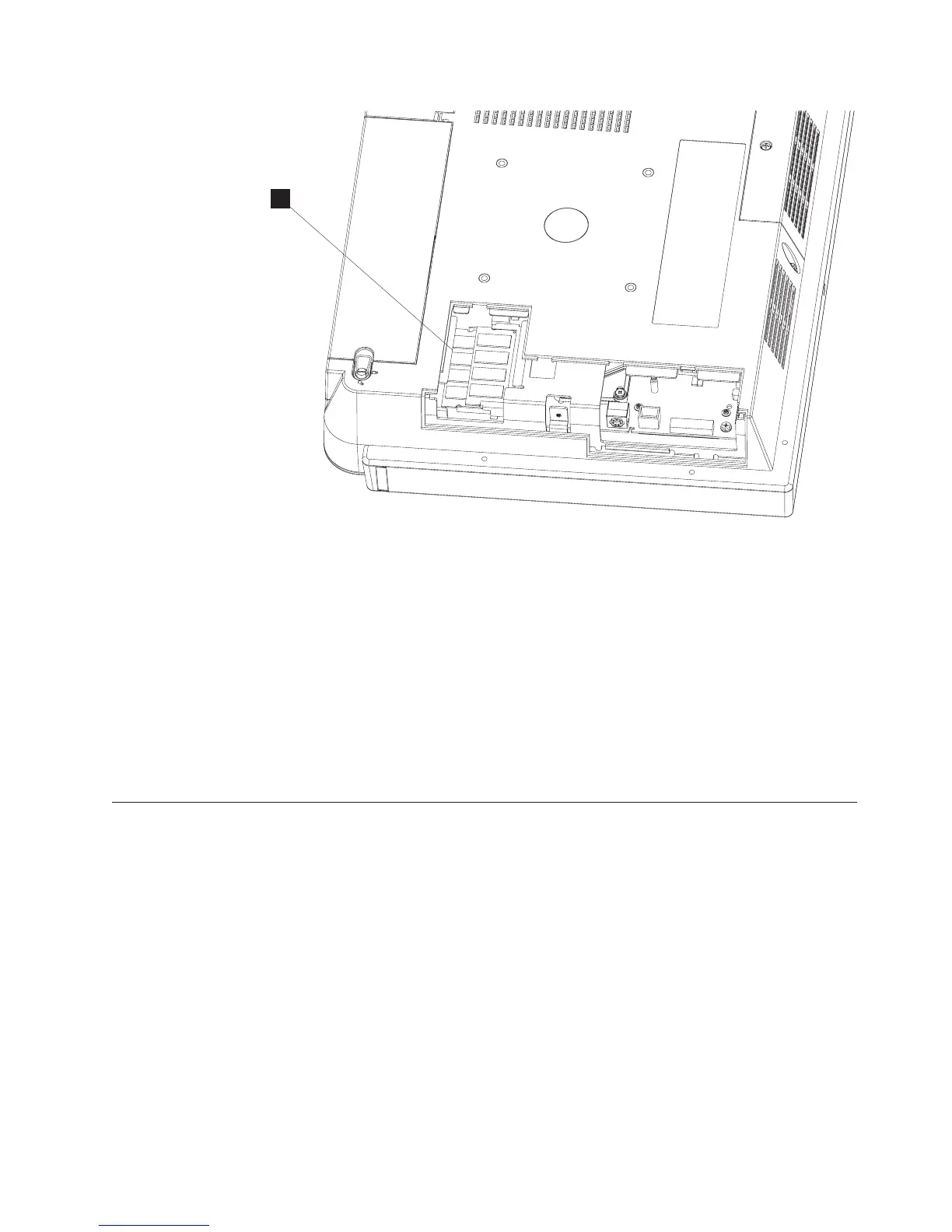
3. Refer to the existing memory card position for reference (M in Figure 13).
Insert the memory card into the memory connector.
4. Secure the memory card into the slot by rotating the memory down into
position. The memory connector latches make a click sound, indicating that the
memory card is retained. The memory should appear aligned relative to the
connector (not angled, crooked or misaligned).
5. Install the side access door and fasten the captured screw.
Note: Do not over tighten the screw
Mounting instructions
You can choose between a tabletop, wall mount, or a third party mount.
Tabletop mount
This section describes how to install the AnyPlace Kiosk on a tabletop mount.
M
Figure 13. Installing additional memory
Installing the IBM AnyPlace Kiosk
Chapter 2. Installing the IBM AnyPlace Kiosk 21



 To Next Page