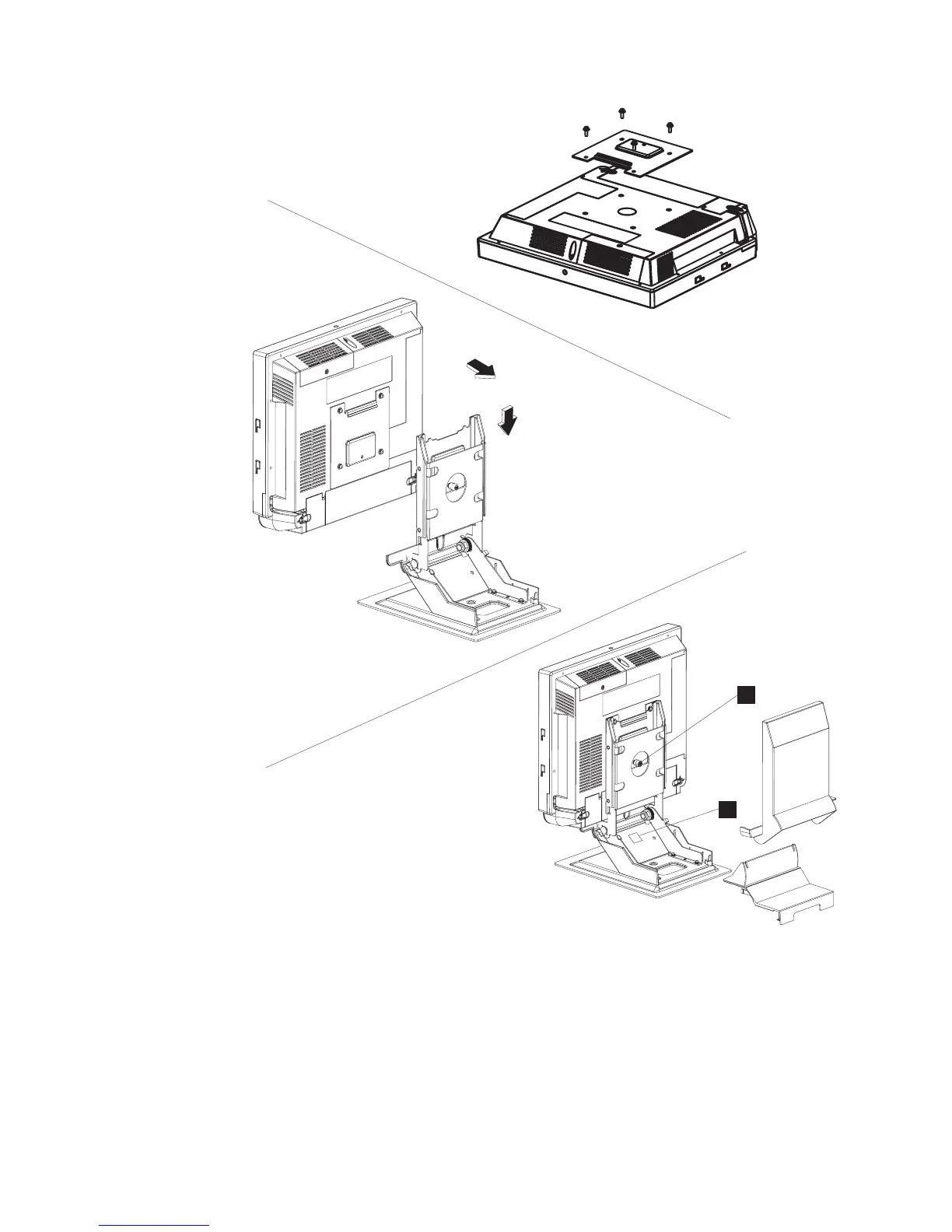
1. Attach the VESA adapter plate to the unit with the four screws that are
provided. See picture 1 in Figure 14.
2. Tilt the upper potion of the mount so that it is 90 degrees (perpendicular) to
the base of the mount. See picture 2 in Figure 14
3. Remove the base cover and upper cover.
4. Route and connect the cables to the IBM 4838.
5. Retain the cables (see “Retaining the cables” on page 13).
6. Close cable cover and latch the quarter-turn latches on the cable covers.
1
2
3
A
B
Figure 14. Installing tabletop mount
Installing the IBM AnyPlace Kiosk
22
IBM AnyPlace Kiosk 4838



 To Next Page