4. Slide the front cover/touch assembly (hereafter referred to as the front
assembly) upward approximately 8 mm (0.3 in) then rotate the front assembly
downward from the LCD to open. See Figure 34 on page 55.
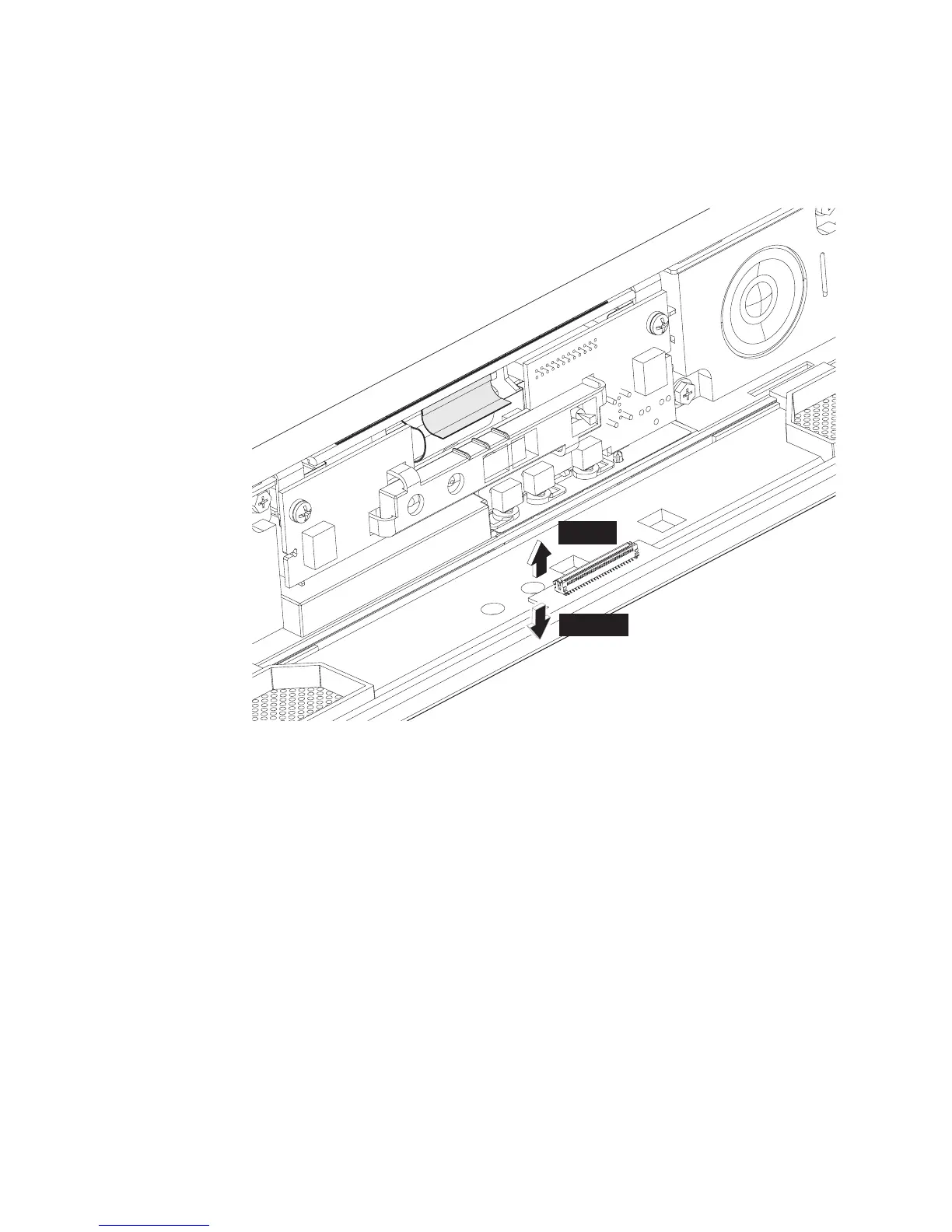
5. Unlatch the touch cable as follows:
See Figure 35. Disconnect the touch cable by moving the connector lever to the
open position and lifting out the cable.
Note: See the Open and Locked connector lever positions shown in Figure 34
on page 55.
Open
Locked
Figure 35. Locating the touch cable connector
Removing and replacing FRUs
56
IBM AnyPlace Kiosk 4838



 To Next Page