13
2 Front Panel and Rear Panel
2.1 Front Panel
2.1.1 A Series
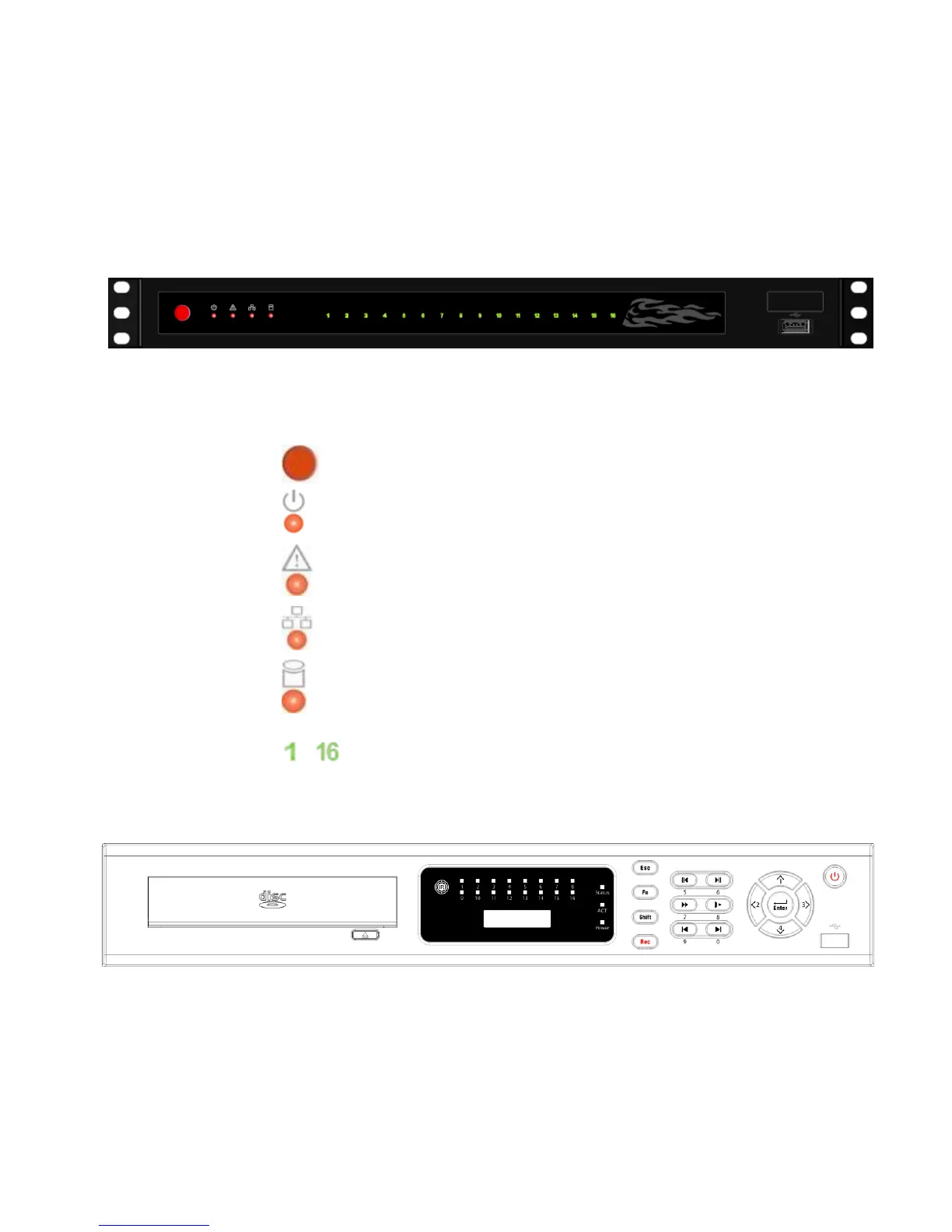
The A series NVR front panel is shown as below. See Figure 2-1.
Figure 2-1
Please refer to the following sheet for detail information.
Icon Name
Power button. It is to boot up or
shut down the device.
Power status indication light
The light becomes red when the
power connection is normal.
Alarm status indication light
The light becomes red when
there is an input alarm.
Network status indication light
The light becomes red when
network connection is abnormal.
HDD status indication light.
The light becomes red when
HDD error occurs.
~
Record status indication light
The light becomes green when
corresponding channel is
recoding.
2.1.2 L Series
The L series NVR front panel is shown as in Figure 2-2.
Figure 2-2
Please refer to the following sheet for detail information.



 To Next Page