81
Parameter Function
Copy It is a shortcut menu button. You can copy current channel setup to
one or more (all) channels. The interface is shown as in Figure 7-
23.
Save You can click save button after you complete setup for one channel,
or you can complete the whole setups and then click save button.
Refresh Click this button to get device latest configuration information.
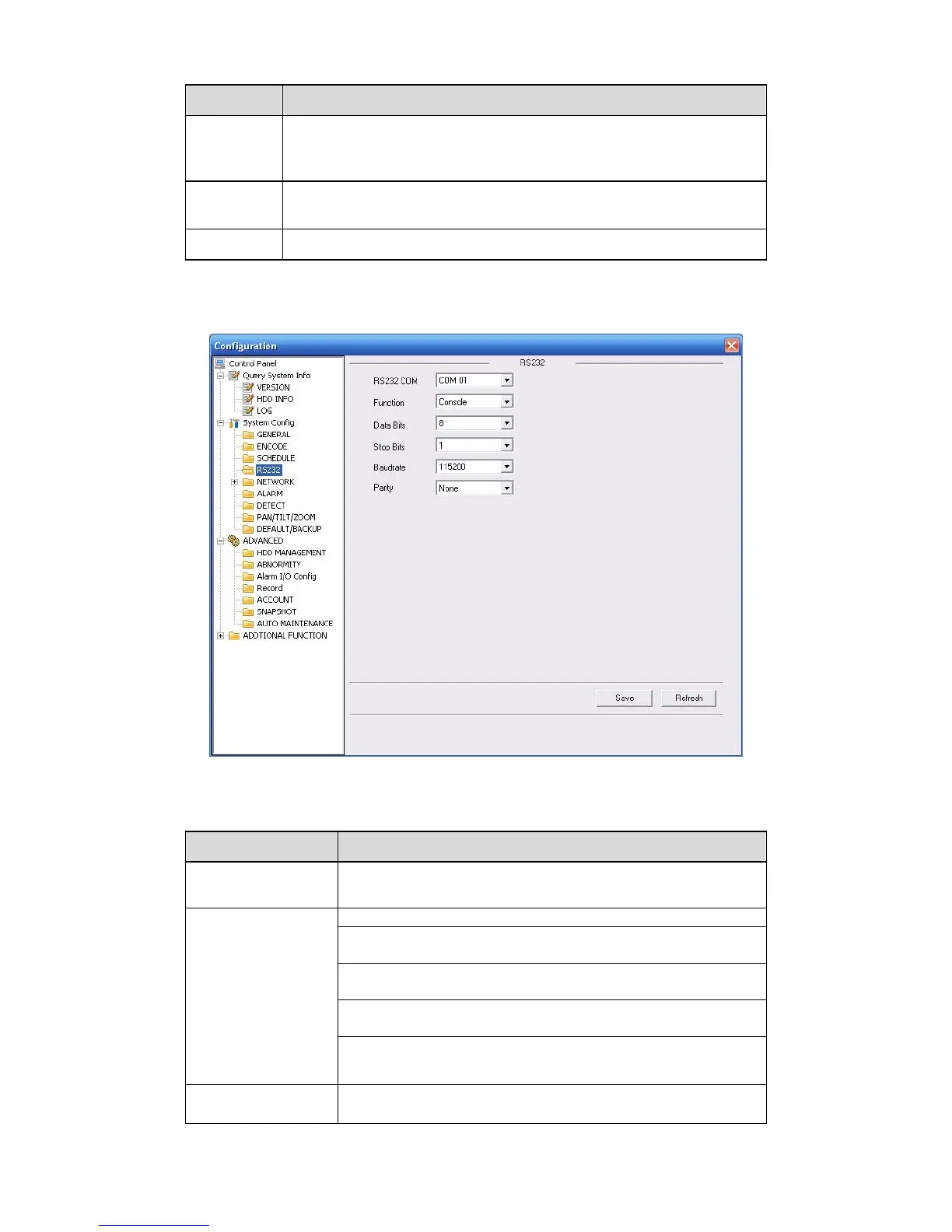
7.3.2.3 RS232
The RS232 interface is shown as in 323HFigure 7-24.
Figure 7-24 RS232
Please refer to the following sheet for detailed information.
Parameter Function
RS232 There is only one option COM 01, corresponding to RS232.
Console is for debug.
Control keyboard: Switch between RS232 and control
keyboard.
Network keyboard: COM control protocol. You can use
network keyboard to control NVR via COM.
Transparent COM: Network user can communicate with
RS232 COM device.
Function
PTZ matrix: PTZ matrix protocol. You can use the device to
control the PTZ matrix.
Data Bit
The value ranges from 5 to 8.



 To Next Page