Baud rate You can select from the dropdown list.
Data bit You can select from the dropdown list.
Stop bit You can select from the dropdown list.
Parity There are two choices: odd/even.
5.6.4 Network
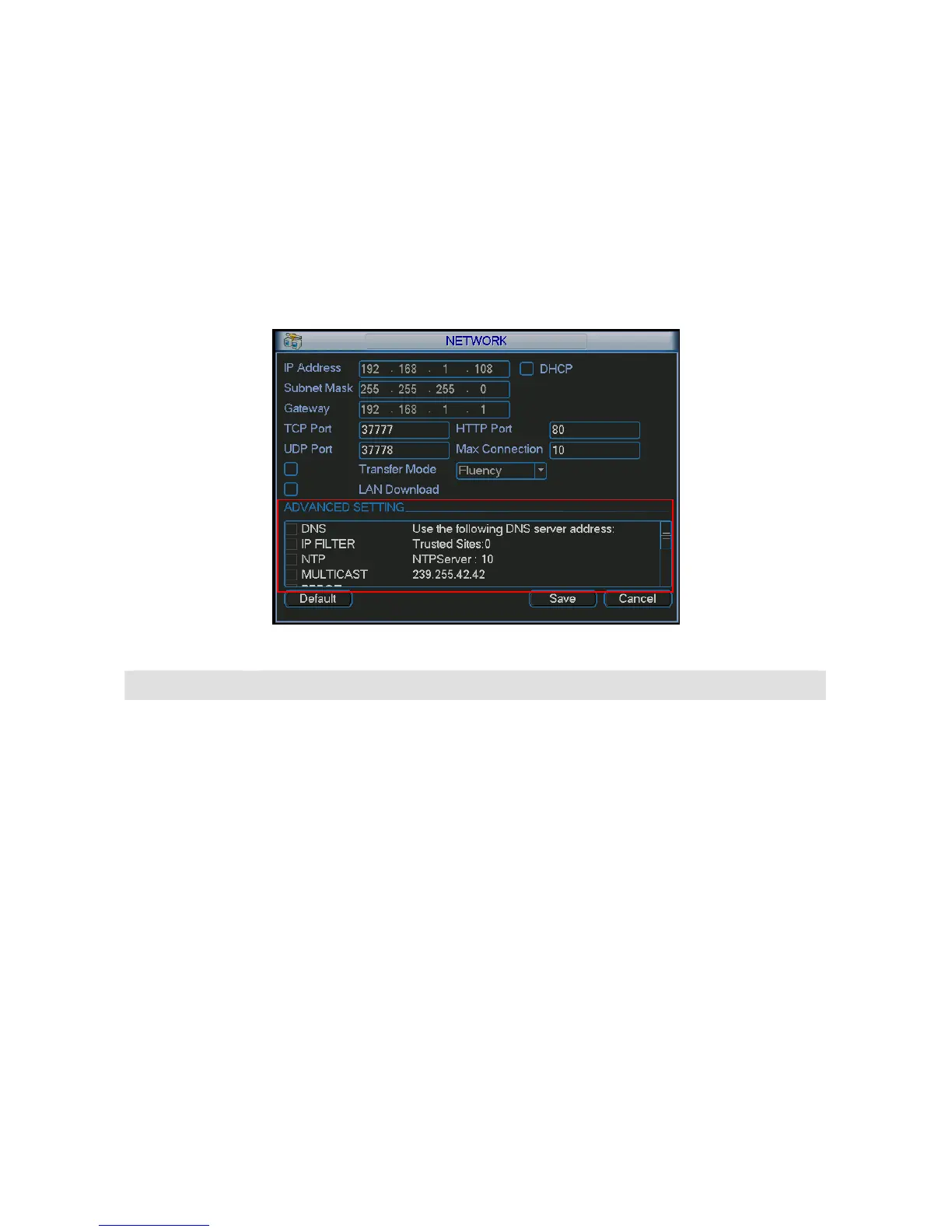
Here is for you to input network information. See 276HFigure 5-21.
After completing all the setups please click save button, system goes back to the previous menu.
Figure 5-21
Parameter Function
IP address If you are in the LAN, you need to input IP address, subnet mask, and
gateway information. If you are in the WAN, you do not need to input the IP
address, subnet mask, and gateway.
You can use the PPPoE to connect the device to the WAN. There are two
ways for you to access the device from the WAN. The first way is: you get the
static IP address from your ISP (Internet service provider) and you can use
the static IP to access the device via PC.
The other way is: you can use the DDNS to access the device. Please refer to
chapter 5.6.4.6 DDNS setup.
DHCP
It is to auto search IP. When enable DHCP function, you can not modify IP/Subn
mask /Gateway. These values are from DHCP function. If you have not enabled
DHCP function, IP/Subnet mask/Gateway display as zero. You need to disable
DHCP function to view current IP information. Besides, when PPPoE is operatin
you can not modify IP/Subnet mask /Gateway.
TCP port
Default value is 37777.
HTTP port Default value is 80.
UDP port Default value is 37778.
Max connection
System supports maximal 10 users. The value ranges from 1 to 10.
Transfer mode
Here you can select the priority between fluency/video qualities.
LAN download System can process the downloaded data first if you enable this function.



 To Next Page