49
Figure 5-24
5.6.4.4 NTP Setup
You need to install SNTP server (Such as Absolute Time Server) in your PC first. In Windows XP
OS, you can use command “net start w32time” to boot up NTP service.
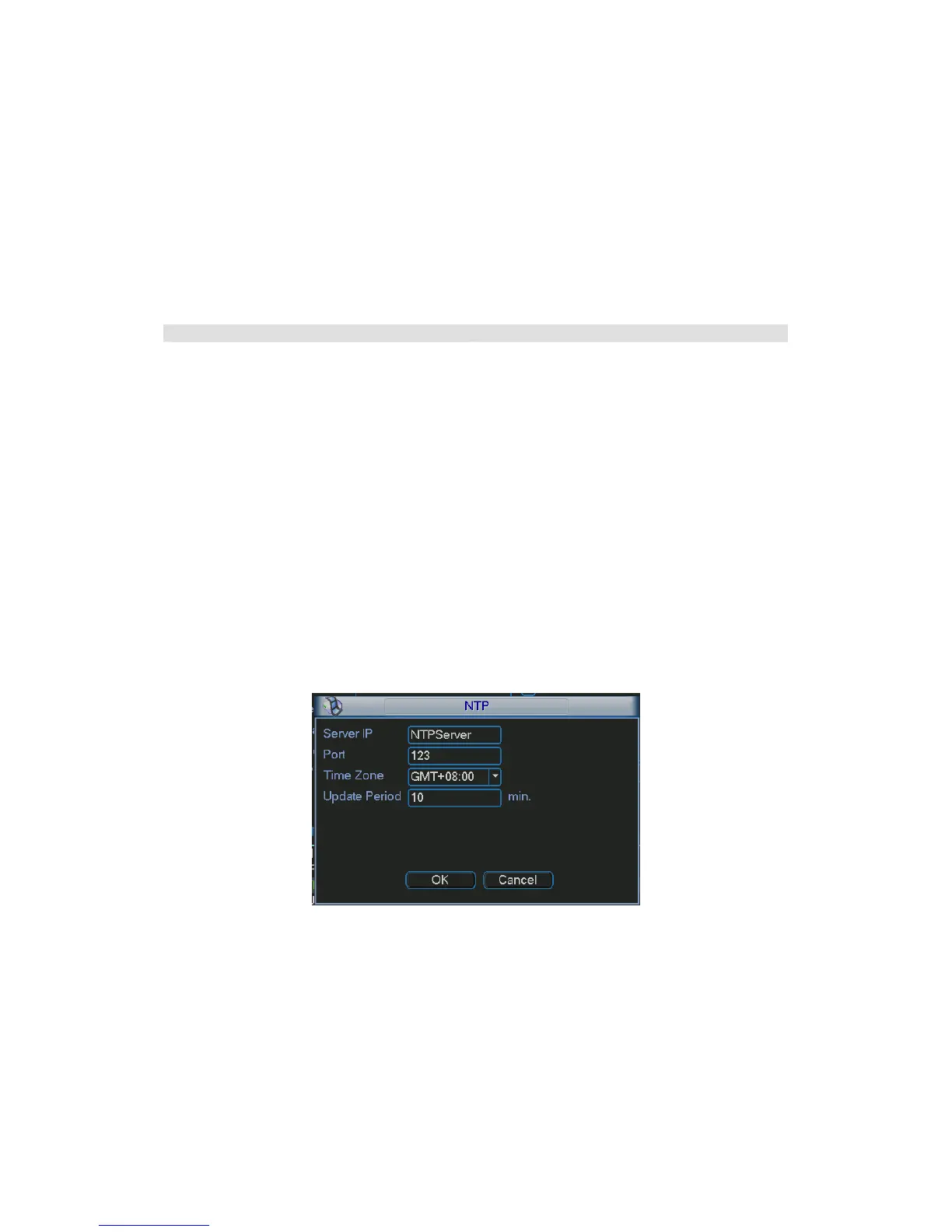
NTP setup interface is shown as in
280HFigure 5-25. Please note it supports TCP transmission only.
z Server IP: Input your PC address.
z Port: This series DEVICE supports TCP transmission only. Port default value is 123.
z Update period: minimum value is 1. Max value is 65535. (Unit: minute)
z Time zone: select your corresponding time zone here.
Here is a sheet for your time zone setup.
City /Region Name Time Zone
London GMT+0
Berlin GMT+1
Cairo GMT+2
Moscow GMT+3
New Deli GMT+5
Bangkok GMT+7
Beijing (Hong Kong) GMT+8
Tokyo GMT+9
Sydney GMT+10
Hawaii GMT-10
Alaska GMT-9
Pacific Time(P.T) GMT-8
American Mountain Time(M.T) GMT-7
American Central Time(C.T) GMT-6
American Eastern Time(E.T) GMT-5
Atlantic Time GMT-4
Brazil GMT-3
Middle Atlantic Time GMT-2
Figure 5-25
5.6.4.5 DDNS Setup
DDNS setup interface is shown as in
281HFigure 5-26.
You need a PC of fixed IP in the internet and there is the DDNS software running in this PC. In
other words, this PC is a DNS (domain name server).
In network DDNS, please select DDNS type and highlight enable item. Them please input your
PPPoE name you get from you IPS and server IP (PC with DDNS ) . Click OK button, system
prompts for rebooting to get all setup activated.
After rebooting, open IE and input as below:



 To Next Page