96
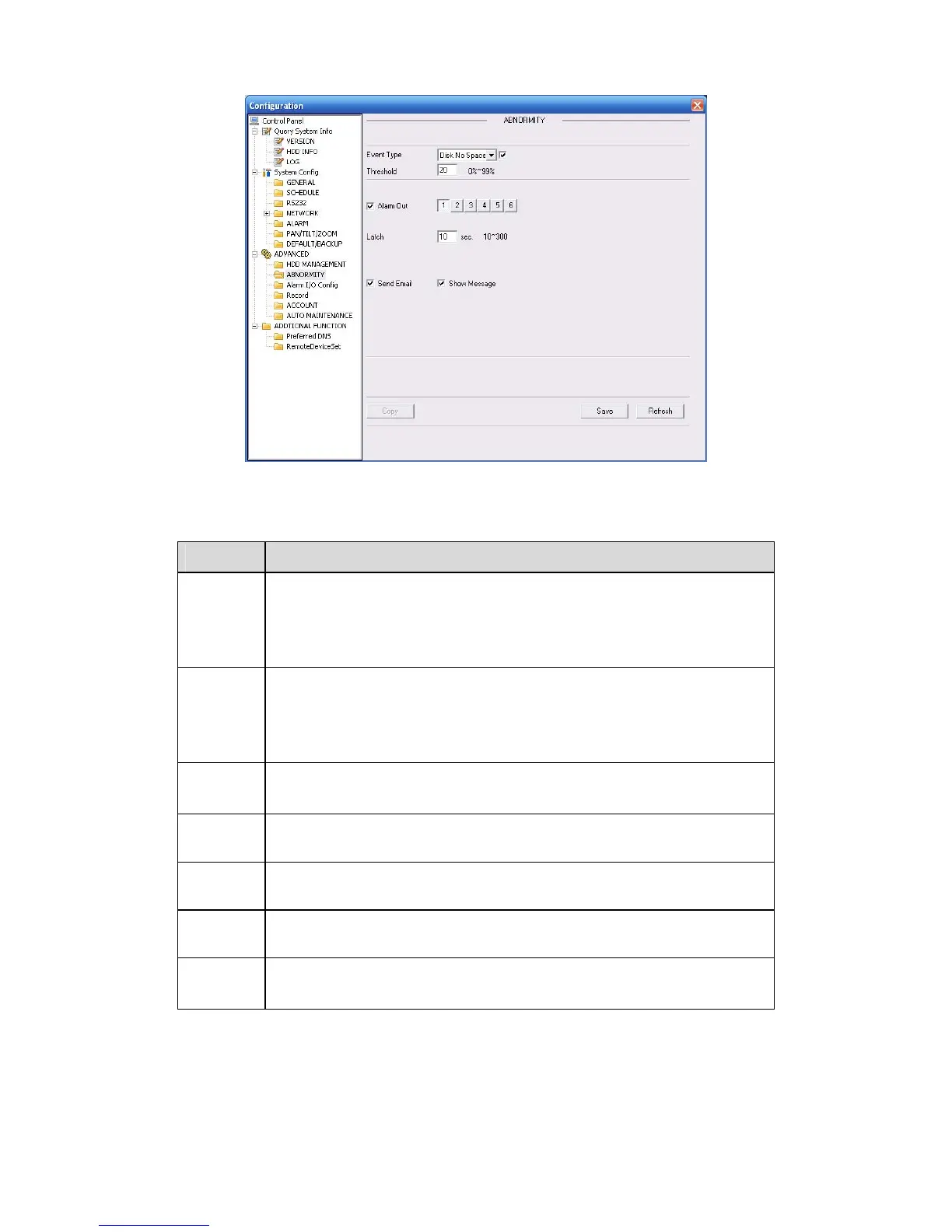
Figure 7-41 Abnormity
Please refer to the following sheet for detailed information.
Parameter Function
Event
Type
z
The abnormal events include: no disk, no space, disk error, offline, IP
conflict.
z
You need to draw a circle to enable this function.
z
Threshold: It refers to the HDD free space.
Normal
Out
The corresponding alarm output channel when alarm occurs.
For A series product, there are three channels.
For L and S series product, there are six channels. The 6
th
channel is
the controllable +12V alarm output.
Latch The alarm output can delay for the specified time after alarm stops. The
value ranges from 10s to 300s.
Record
channel
After you selected the disk connection option, once the device is offline,
the activated channel can begin alarm record.
Record
latch
System can delay the record for specified time after alarm ended. The
value ranges from 10s to 300s.
Send
email
If you enable this function, system can send out email to alarm the
specified user.
Show
message
Once you check the box to enable this function, system can display the
alarm icon on the right of the channel name at the local end.
7.3.4 Additional Function
7.3.4.1 DNS
Here you can set server or local operator DNS address. See Figure 3-34.
Once you input the domain name in SMTP server in the email interface (chapter 7.3.2.4 Network-
>email), you need to input the corresponding address here, otherwise the device can not parse



 To Next Page