57
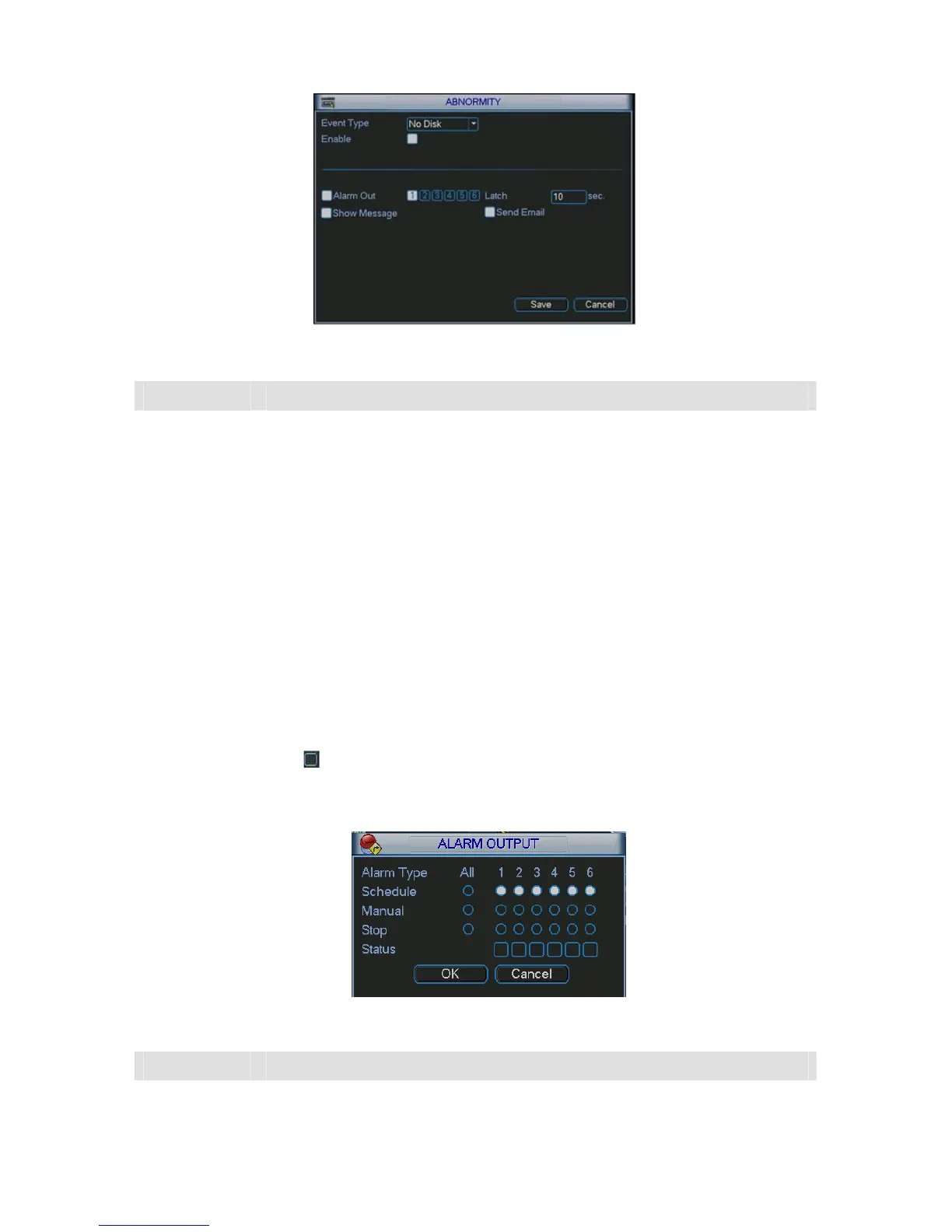
Figure 5-37
Parameter Function
Event type
There are several options for you such as disk error, no disk, disconnection,
IP conflict and etc.
Please highlight the enable button to activate current function.
Alarm output
Please select alarm activation output port (multiple choices).
The 6
th
channel is the controllable 12V output.
Latch Here you can set corresponding delaying time. The value ranges from 10s-
300s. System automatically delays specified seconds in turning off alarm and
activated output after external alarm cancelled.
Show
message
System can pop up the message in the local screen to alert you when alarm
occurs.
Send email System can send out email to alert you when alarm occurs.
5.7.3 Alarm Output
Here is for you to set proper alarm output.
Please highlight icon
to select the corresponding alarm output.
After all the setups please click OK button, system goes back to the previous menu. See 293HFigure
5-38.
Figure 5-38
Parameter Function
Alarm type You can set alarm mode, schedule alarm, enable or disable the alarm output
port manually.



 To Next Page