53
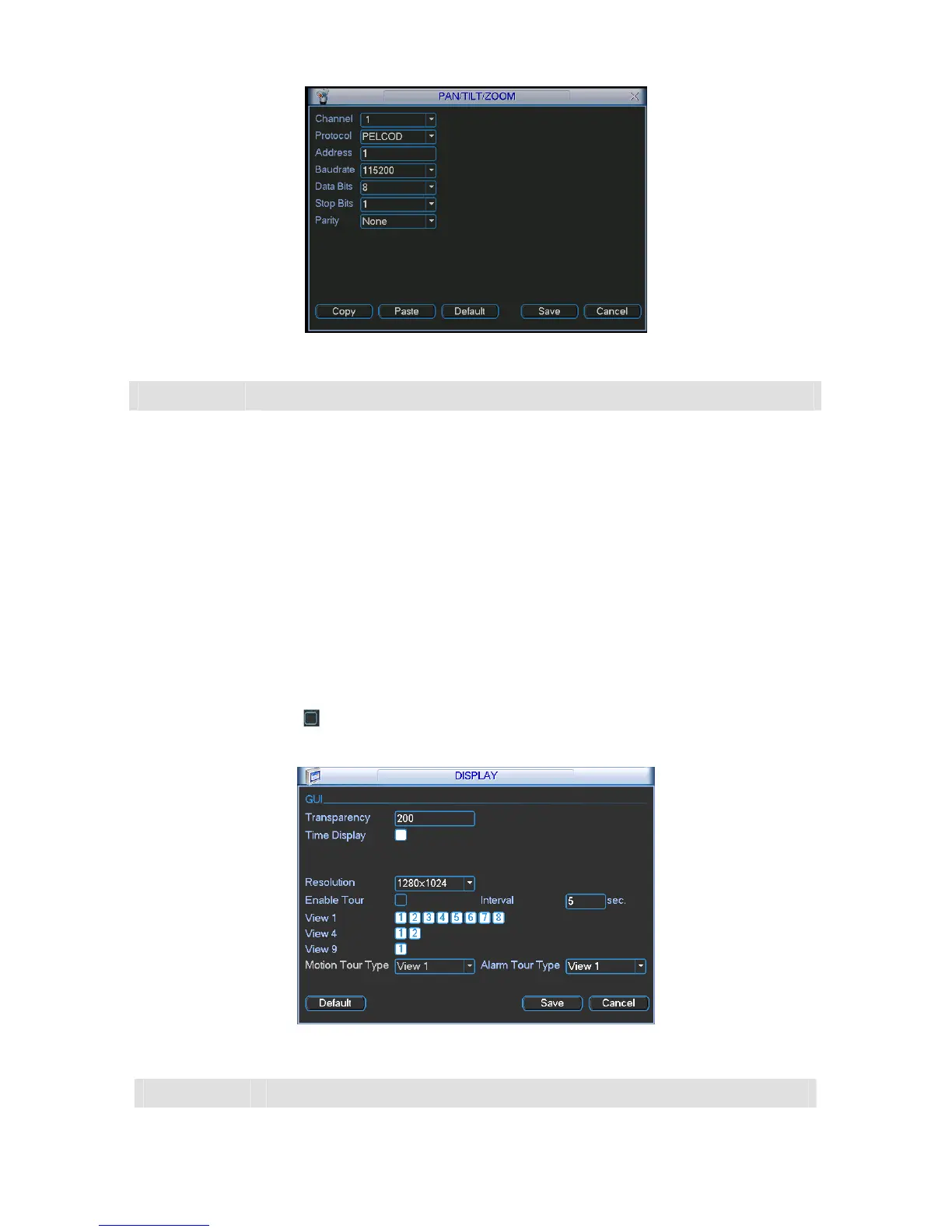
Figure 5-31
Parameter Function
Channel Select the current camera channel.
Protocol Select corresponding PTZ protocol.
Address
Default address is 1. Please make sure your setup here is identical with your
speed dome address, otherwise you can not control the speed dome!
Baud rate Select corresponding baud rate. Default value is 115200.
Data bit Select corresponding data bits. Default value is 8.
Stop bit Select corresponding stop bits. Default value is 1.
Parity You can select from the dropdown list. Default value is none.
5.6.7 Display
Display setup interface is shown as below. See 287HFigure 5-32.
Please highlight icon
to select the corresponding function.
After completing all the setups please click save button, system goes back to the previous menu.
Figure 5-32
Parameter Function
Transparency Here is for you to adjust transparency



 To Next Page