112
13 Appendix E No-IP DDNS
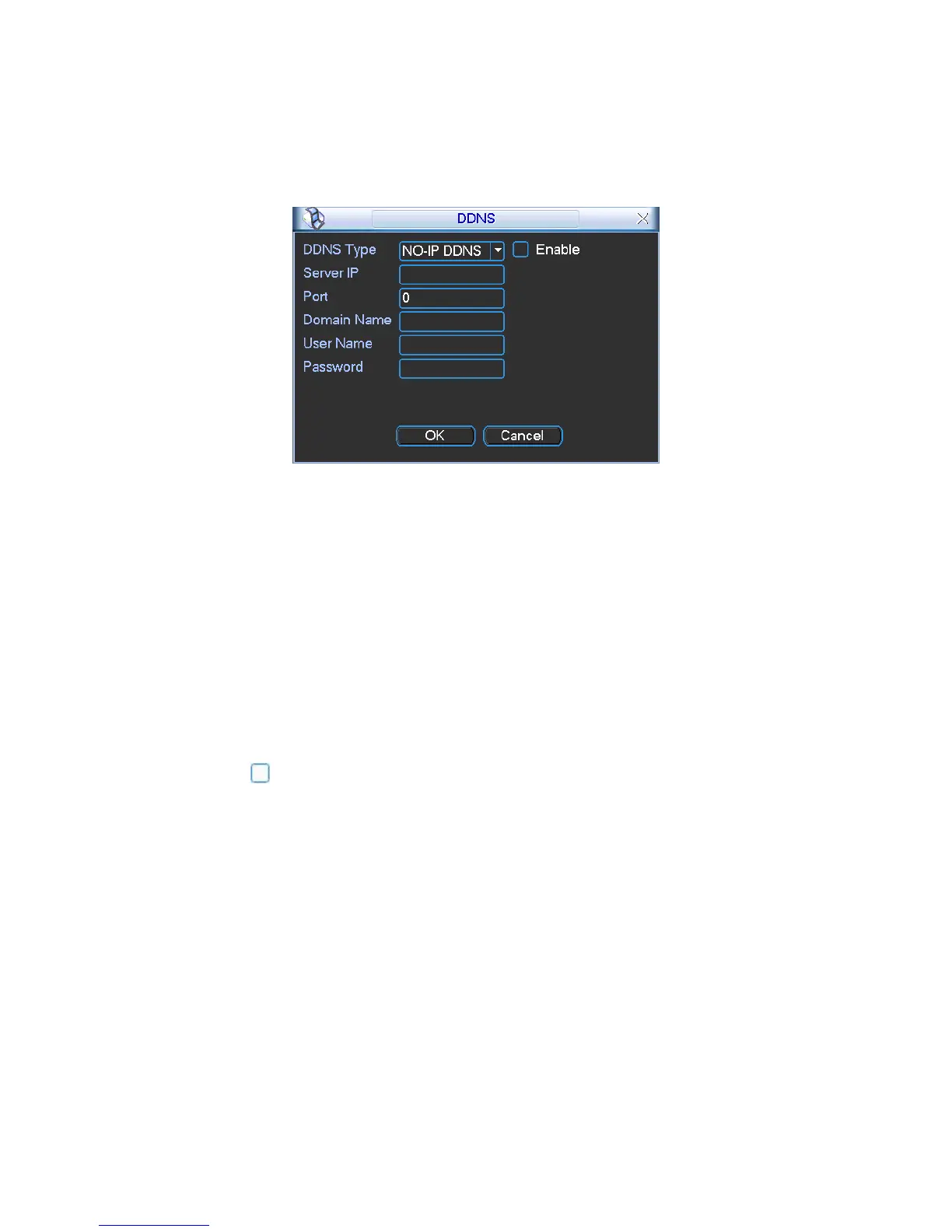
Please double click DDNS to go to the configuration interface. You can see an interface is shown
as in
341HFigure 13-1.
Figure 13-1
y DDNS Type: You can select from the dropdown list. There are five options: No-IP, DynDNS,
CN99, Private and Oray.
y Server IP: You can use ping command to get server’s IP
y Port: input server port here.
y Domain Name: Get the domain name you get from your DDNS service provider.
y User: Get the user name you get from your DDNS service provider.
y Password: Enter corresponding password.
Highlight the icon in front of Enable to enable the DDNS server configuration.
It’s a system of dynamic DNS service. If you do not have a Static IP address on the Internet, you
need to have a dynamic IP. It is to say your IP address changes after a certain period of time.
You can follow the steps listed below to display image on your device even your IP is dynamic.
You need to use a DDNS service and create a domain name that is not necessarily direct use the
IP address.
After completed configuration in the device DDNS service can constantly inform the latest



 To Next Page