63
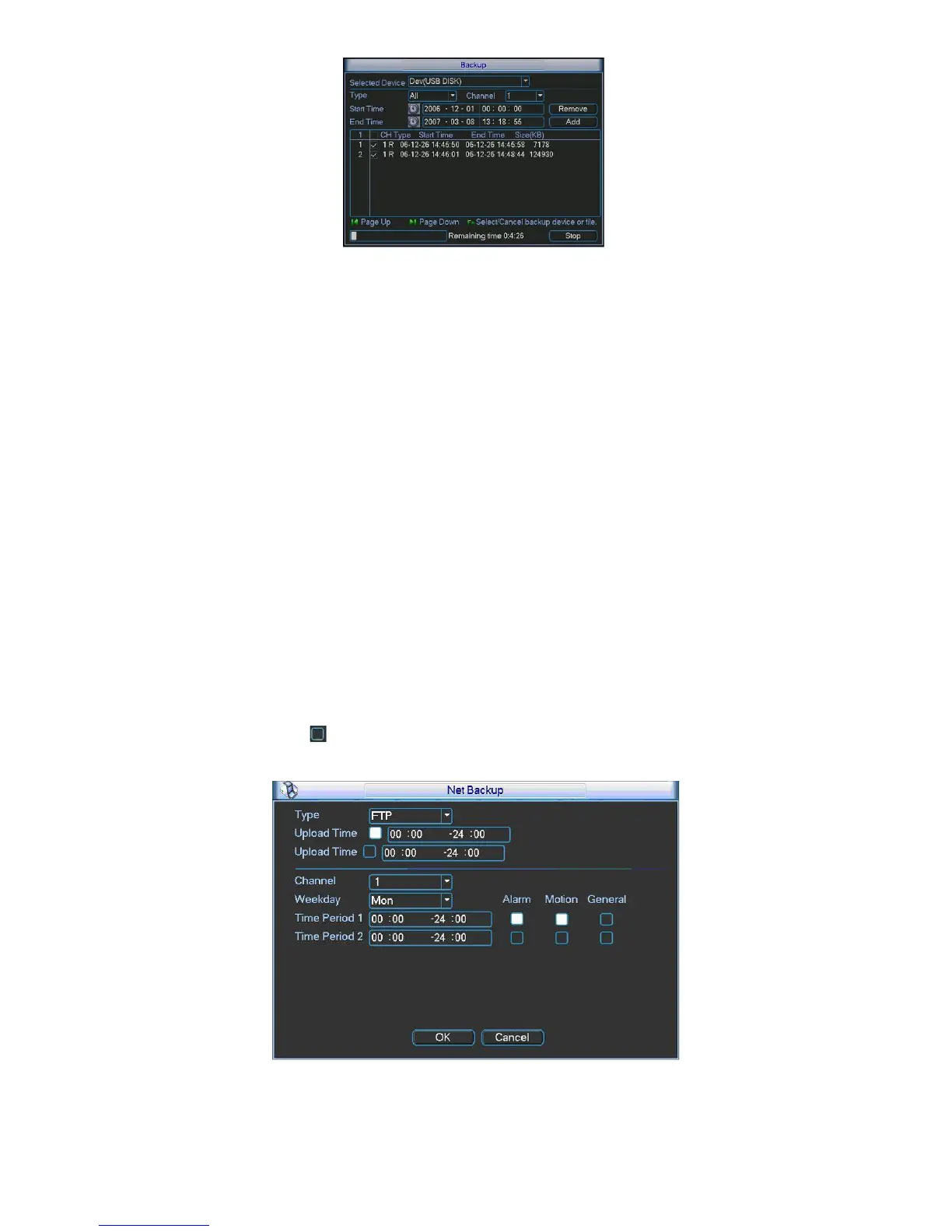
Figure 5-47
Tips:
During backup process, you can click ESC to exit current interface for other operation. The
system will not terminate backup process.
Note:
When you click stop button during the burning process, the stop function becomes activated
immediately. For example, if there are ten files, when you click stop system just backup five
files, system only save the previous 5 files in the device (But you can view ten file names).
5.8.3 Network Backup
The network backup interface is shown as in 303HFigure 5-48. Pease set network backup type
and upload time. Right now, the network backup supports FTP only. You can go to chapter
5.6.4.7 Network storage (Main menu->Setting->Network-> Network storage) to set storage
path.
There are two upload periods. You can highlight the corresponding icon to select the upload
time.
Then you can set the record period and highlight the corresponding icon to select the record
time.
Please highlight icon
to select the corresponding function. After setting all the setups
please click OK button, system goes back to the previous menu.
Figure 5-48
Important



 To Next Page