60
Figure 5-42
5.7.8 Remote Device
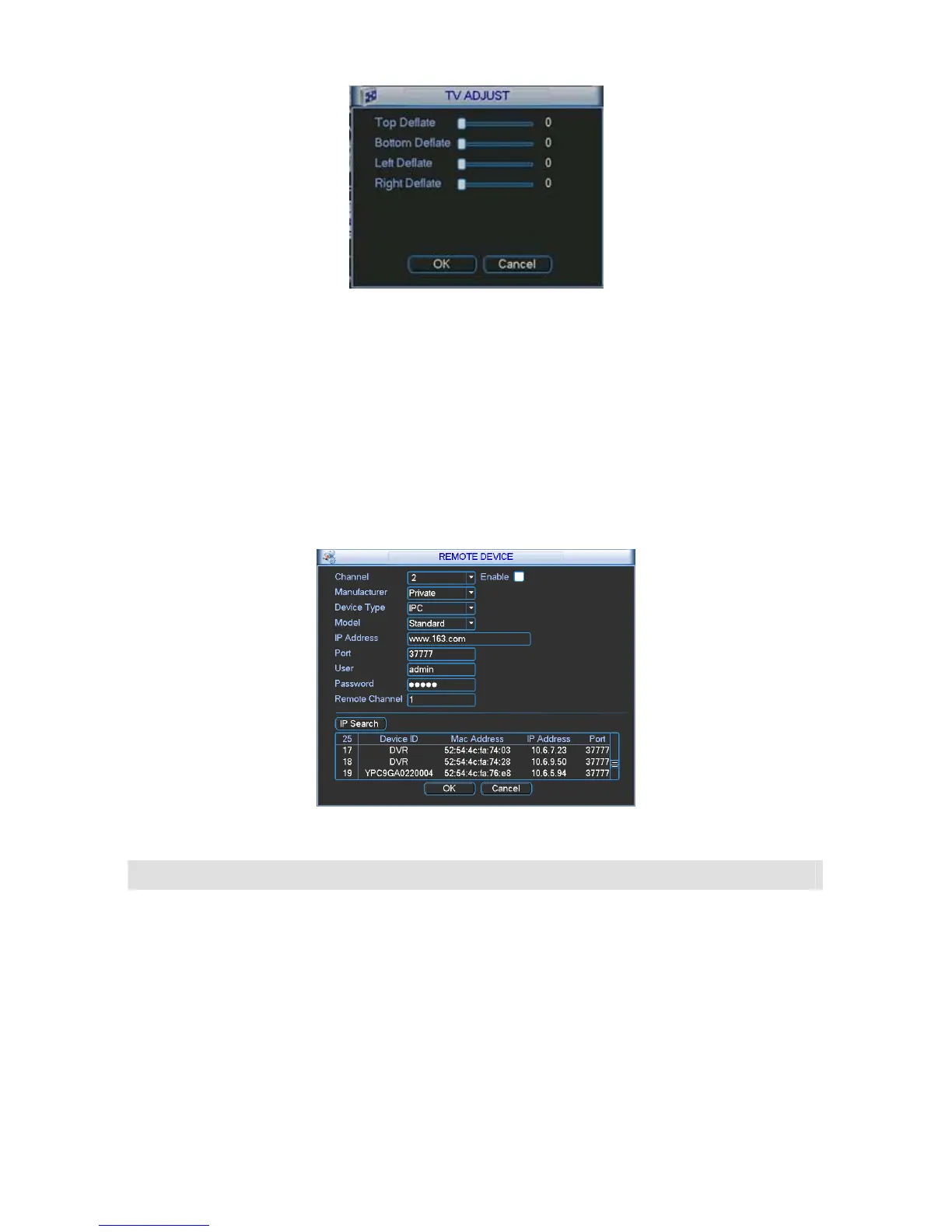
This function allows you to add the remote devices. See 298HFigure 5-43.
Please click the search IP button to view the all remote devices available. Then you can select a
channel and then enable its monitor function.
Please input remote device IP address, port number, remote device channel number and
account.
When the remote device is high definition device, system max supports 4 devices. The max
setup amount is depending on the NVR channel amount.
Figure 5-43
Parameter Function
Channel Please select the local device channel number to connect to the remote device..
You need to highlight the enable item to activate this function. Now you can see
remote device type, IP address and etc.
Manufacturer The IPC or NVS manufacturer.
Device type You can select the remote device type from the dropdown list.
Model There are two models: standard definition device and high definition device.
When you select a high definition device, it is equal to connect to 4-ch standard
definition devices.
For example, the 16-channel series product can connect to 4 high definition
devices. If you have connected to one high definition device, you can still connect
12-channel standard devices. There are 13 monitor windows.



 To Next Page