45
Date separator There are three denotations to separate date: dot, beeline and solidus.
DST
Here you can set DST time and date. Please enable DST function and then
click set button. You can see an interface is shown as in 270HFigure 5-16. Here
you can set start time and end time by setting corresponding week setup. In
271HFigure 5-16, enable date button, you can see an interface is shown as in
272HFigure 5-17. Here you can set start time and end time by setting
corresponding date setup.
Time format
There are two types: 24-hour mode or 12-hour mode.
Language You can select system langue format. The options may vary due to
different versions.
HDD full
Here is for you to select working mode when hard disk is full. There are two
options: stop recording or rewrite. If current working HDD is overwritten or
the current HDD is full while the next HDD is no empty, then system stops
recording, If the current HDD is full and then next HDD is not empty, then
system overwrites the previous files.
Pack duration
Here is for you to specify record duration. Max value is 60 minutes.
Device No
When you are using one remote control (not included in the accessory bag)
to control several devices, you can give a name to each device for your
management. You need to press the address button in the remote control
and then input the corresponding address to manage the device.
Video standard
There are two formats: NTSC and PAL.
Auto logout
Here is for you to set auto logout interval once login user remains inactive
for a specified time. The value ranges from 0 to 60 minutes.
5.6.2 Schedule
Before your set schedule parameter, please make sure you have enabled the schedule function
for corresponding channel(s).
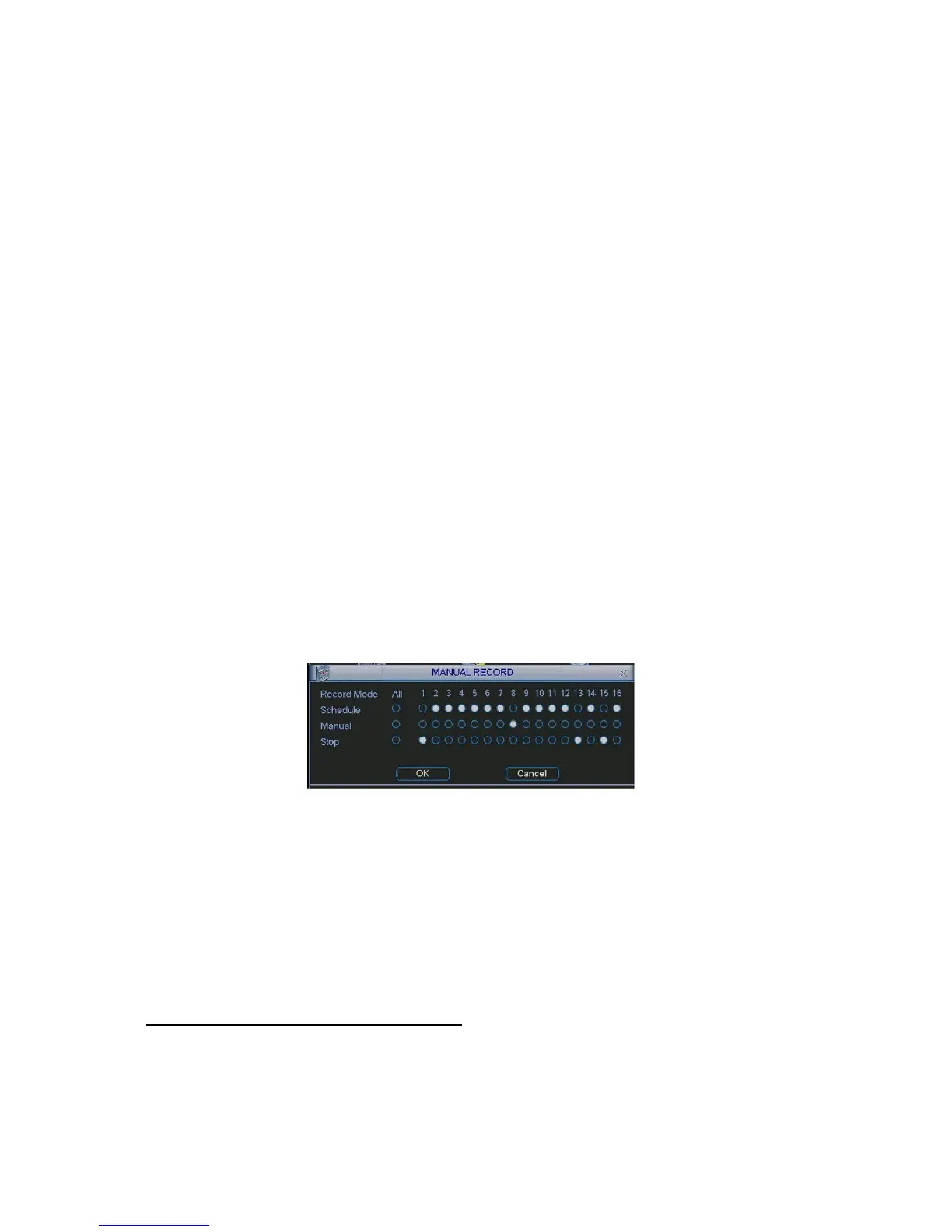
Manual recode interface is shown as in
273HFigure 5-18.
Figure 5-18
Then you can go to Schedule interface. See
274HFigure 5-19.
Please select the record channel number and then set pre-record time, record period. The record
type includes: regular record, motion detect record, alarm record. There are max 6 periods in one
day.
Redundancy function allows you to record a file in several HDDs to guarantee data security.
Please note you need to go to the HDD management interface (Advanced-> HDD Management)
to set one HDD as redundancy and then enable redundancy function here.
Playback or search in the redundant disk.
There are two ways for you to playback or search in the redundant disk.
z Set redundant disk(s) as read-only disk or read-write disk (Main menu->Advanced->HDD
management).System needs to reboot to get setup activated. Now you can search or
playback file in redundant disk.
z Dismantle the disk and play it in another PC.



 To Next Page