38
5.4 Search and Playback
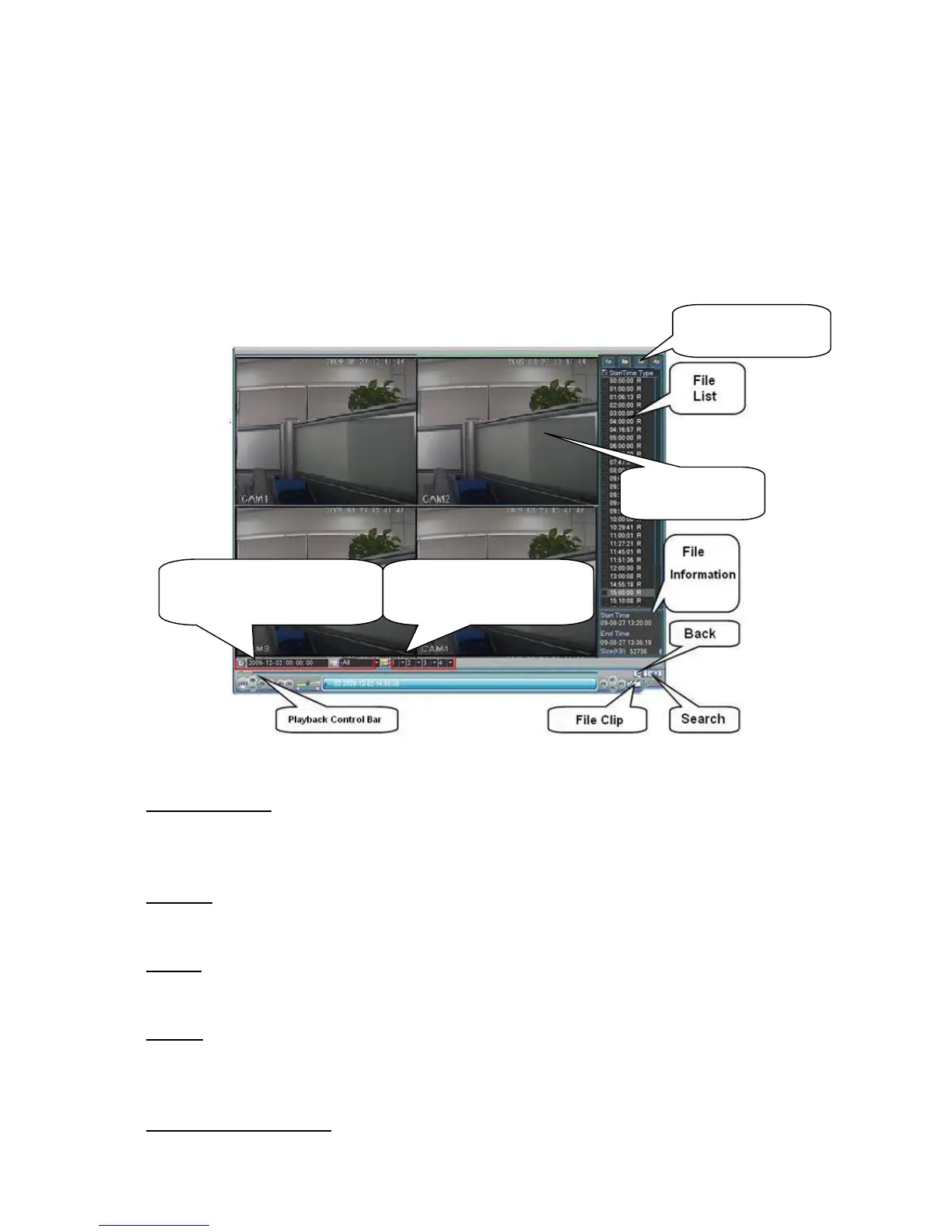
After you logged in the device, right click mouse and then select the search item you can see the
system main menu. See
259HFigure 5-5.
Or you can go to the main menu and then select search item; you can go to the following
interface too.
Usually there are three file types:
z R: Regular recording file.
z A: External alarm recording file.
z M: Motion detection recording file
Figure 5-5
Search operation
Please select the start time, type, channel and then click search button; you can view the file list
on the right side. System displays the first 100 files by default. You do not need to set the end
time.
Playback
Select the file name and double click mouse (or click enter button), you can view file content
at your local-end.
Backup
System supports backup operation. You can draw a √ before file name (multiple choices).
Then click backup button.
File clip
When a file is playback, you can click the file clip button to begin the edit and then click the
file clip button again to end the edit. Now you can click button to save the clipped file as a
new file.
Frame by frame manually
Video Window
Select start time and
record type here.
Select playback mode
and record channel here.
1/2/3/4-window



 To Next Page