39
When you pause a normal play file, you can click
or to realize frame by frame play
manually.
Calendar
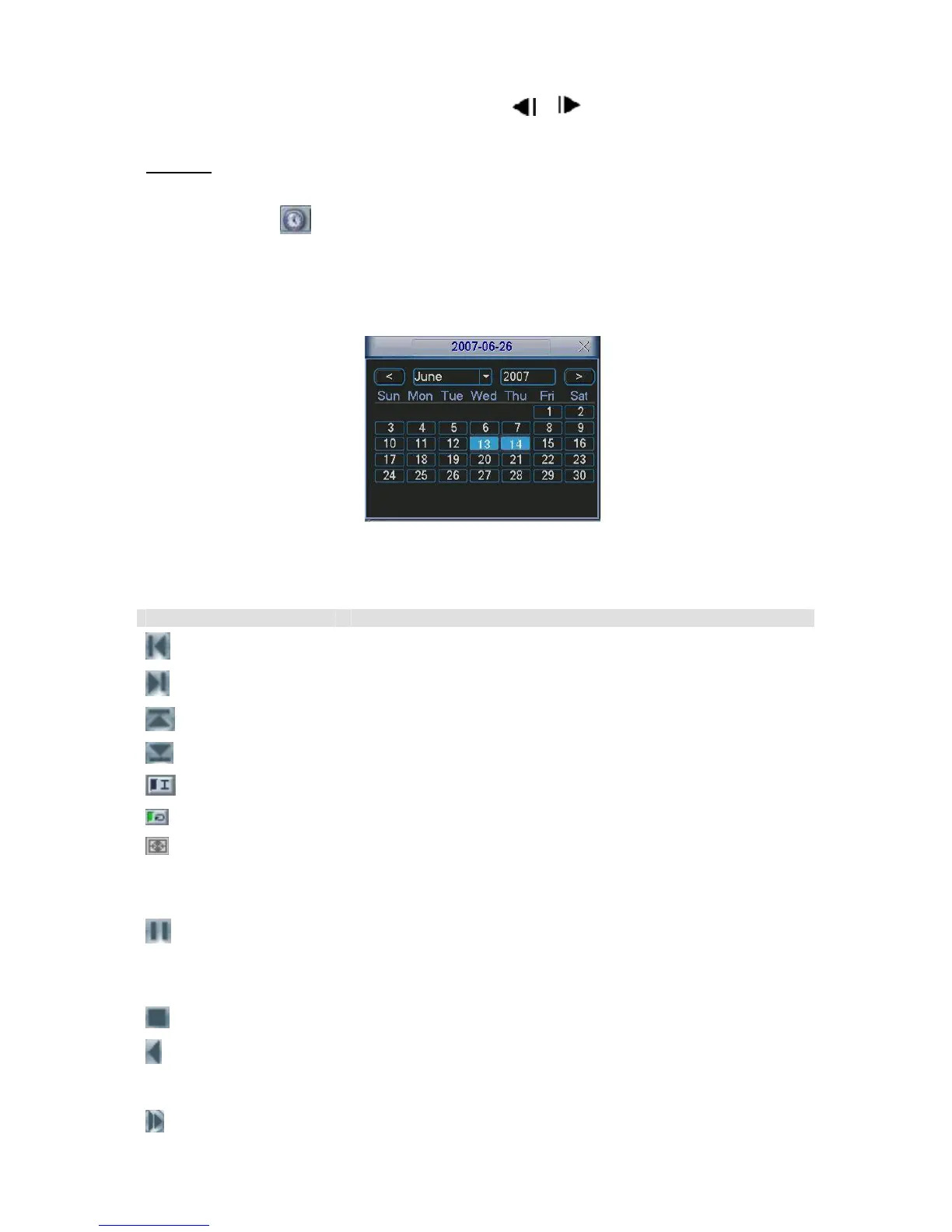
Click calendar icon
, system pops up a calendar for your reference.
The highlighted date means there are record files in that day. You can click blue date to view
file list.
In the following figure you can see there are video files in 13
th
and 14
th
June. Double click the
date to view its file list.
Figure 5-6
Please refer to the following sheet for playback control bar information.
Item Function
Play the previous file.
Play the next file.
Play the file in the previous channel.
Play the file in the next channel.
You can click it to realize I frame playback.
Click it to play the searched files repeatedly.
Click it to go to full screen display.
Digital zoom
When the system is in full-screen playback mode, drag your
mouse in the screen to select a section and then left click
mouse to realize digital zoom. You can right click mouse to exit.
In playback mode, click this button to switch between
play/pause modes.
In backward playback or frame-by frame playback, click it to
restore normal playback.
Click it to stop current playback.
In normal playback mode, left click backward play button,
system begins backward playback.
Double click backward play button again, system goes to pause
mode.
In playback mode, click this button to switch between various
slow play modes such as slow play 1 or slow play 2.



 To Next Page