50
http://(DDNS server IP)/(virtual directory name)/webtest.htm
e.g.: http://10.6.2.85/DEVICE _DDNS/webtest.htm.)
Now you can open DDNSServer web search page.
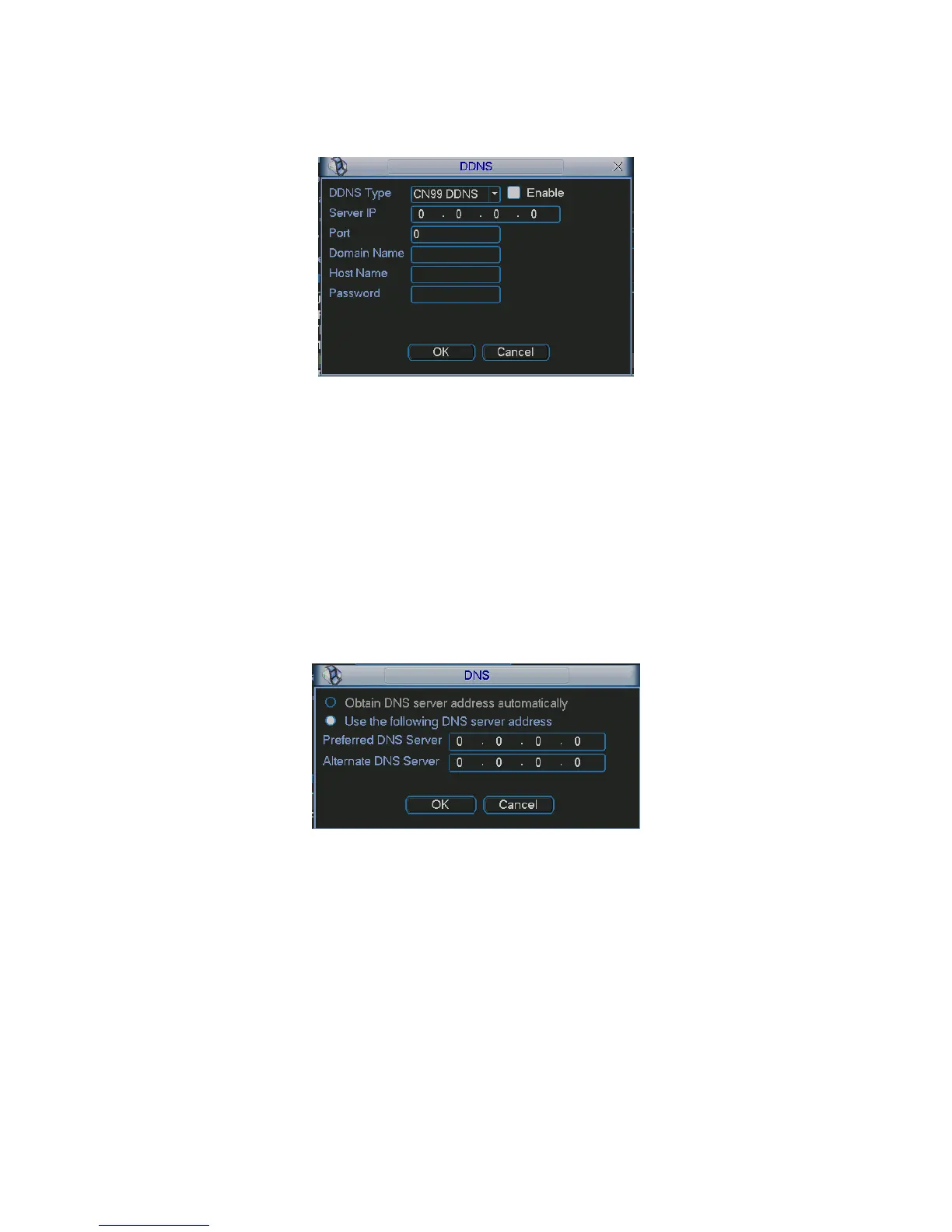
Figure 5-26
Please note NNDS type includes: CN99 DDNS、NO-IP DDNS、Private DDNS、Dyndns DDNS
and sysdns DDNS. All the DDNS can be valid at the same time, you can select as you
requirement.
Please refer to appendix NO-IP DDNS for detail information.
5.6.4.6 DNS
There are two modes: Manual setup and auto setup
z Manual Setup
You can double click DNS to set DNS address manually. See
282HFigure 5-27.
Please input preferred DNS server IP and alternative DNS server IP.
Figure 5-27
z Auto gets DNS address
Please enable DHCP function first and then double click DNS item.
If the DHCP function enabled successfully, system can get the DNS server IP address. See
283HFigure 5-28.



 To Next Page