70
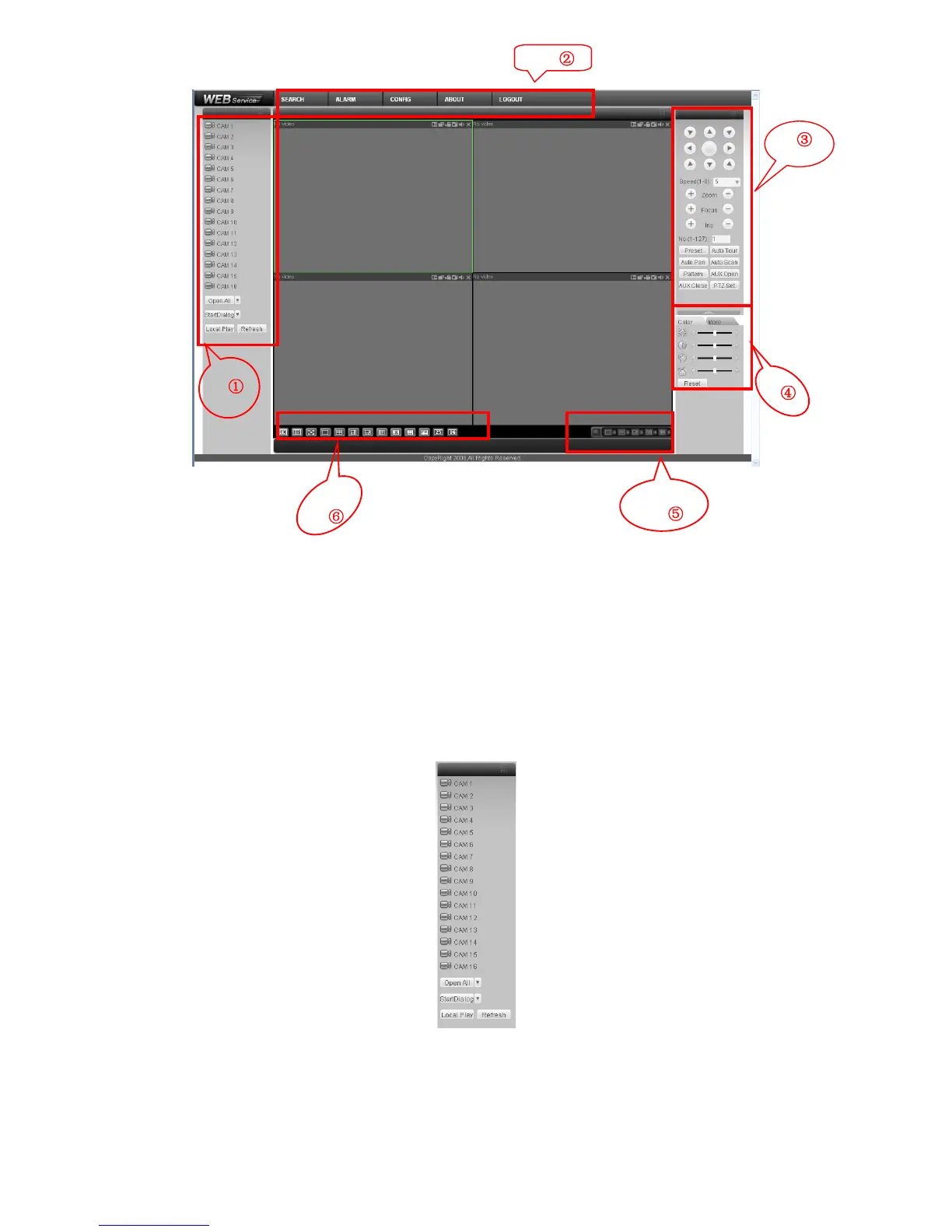
Figure 7-4 Web Main Interface
There are six sections:
z Section 1: Monitor channel menu tree
z Section 2: System menu
z Section 3: PTZ control
z Section 4: Video setup and other setup
z Section 5: Preview window
z Section 6: Monitor window switch
7.2.1 Monitor Channel Menu Tree
The monitor channel menu tree is shown as in Figure 7-5.
Figure 7-5 Monitor Channel Menu Tree
Please refer to the following sheet for detailed information.
①
②
③
④
⑥
⑤



 To Next Page