91
Parameter Function
Data Bit Default setup is 8. Please set according to the speed dome dial switch
setup.
Stop bit
Default setup is 1. Please set according to the speed dome dial switch
setup.
Parity Default setup is none. Please set according to the speed dome dial
switch setup.
Save You can click save button after you complete setup for one channel,
or you can complete the whole setups and then click save button.
Refresh Click this button to get device latest configuration information.
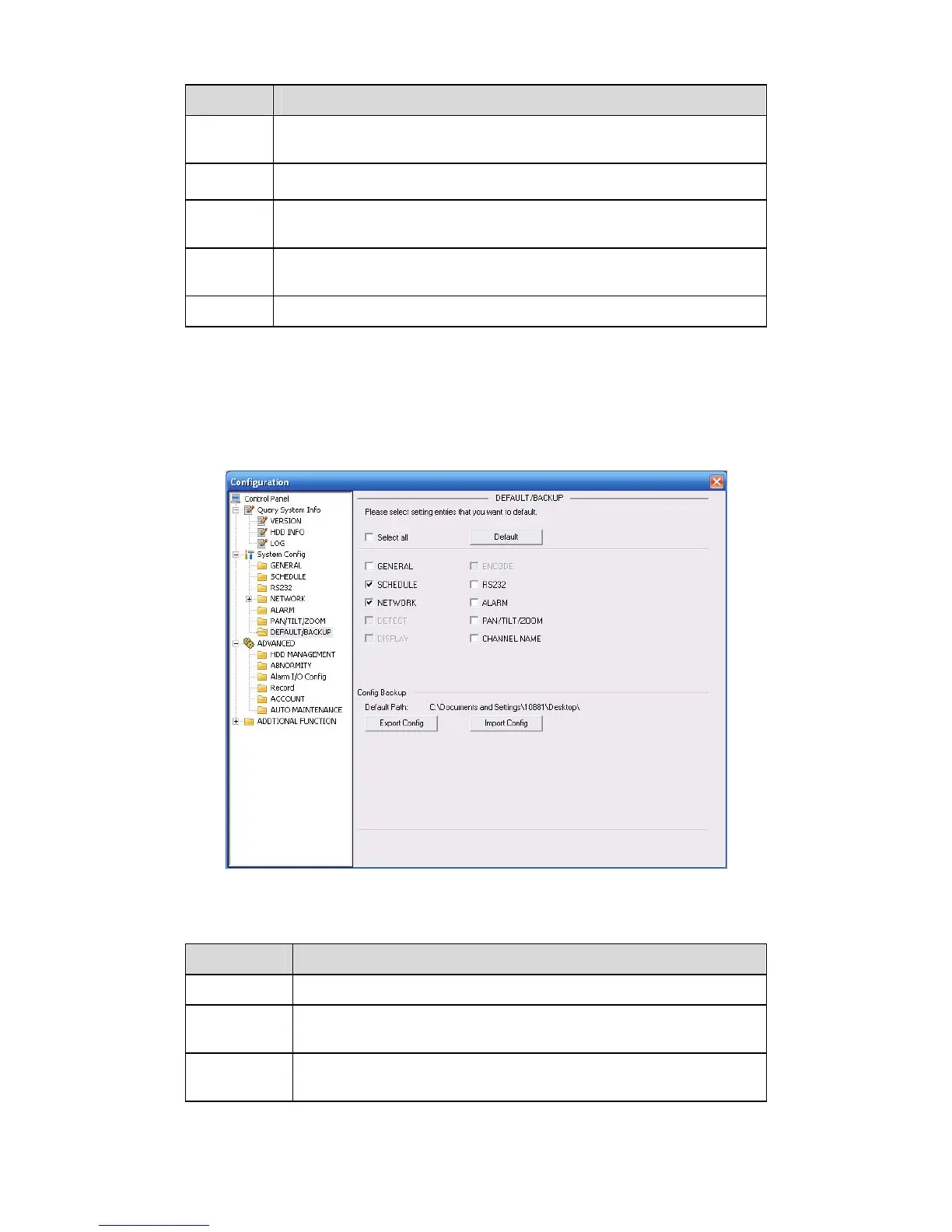
7.3.2.7 Default & Backup
Default: Restore factory default setup. You can select corresponding items.
Backup: Export current configuration to local PC or import configuration from current PC.
Please refer to
331HFigure 7-35.
Please note system can not restore some information such as network IP address.
Figure 7-35 Default and Backup
Please refer to the following sheet for detailed information.
Parameter Function
Select All Restore factory default setup.
Export
Configuration
Export system configuration to local PC.
Import
Configuration
Import configuration from PC to the system.
7.3.3 Advanced



 To Next Page