42
Figure 5-10
5.5.3 Log
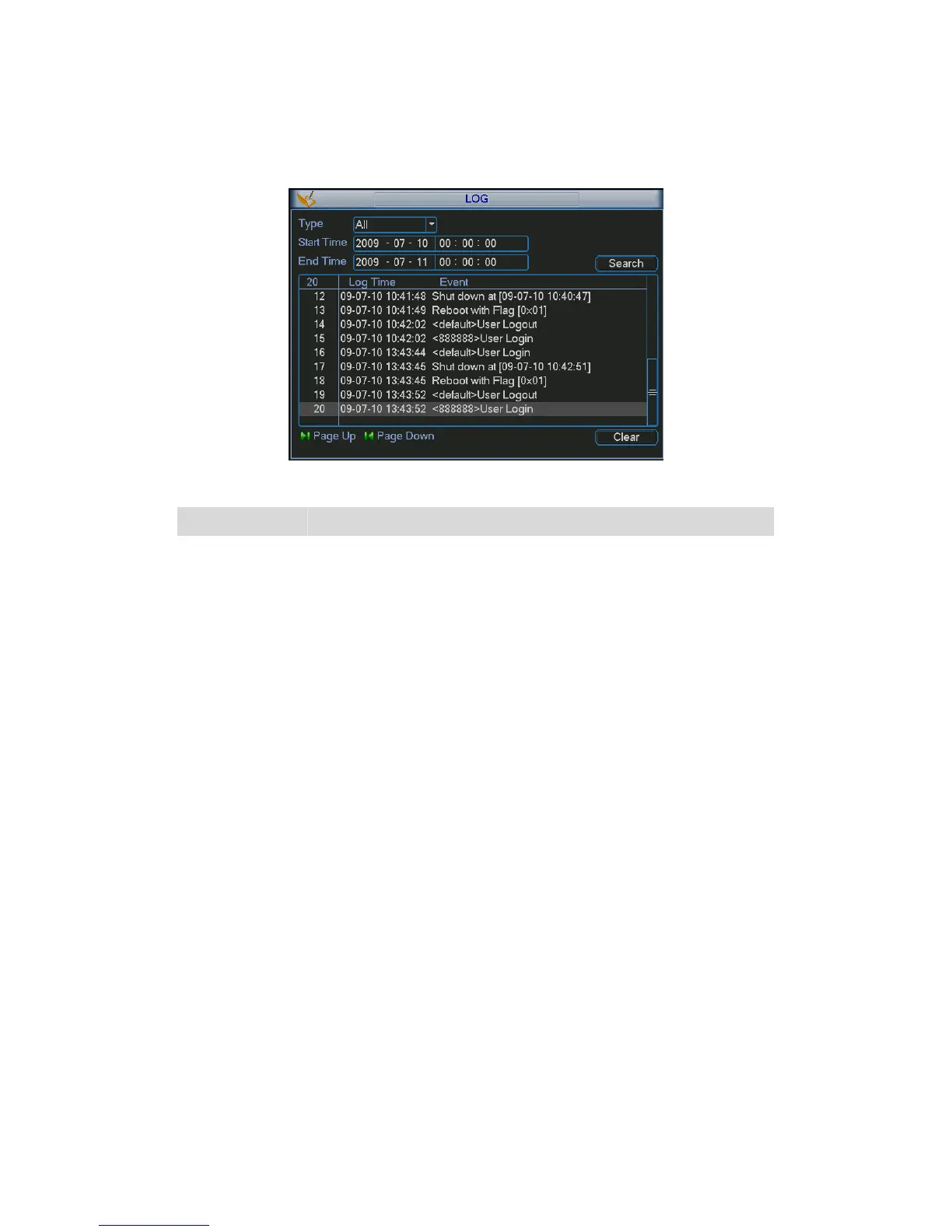
Here is for you to view system log file. System lists the following information. See 265HFigure 5-11.
Figure 5-11
Parameter Function
Type
Log types include system operation, configuration operation,
data management, alarm event, record operation, log clear and
etc.
Start time Pleased select log start time.
End time Pleased select log end time.
Search Please click search button, you can view the log files in the
specified time. There are max ten files in one page.
Log time Event occurred time (Log time)
Event Detail log information.
Page up Go to previous log page.
Page down Go to the next log page.
Clear
You can select the log file(s) and then click clear button to
remove.
5.5.4 Version
Here is for you to view some version information. See 266HFigure 5-12.
z Channel
z Alarm in
z Alarm out
z System version:
z Build Date
z Web
z Serial number
z Mac address



 To Next Page