15
Icon Name Function
P/Q/R/S).
Slow play/8
Multiple slow play speeds or normal playback.
In text mode, input number 8 (English character T/U/V).
Play previous/0
In playback mode, playback the previous video
In text mode, input number 0.
Play Next/9
In playback mode, playback the next video
In text mode, input number 9 (English character
W/X/Y/Z)
Up/1
Down /4
Increase/decrease numeral.
Assistant function such as PTZ
menu.
In text mode, input number 1/4
(English character G/H/I)
Left /2
Right /3
Shift current
activated control,
jumping to
up/down/left/right.
When playback, click these
buttons to control playback bar.
In text mode, input number
2(English character A/B/C)
/3(English character D/E/F)
Confirm
Confirm current operation
Go to default button
Go to menu
Power
Power button, press this button to boot up or shut down
NVR.
USB port
To connect USB storage device, USB mouse.
2.1.3 S Series
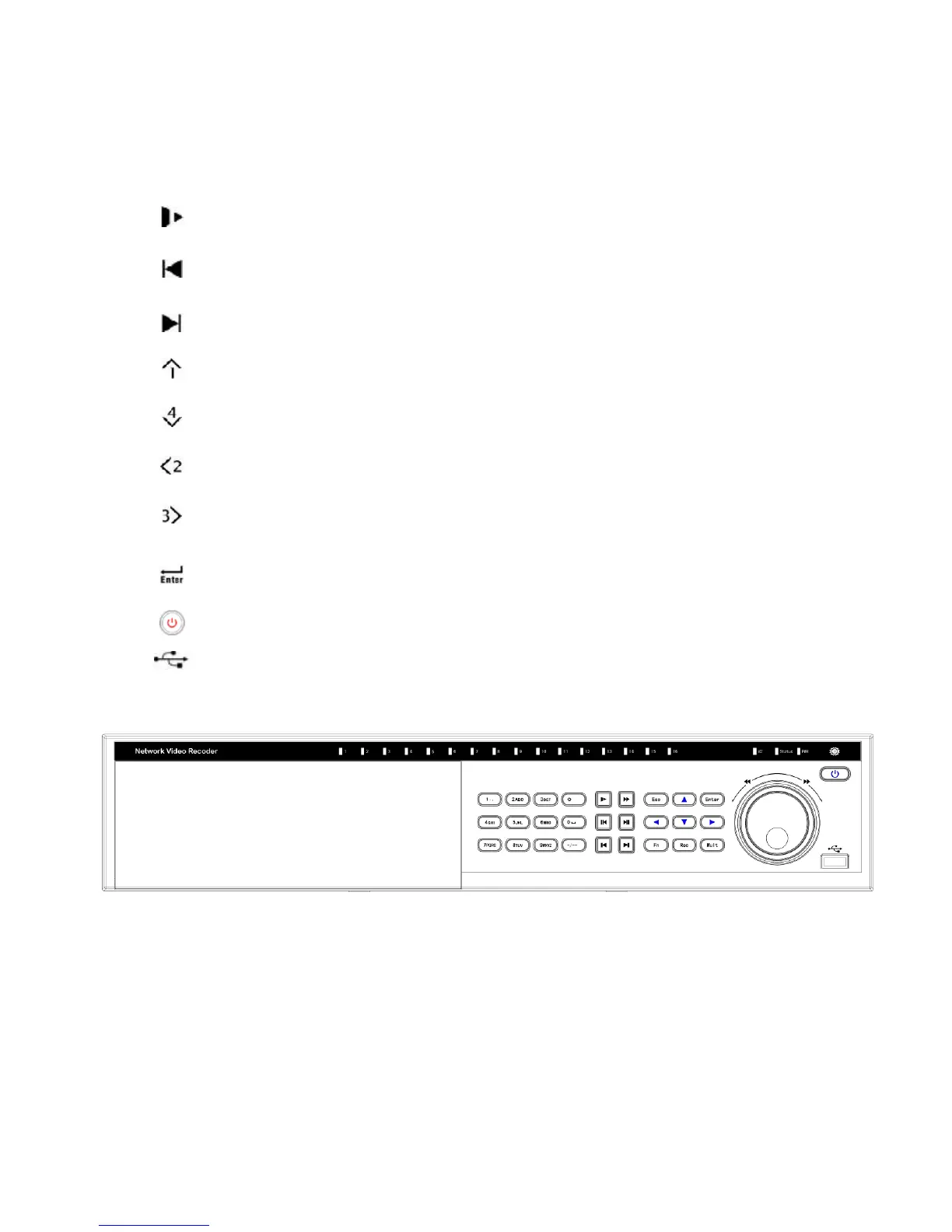
The S series NVR front panel is shown as in Figure 2-3.
Figure 2-3
Please refer to the following sheet for detail information.
Icon Name Function
1~16
Record status
indication light
When there is a recording channel, the
corresponding light becomes green.
ACT
Remote control key The light becomes red when the device receives the



 To Next Page