26
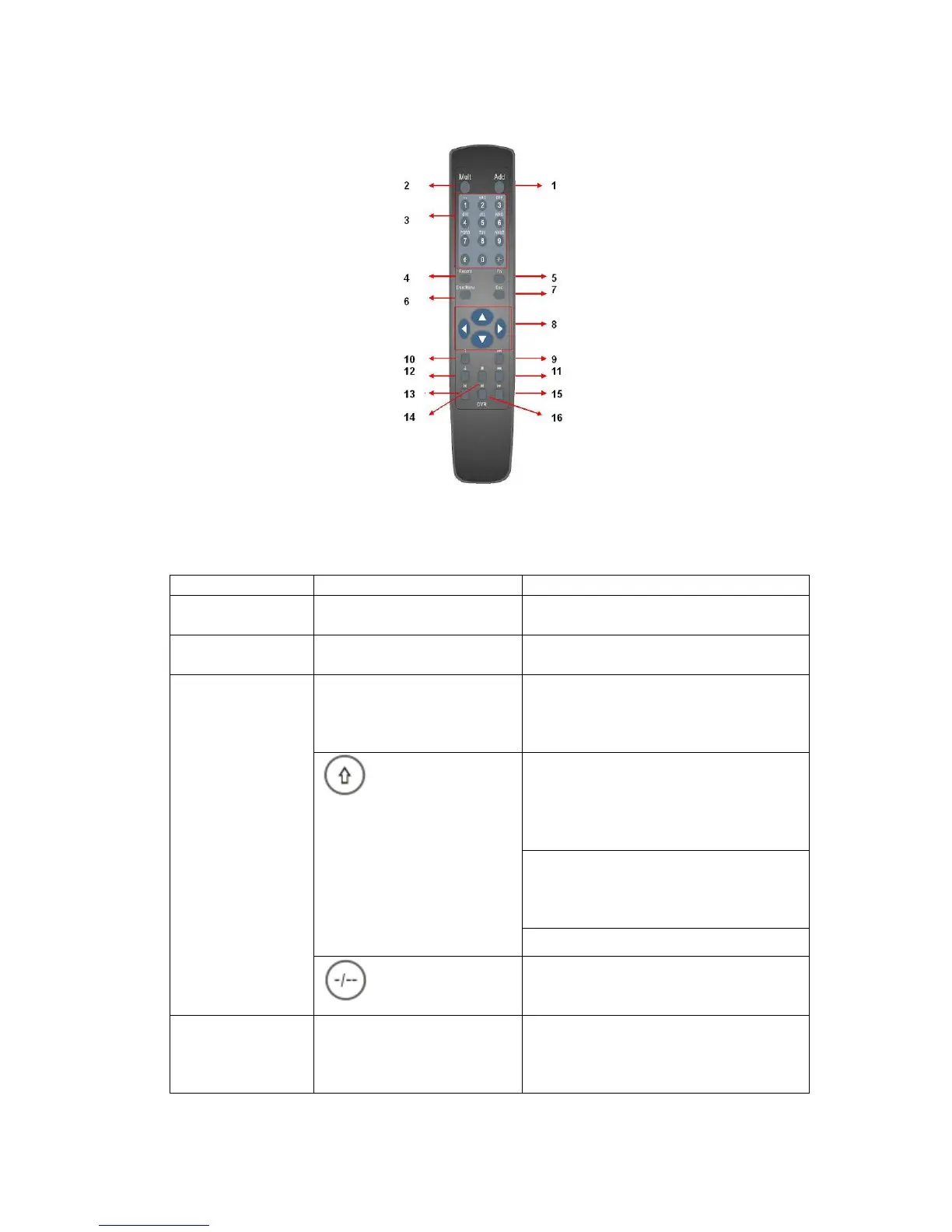
Figure 2-1
Serial Number Name Function
1 Address Click it to input device serial
number, so that you can control it.
2 Multiple-window switch Switch between one-window and
multiple-window.
0-9 number key Input password, channel or switch
channel.
Shift is the button to switch the input
method.
In textbox, click this button to switch
between numeral,
English(Small/Capitalized),donation,
Chinese
and etc.
In textbox, click this button to switch
between numeral, English
(Small/Capitalized),donation,
Chinese and etc.
Open/close tour
3
If your channel number is more than
10, please click this button and then
input the corresponding number.
4 Record Enable or disable record function
manually. In record control menu,
working with direction keys to select
record channel.



 To Next Page