83
Parameter Function
High-Speed
Download
Download the recorded file maximally using the network
bandwidth.
Multiple
cast
group
z
Set MULCAST address and port.
z
Enable MULCAST function.
Remote
Host
PPPOE
z
Input the PPPoE user name and password you get from the
IPS (internet service provider) and enable PPPoE function.
Please save current setup and then reboot the device to
get the setup activated.
z
Device connects to the internet via PPPoE after reboot.
You can get the IP address in the WAN from the IP address
column.
Note
If you want to reboot the device, please make sure
z The Web logged in account has the right to reboot the
device.
z There is no logged in user at the local end.
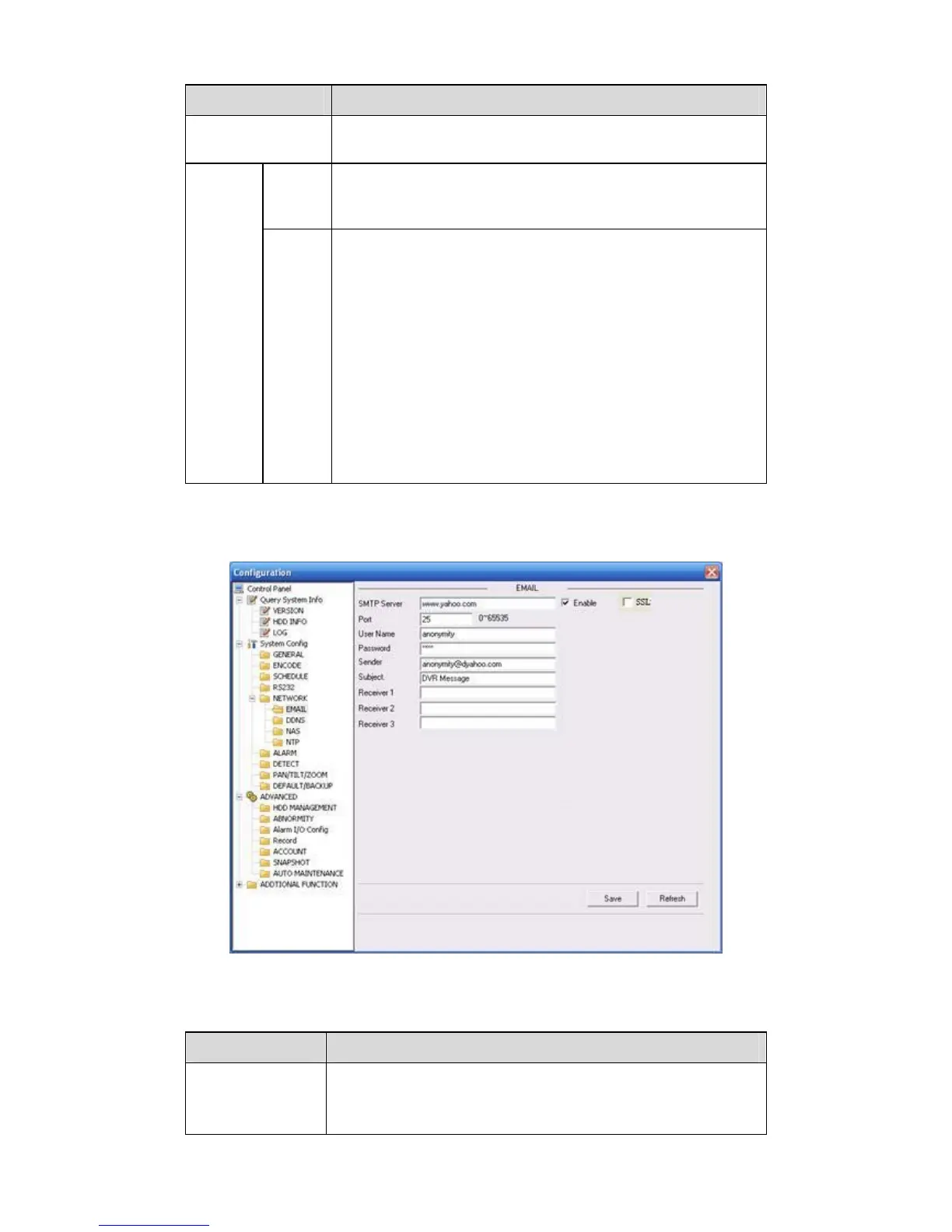
Email
The email interface is shown as in
325HFigure 7-26.
Figure 7-26 Email
Please refer to the following sheet for detailed information.
Parameter Function
SMTP Server
Input server address and then enable this function.
You can also input the corresponding server domain name
here, but you need to go to DNS interface (chapter 7.3.4.1) to
set the server IP that can parse the domain.



 To Next Page