1-2
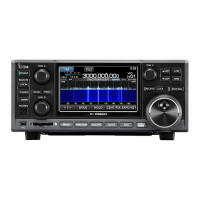
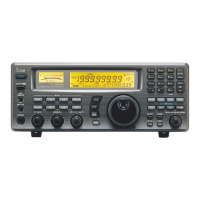
■ Front panel
q POWER SWITCH [POWER] (p. 3-2)
➥ Push to turn the receiver power ON.
• The [POWER] indicator above this switch lights green
when powered ON.
➥ Push for 1 sec. to turn the receiver power OFF.
• The [POWER] indicator lights orange when the re-
ceiver is OFF when the internal power supply is
switched ON.
w REMOTE CONTROL SWITCH [LOCAL]
Push to cancel remote control operation from a PC
via a CI-V data.
• The [REMOTE] indicator lights yellow while in remote
control operation.
• When the [REMOTE] indicator lights yellow, all dials,
keys or switches other than this switch are disabled.
e PANEL LOCK SWITCH [PANEL LOCK] (p. 9-2)
Push to turn the panel lock function ON or OFF. The
panel lock function locks all dials, keys and switches
other than [POWER] and [PANEL LOCK].
• The [PANEL LOCK] indicator above this switch lights
yellow when the timer is in use.
• The dial lock function is also available.
r TIMER SWITCH [TIMER] (p. 10-3)
➥ Turns the sleep or daily timer function ON or
OFF.
• The [TIMER] indicator above this switch lights green
when the timer is in use.
➥ Enters timer set mode when pushed and held for
1 sec.
t RECORDER REMOTE JACK [REC REMOTE]
Controls the operation of a tape recorder for record-
ing. Connects to the REMOTE jack on a tape
recorder.
y RECORDER JACK [REC OUT]
Outputs an audio signal. Connect to the AUX or
LINE IN jack on a tape recorder.
u HEADPHONE JACK [PHONES]
Accepts standard 3.5 (d) mm (
1
⁄8) stereo head-
phones.
• Output power: 40 mW with an 8 Ω load.
• When headphones are connected, the internal speaker
or connected external speaker does not function.
i SQUELCH CONTROL [SQUELCH] (p. 3-8)
Adjusts the squelch threshold level. The squelch
disables output from the speaker (closed condition)
when no signal is received.
• The squelch control is particularly effective for FM or
AM. It is also available for other modes.
•11 to 12 o’clock position is recommended for any set-
ting of the [SQL] control.


 To Next Page