11-23
11
SET MODE
■ Formatting the CF card or USB-Memory
Saved data in the CF card or USB-Memory can be
erased.
IMPORTANT! Formatting erases all saved data in
the CF card/USB-Memory. Backing up your memory
device on your PC is recommended.
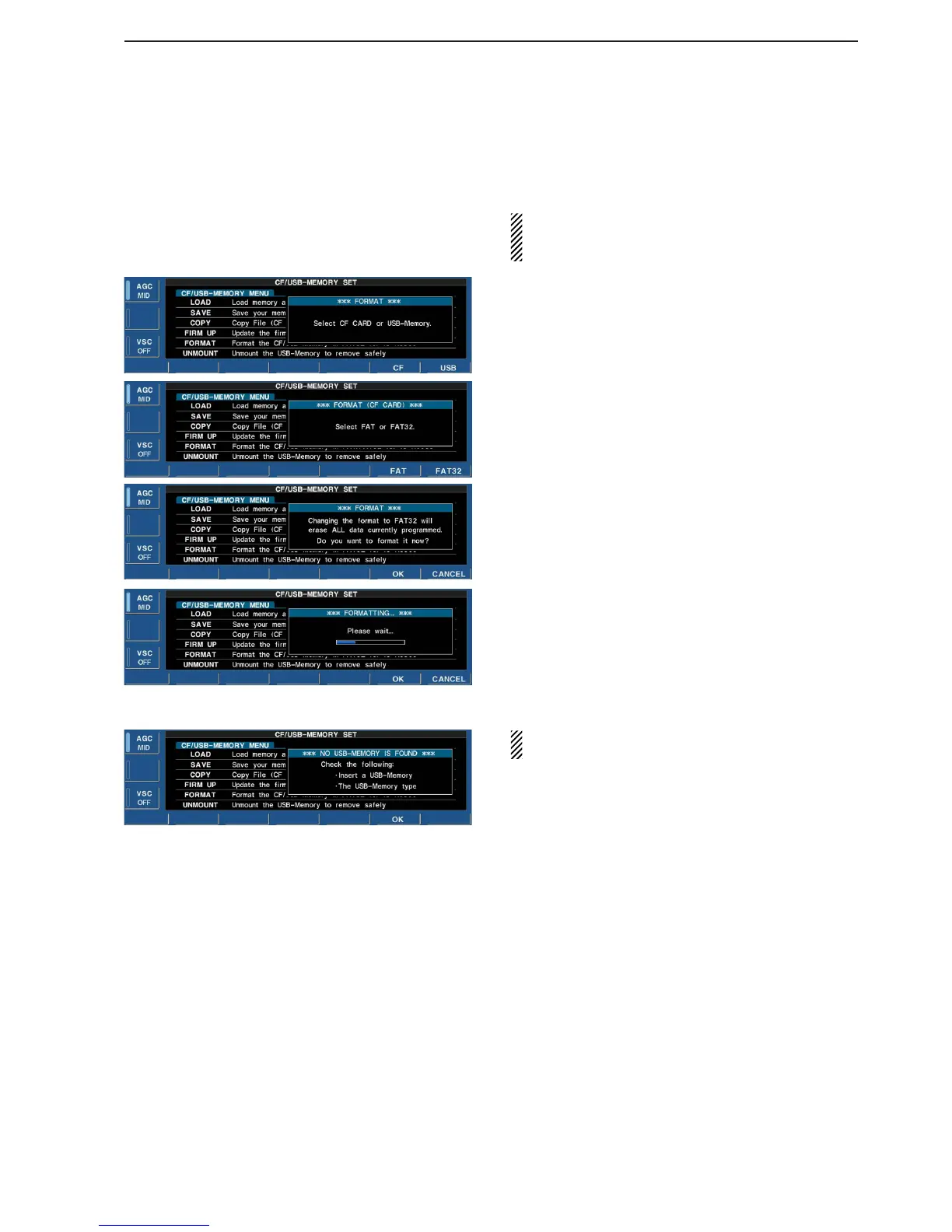
q During CF/USB-Memory set menu display, push
and hold [F-4•FORMAT] for 1 sec.
• Selection screen appears.
w Push [F-6•CF] or [F-7•USB] to select CF card or
USB-Memory, respectively.
e Push [F-6•FAT] or [F-7•FAT32] to select the format
type, FAT or FAT32, respectively.
• Confirmation screen appears.
r Push [F-6•OK] to format.
• Push [F-7•CANCEL] to cancel.
t Returns to CF card set menu indication automati-
cally.
NOTE: If no USB-Memory is inserted and [F-7•USB]
is selected as in step w, an error message appears.


 To Next Page